robvasi
Known Participant
June 29, 2017
Answered

change background to white

  • June 29, 2017
  • 1 reply
  • 6098 views

I am sure this has been asked numerous time.  I searched on  this forum and found nothing.  I also watched some online presnetations, but I get bogged down and can't keep up or don't see the same thing on my PS, which is due to different version, or so it seems.

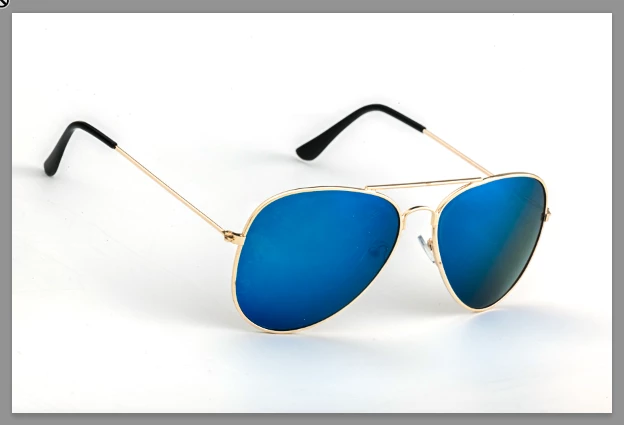
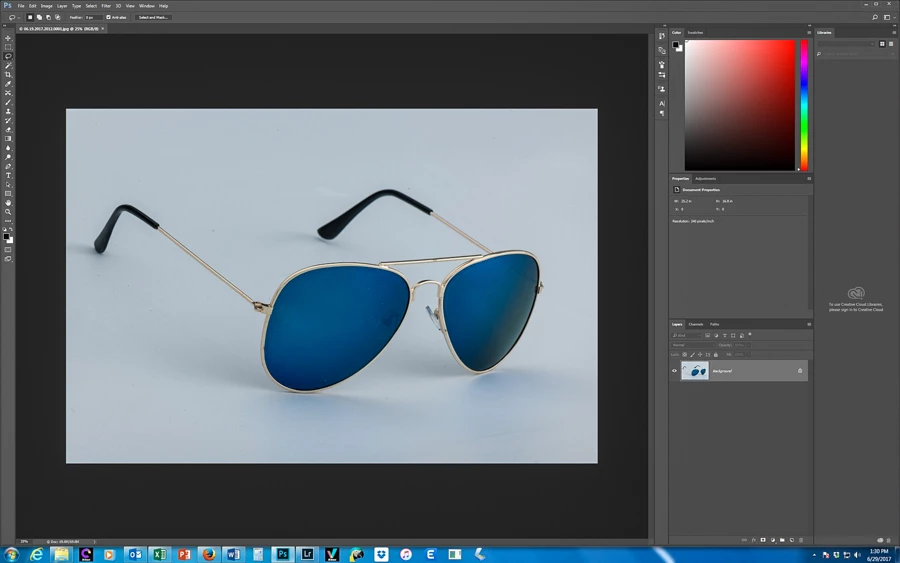
I need a white background.  The subject is mirrored and colored sunglasses.  They have gold frames and the frames are rounded.

I have limited Photoshop skills and a vague understanding of how PS works.   So, i will need step by step instructions.

I have PS 2017.  I use a Windows computer

Thank you.
    This topic has been closed for replies.
    Correct answer davescm

    What you described seems to be what I need to do.


    That is a badly underexposed image but easy to fix. If you want to retain some of the shadows :

    In the layers panel - Right click on the layer and choose "Convert to Smart object"

    Go to menu Filter - Camera Raw Filter

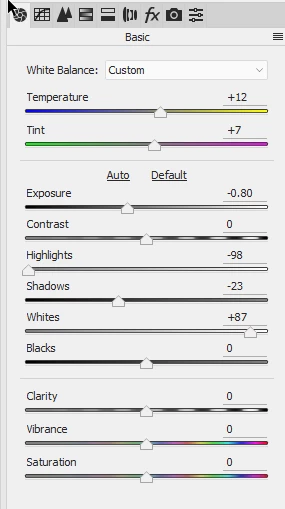
    Choose the white balance tool and click anywhere on the white

    Drag the Whites slider to the right until you are left with just enough shadow to make it realistic

    Drag the Highlights to the left to restore the detail in the bright frames

    Drop the exposure and shadows sliders (drag to the left) to darken the mid blues

    That is it - click OK

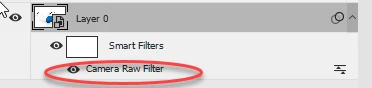
    You can reopen the raw filter if you want to adjust further by clicking in the layers panel

    Dave

    1 reply

    Nancy OShea
    Community Expert
    Community Expert
    June 29, 2017

    Show us your image so we know what you're working with.

    And please tell us which version of Photoshop have have.   Help > About Photoshop or  System Info.

    Your Toolbar should have 2 color swatches.  Clicking the the top left one is for foreground color.  The bottom right one is your background color.   See screenshot.

    Nancy O'Shea— Product User & Community Expert
    robvasi
    robvasiAuthor
    Known Participant
    June 29, 2017

    Adobe Photoshop Version: 2017.1.0 20170309.r.207 2017/03/09:23:00:00 CL 1107877  x64

    When I try to make the background 255 white, the frames are either blown out or gone.