
Ernandes13
Participating Frequently
February 25, 2019
Answered

Change brush outline size and color

  • February 25, 2019
  • 1 reply
  • 2343 views

Hi, everyone + Adobe

I searched some answers before post here.

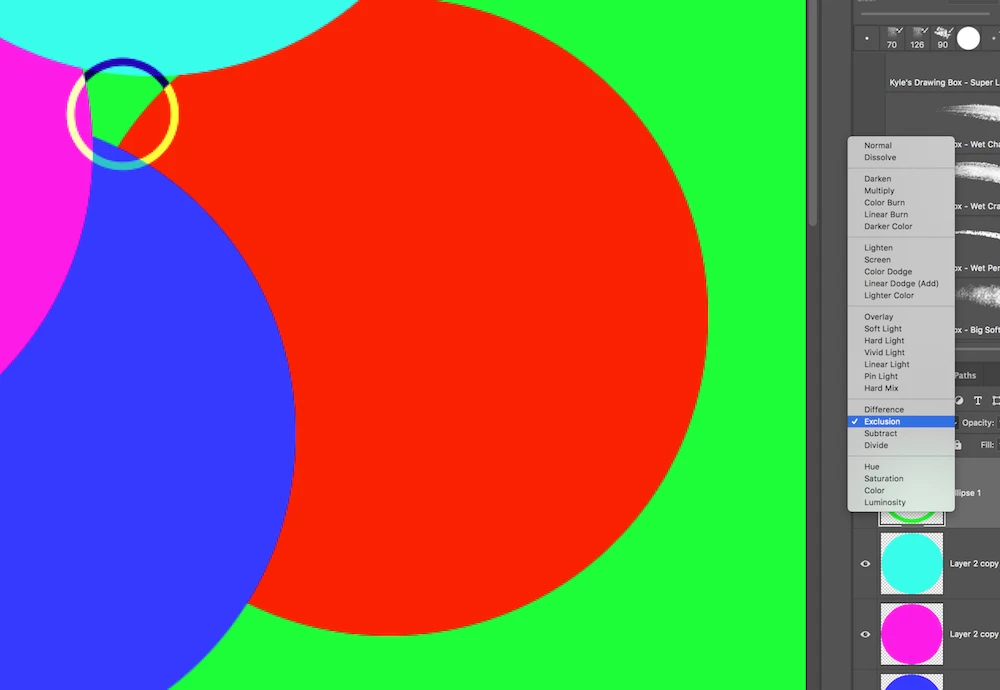
How about change the kind of brush line to an smooth vector with "exclusion MODE" or invert color.

Today we have a Simple anti-alias line and sometime is very difficult to see here the circle are.

In my idea, if brush are to small, the stroke automatically change to fill circle with "exclusion MODE" or invert color.

Otherwise keep like my image.

Best Regards, Fernando.
This topic has been closed for replies.
Correct answer

Hi

You should post your idea's an the Adobe Feedback forum

Photoshop Family Customer Community

1 reply

JJMack
Community Expert
Community Expert
February 25, 2019

Adobe brushe engine is complex brushes can be customezed may ways.  The are so many ways blending mode is just a one of the thing that can be set. There many brush dynamics.  If brush strokes are recorded as a vector path.  Would the stroke be smooth?  Maybe maybe not.   It is more then blending. See if Kyle has a brush for your needs.

Brush stroke are on a single layer, Mixer brushes can sample all layers.

JJMack
Ernandes13
Participating Frequently
February 25, 2019

Hi JJMack thanks for reply.

My point is visual, not quality of brush tool or options. The brush tool works very well.
My ideia is a option in preferences or something like this.
Best Regards, Fernando.

Correct answer
February 25, 2019

Hi

You should post your idea's an the Adobe Feedback forum

Photoshop Family Customer Community