Participant
July 8, 2018
Answered

Change colour of a shape.

  • July 8, 2018
  • 3 replies
  • 580 views

Hi!

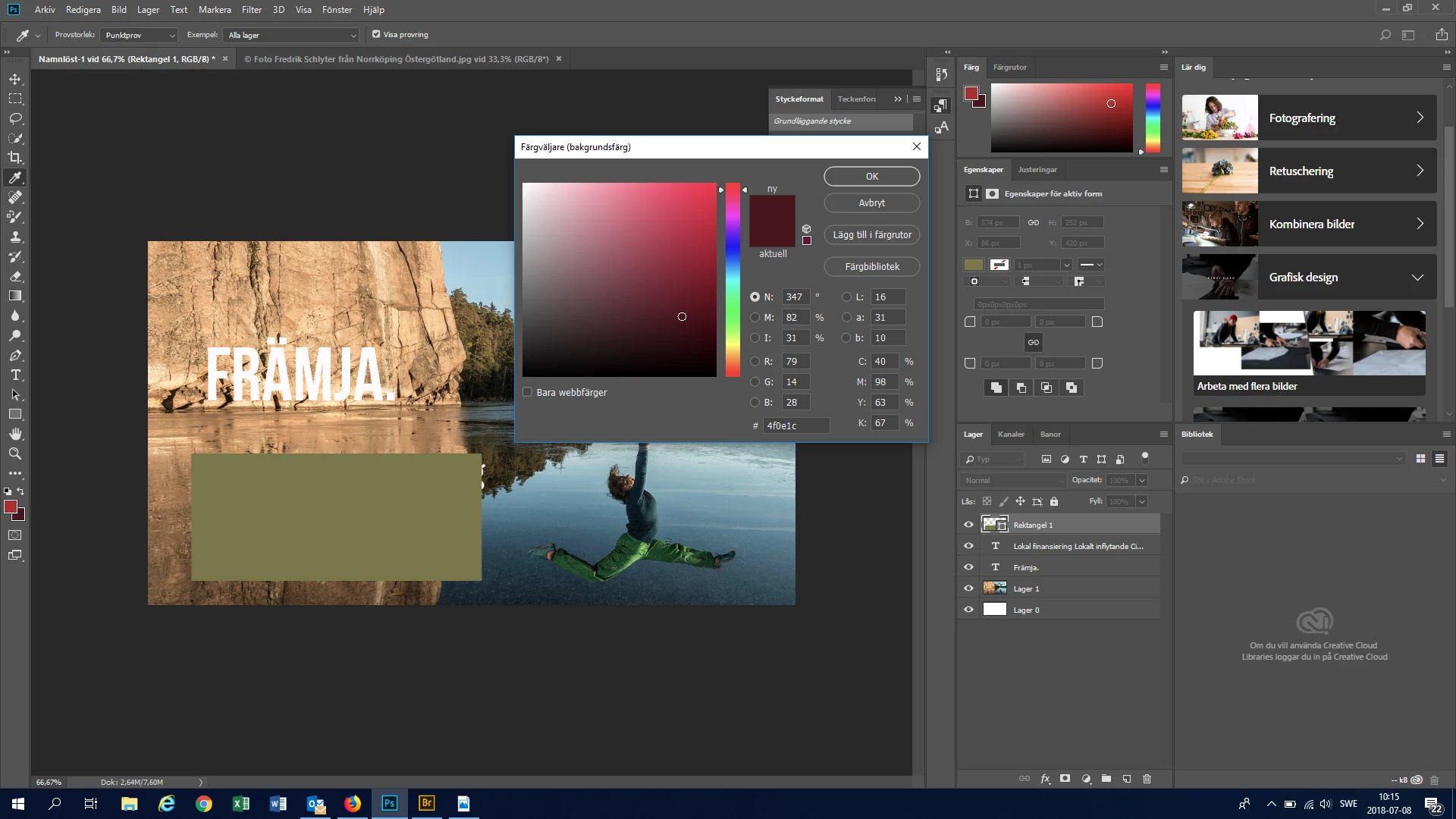
I am trying to change the colour of a rectangle to a colour of my own choosing. I.e. a colour selected with hexadecimals and not the pre-selected colours in the colour box of the tool field. It does not work when I open the colour selector (see screen print).

Linn
This topic has been closed for replies.
Correct answer Trevor.Dennis

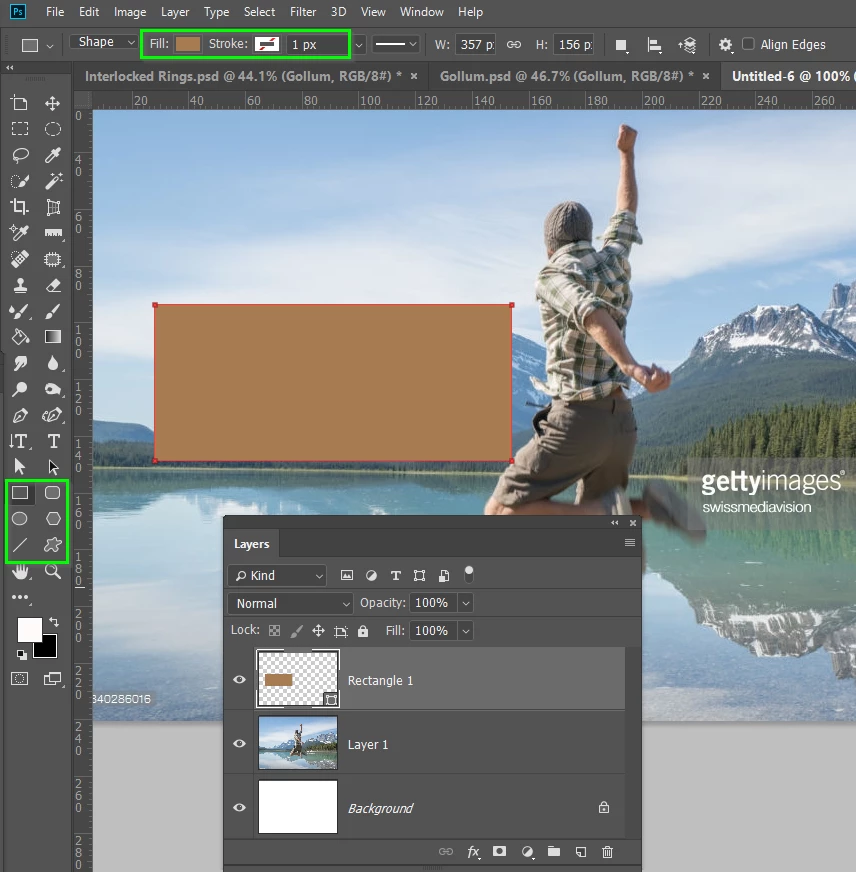
You need to select _any_ of the shape tools which will bring up the Fill and Stroke controls in the Options Bar

3 replies

rayek.elfin
Legend
July 8, 2018

On a side note, this is one of those areas in Photoshop which is very inconsistent in regards to UI design. In other software the same colour pickers and dialogs are utilized to control both bitmap and vector colour selection. Having separated colour controls for either bitmap or vector is just plain silly and counter-intuitive (which is once more proven by the OP's question). And counter-productive as well.

In Photoshop the only reason I can come up with why vector and bitmap colour selection modes are separated as they are, is because of Photoshop's aging code structure. Instead of re-writing the underlying foundation, vector colour selection tools were pretty much slapped on top of the existing code base, without any heed of clever and consistent GUI design.

Sigh. Poor aging Photoshop. She's an old wooden ship leaking water everywhere and patched up with modern equipment as she goes.

But at least she's still got some style, I'll give here that.

macpawel
Participating Frequently
July 8, 2018

You can also use Properties panel. Go to Window>Properties and open this panel. Then select Shape layer and adjust color as you need.

But - I think the easiest way is using FX and Color Overlay option in Layers panel.

pawel

Trevor.Dennis
Community Expert
Trevor.DennisCommunity ExpertCorrect answer
Community Expert
July 8, 2018

You need to select _any_ of the shape tools which will bring up the Fill and Stroke controls in the Options Bar

Participant
July 8, 2018

Thank you both! Now I got it to work!

Yours, Linn