StrongBeaver
Legend
December 2, 2016
Answered

Change perspective

  • December 2, 2016
  • 5 replies
  • 1039 views

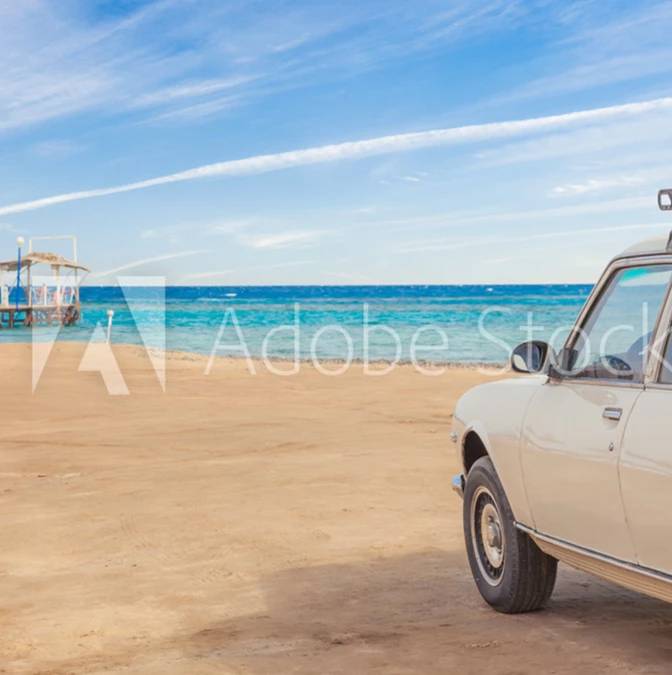
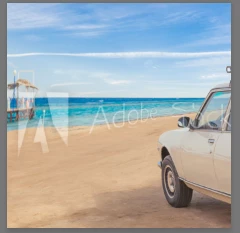
I need to change the perspective of the sand, currently the sands perspective is down (lower right) I must change this to up (upper right), all the while keeping the image looking authentic as if it was shot at that perspective that is critical

    This topic has been closed for replies.
    Correct answer davescm

    Try something like this (you will need a much higher res image than you posted to do this as these a big stretches)

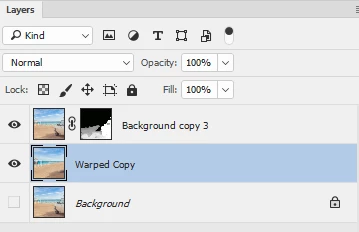
    1. Select the car and put on a separate layer.

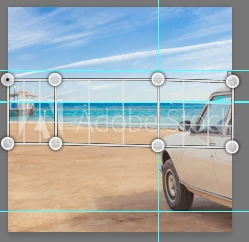
    2. Use perspective warp to divide the central portion of your image into 3 sections

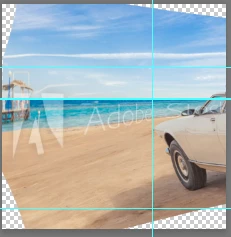
    3. Warp them ensuring you keep the horizon straight

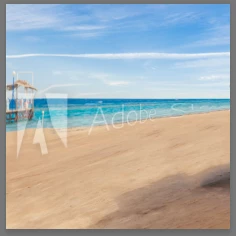
    4. Use content aware fill to fill the corners and the patch tool to take out the car

    4. Blend in the masked car layer and shadow using the layer mask

    As I said at the start - with that much warping , start with a hi-res image

    Dave

    5 replies

    Trevor.Dennis
    Community Expert
    Community Expert
    December 2, 2016

    Use multiple Stoke images.  Adobe will love you...   Your wallet not so much.  Heck there's another $10 just in the tire print in little composite.  That's three months Photography plan subs in one image.  No wonder Adobe are pushing Stock so hard.

    They had videos of the 'Recreate Old Masters' using Adobe stock looping in the Grand Pavilion at MAX.  They used dozens of stock images for each one, with multiple stock images going into each subject in the paintings.

    You can see them all in this PetaPixel article​ It was fascinating watching the images come together with a new stock image used just for an arm, and another for a beard etc.  I'd love to know what the stock cost would have been if they were doing it for themselves.

    JJMack
    Community Expert
    Community Expert
    December 2, 2016

    Flip should be easy.

    JJMack
    StrongBeaver
    Legend
    December 2, 2016

    Thanks for all the suggestions more or less they will work

    davescm
    Community Expert
    davescmCommunity ExpertCorrect answer
    Community Expert
    December 2, 2016

    Try something like this (you will need a much higher res image than you posted to do this as these a big stretches)

    1. Select the car and put on a separate layer.

    2. Use perspective warp to divide the central portion of your image into 3 sections

    3. Warp them ensuring you keep the horizon straight

    4. Use content aware fill to fill the corners and the patch tool to take out the car

    4. Blend in the masked car layer and shadow using the layer mask

    As I said at the start - with that much warping , start with a hi-res image

    Dave

    War Unicorn
    Community Expert
    Community Expert
    December 2, 2016

    Maybe just flip the sucker horizontally like Flo mentioned? Nobody will know since I don't see anything that would indicate it was mirrored (like text).

    floramc
    Community Expert
    Community Expert
    December 2, 2016

    Hello there,

    two things I can think of

    1) edit>transform

    if you go for flip horizontal then it's the easiest (and laziest) way to do the job, or you can click on the icon to turn the transform into warp mode and try to affect the sand only - I see that like a suicide mission if you want to keep it real but that's all around your PS skills

    2) clone tool

    totally painful work, but in this case you'd affect only the area that you are interested in.

    Both have downsides and after all puppet warp can do the job too, if you mark the area correctly. But still some clone stamp work will be required.

    Inspiration tools, hope something helps!

    Randy Hufford
    Community Expert
    Community Expert
    December 2, 2016

    what do you mean, are you trying to remove car? or you want a perspective as if your where laying in the sand?