Participant
April 19, 2019
Answered

changer la couleur du tracé Plume sous PSD

  • April 19, 2019
  • 1 reply
  • 4565 views

Bonjour

Je recherche comment changer la couleur du tracé générer par photoshop.

Je l'avais changer dans une version précédente mais ne retrouve pas comment le changer CC2019 (20.0.4).

Cela permet de modifier en fonction du tracé et de l'image de fond de bien voir son tracé.

[ moved from Acrobat Community for Public Sector Professionals to Photoshop by moderator ]
This topic has been closed for replies.
Correct answer

Hi

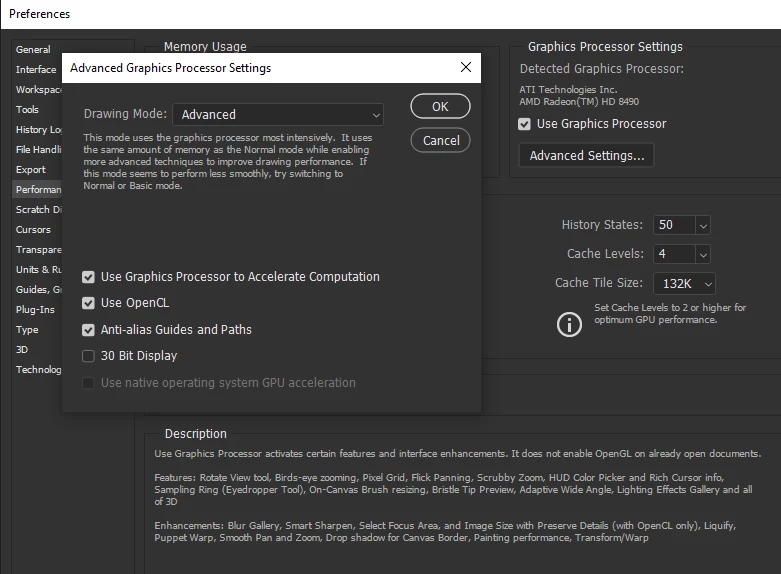
I see. it's greyed out, couple of things to check, in preferences check to make sure OpenCL is enabled

Have you checked the options here also in preferences

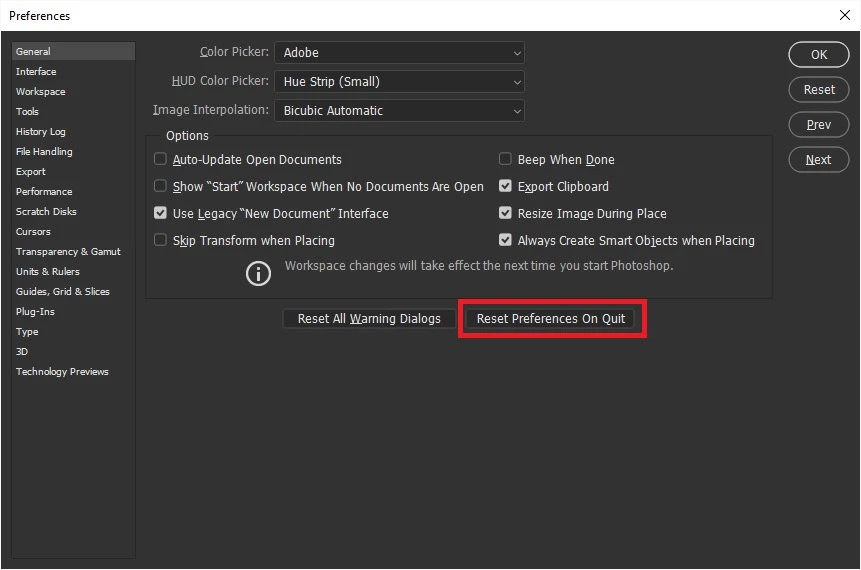
Try resetting your preferences, to see if that helps, you may want to backup your settings first

Migrate presets, actions, and settings

1 reply

April 19, 2019

Hi

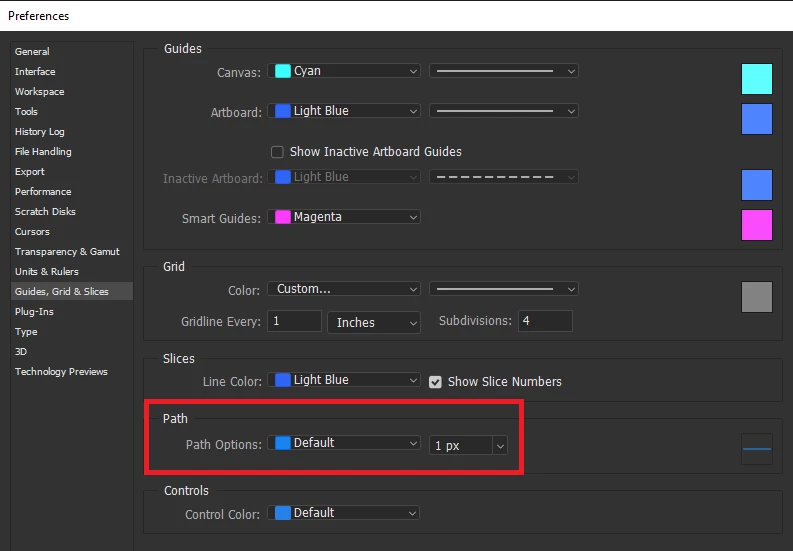
Maybe I'm misunderstanding you but you can change the colour and thickness of the pen path from here

CLEM_95Author
Participant
April 19, 2019

Bonjour,

Normally youre right, the change of color or thickness must be change there.
In CC2018, it's OK but not CC2019.

See screenshot above

I dont know why, is it a preference ??

regards

Correct answer
April 19, 2019

Hi

I see. it's greyed out, couple of things to check, in preferences check to make sure OpenCL is enabled

Have you checked the options here also in preferences

Try resetting your preferences, to see if that helps, you may want to backup your settings first

Migrate presets, actions, and settings