
Inspiring
November 22, 2019
Answered

Changing background behind handwritten letters to white

  • November 22, 2019
  • 2 replies
  • 1516 views

Hi,

I have handwritten letters with a creamish background that I want to change to a white background and change nothing about the letters.

Attaching image.

How can this be done? 

Thanks,


Regards,

Janz.
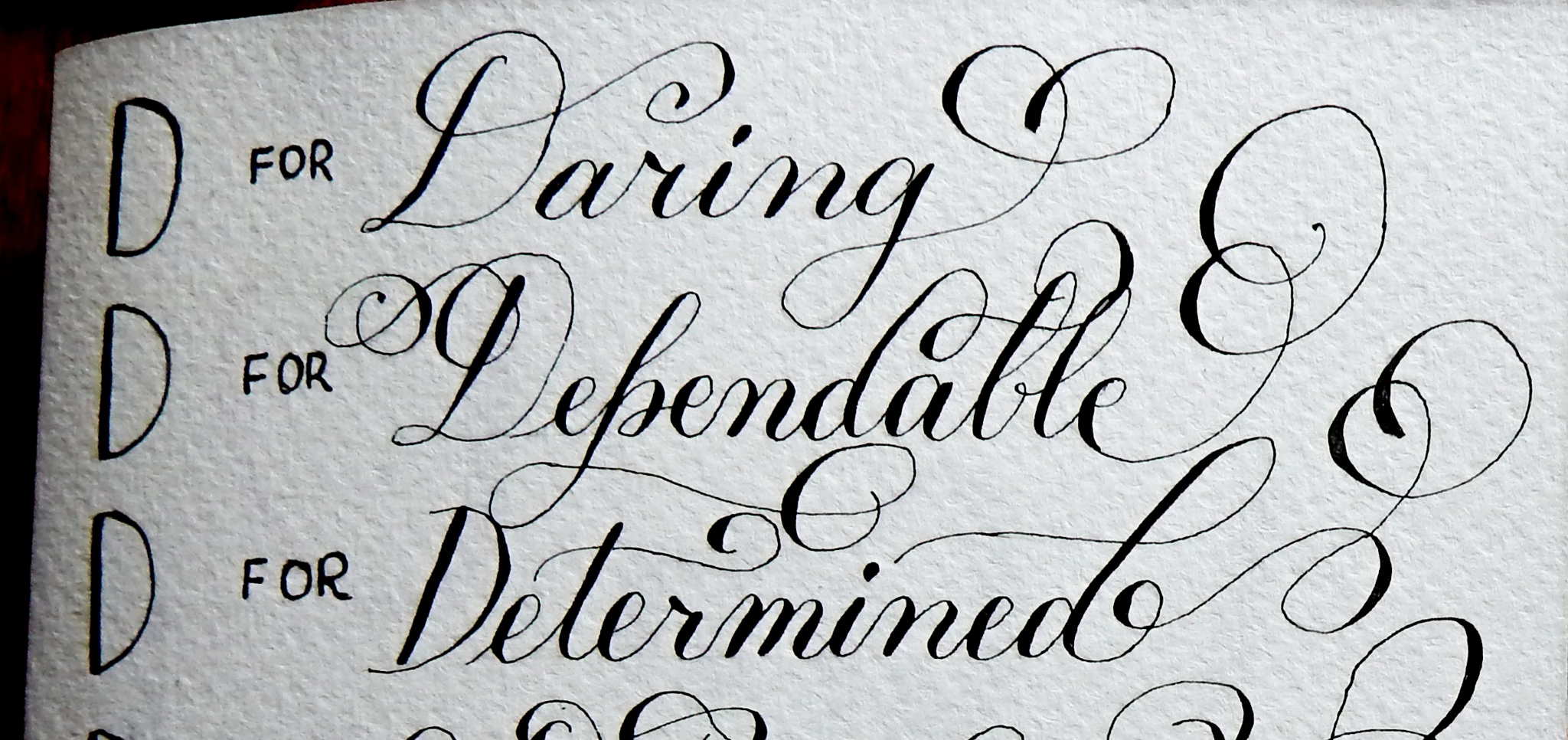
This topic has been closed for replies.
Correct answer Mylenium

Since it's a simple b/w image, creating a basic selection/ channel from luminance will do wonders. Image --> Calculations  is your friend. it should literally take half a minute to create a channle, adjust its black and white point and assign the channel as a mask to a layer.


Mylenium

2 replies

November 22, 2019

Hi

You could try making a selection of the main part of the text and jumping that to a new layer and then adding a Levels adjustment dragging the white slider to the left, not ideal as you may need to do some manual painting.

Maybe somebody else will have an easier option

Inspiring
November 22, 2019

Yes true, a lot of manual touching up required then.. thanks!

Mylenium
MyleniumCorrect answer
Legend
November 22, 2019

Since it's a simple b/w image, creating a basic selection/ channel from luminance will do wonders. Image --> Calculations  is your friend. it should literally take half a minute to create a channle, adjust its black and white point and assign the channel as a mask to a layer.


Mylenium

Inspiring
November 22, 2019

Thanks this worked! And what if there was colour other than black and white? Any suggestions please since I deal with a lot of coloured letters as well.