Cristian Kempf
Participant
February 21, 2018
Question

Changing Blend Mode in Layer Style panel - Shortcut

  • February 21, 2018
  • 1 reply
  • 808 views

Hi guys!

I'm trying navigate in blend modes in Layer Style panel, but I can't (or don't know how). Out of panel I have used Shift + or to navigate between the blend modes and it works fine, but in Layer Style panel it doesn't work.
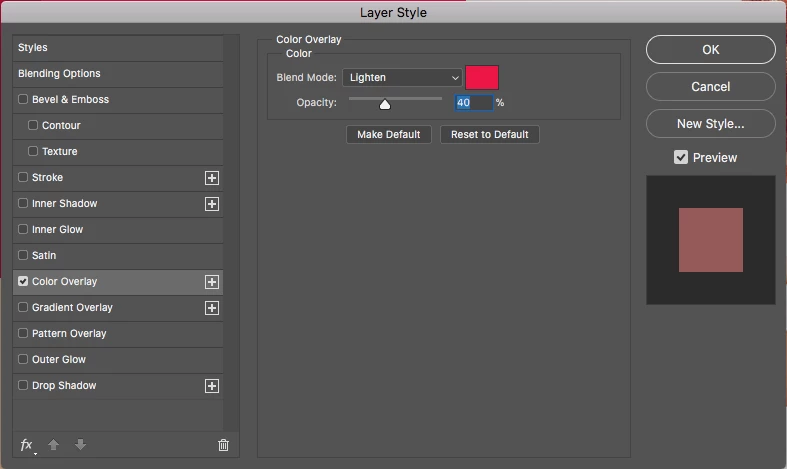
Can you help me? Thanks!

FYI: macOS 10.13.3 and Photoshop CC 2018

This topic has been closed for replies.

1 reply

Norman Sanders
Legend
February 21, 2018

Use the dropdown menu to choose Color

Then use the downarrow again to show the list

Hold down the Shift key and use the North/South keyboard arrows to navigate the list

Cristian Kempf
Participant
February 21, 2018

Hi Norman!

It works, but I still can't see the blend mode in use, like out of panel. It is necessary to choose one by one to see the result.

catlambeau
Participant
February 26, 2018

Same for me,

It works, but I can't see the blend mode in use. It is necessary to choose one by one to see the result.