


Participant
January 18, 2021
Answered

Changing the color of already drawn brush strokes

  • January 18, 2021
  • 2 replies
  • 15587 views

I have a two layer image, with a map on the first layer, and many light blue brush strokes on the second (one such brush stroke is shown here on the left):
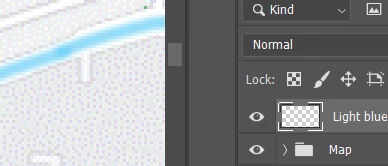
I wish to change just the color of the brush strokes on the second layer. while maintaining the look of the brush strokes.

I've tried using the paint bucket tool, and get this:
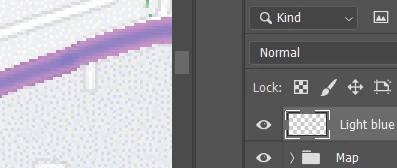
which causes two probems - the fading edges on the sides of the brush strokes are gone, and the original stroke with the original color is still visible below. Any help is appreciated.
Correct answer Michael Bullo

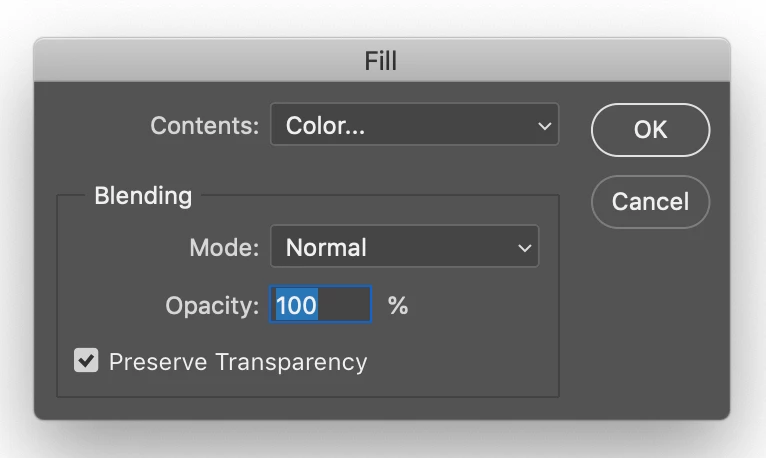
Select the layer you wish to change within the Layers panel. From the Edit menu choose Fill. Change the Color within the Contents section and make sure Preserve Transparency is selected.

2 replies

Michael Bullo
Community Expert
Michael BulloCommunity ExpertCorrect answer
Community Expert
January 18, 2021

Select the layer you wish to change within the Layers panel. From the Edit menu choose Fill. Change the Color within the Contents section and make sure Preserve Transparency is selected.

Rick16B8Author
Participant
January 23, 2021

That worked great! Thank you.

Michael Bullo
Community Expert
Community Expert
January 23, 2021

Excellent. Thank you.

Bojan Živković11378569
Community Expert
Community Expert
January 18, 2021

Have you tried Layer Style > Color Overlay with Blending Mode set to Normal?