
Participant
February 9, 2024
Question

Changing the Texture on sets of Outdoor Furniture

  • February 9, 2024
  • 2 replies
  • 413 views

Hello!


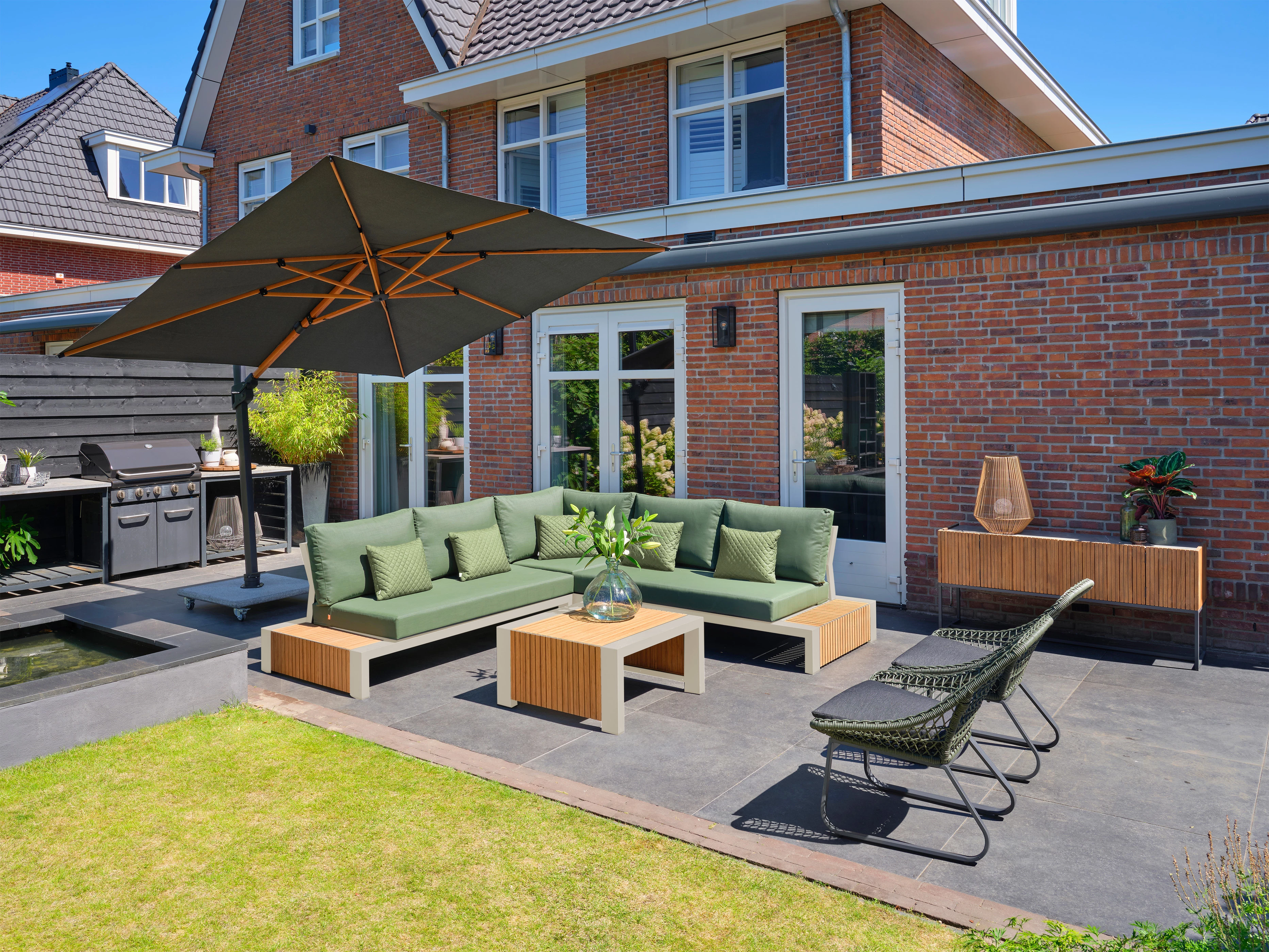
Hoping somebody can provide me with some advice on changing the textures of the cushions on the image below to the same texture as the image at the bottom of this post (textilene)? Any tips to match the colour would also be appreciated 🙂 thanks!



This topic has been closed for replies.

2 replies

didiermazier
Community Expert
Community Expert
February 15, 2024

Maybe a way to get it

Pattern layer + blending mode.

It would be better to use a neutral pattern instead of a colored one (soft grey/white) to keep the original color…


c.pfaffenbichler
Community Expert
Community Expert
February 10, 2024

Matching the color can be done with an approriate Layer Mask (on a Group) and Adjustment Layers (in the Group). 

The same Layer Mask can be the basis for changing the texture; manual touch-up and Smart Filters and, possibly, some additional masking may be indicated. 

Edit: 

Participant
February 14, 2024

Hi,

Thanks for your help! I am still struggling to be honest 😅

What Pattern Overlay did you use? Did you define from the comparison image? I used a swatch of textilene in order to try and replicate a textilene set. Swatch attached. Don't think it looks good at all 😂


Can you guide me with this? 🙂


Also need to change the texture in cameo shots too. Would you go over any challenges you think i would face?


Both PSDs for Main and Cameo here: https://we.tl/t-ltRuhyyLIs 


Thanks!

c.pfaffenbichler
Community Expert
Community Expert
February 14, 2024

The Pattern Overlay I used was just noise to better fit the Layer into the image. 


In an image like »Pullover_lounge_cameo_12.psd« a Pattern Overlay like you used it would not produce a meaningful result because of the perspective of the photographed object.