

Channel Selections stopped working/ inactive
Version: both 24.4.1 and 23
Platform: Macbook Pro, Ventura 13.4
Hi gang,
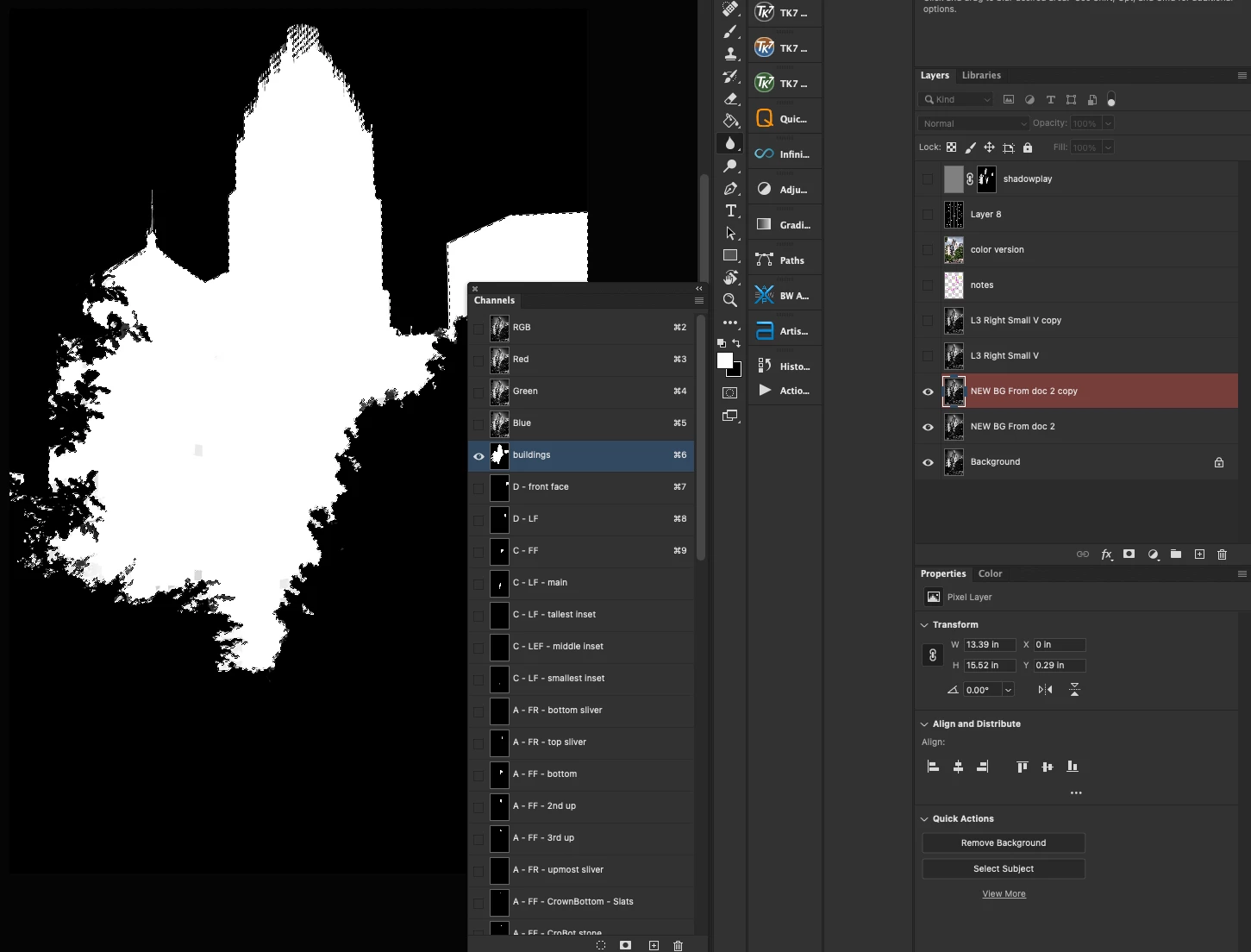
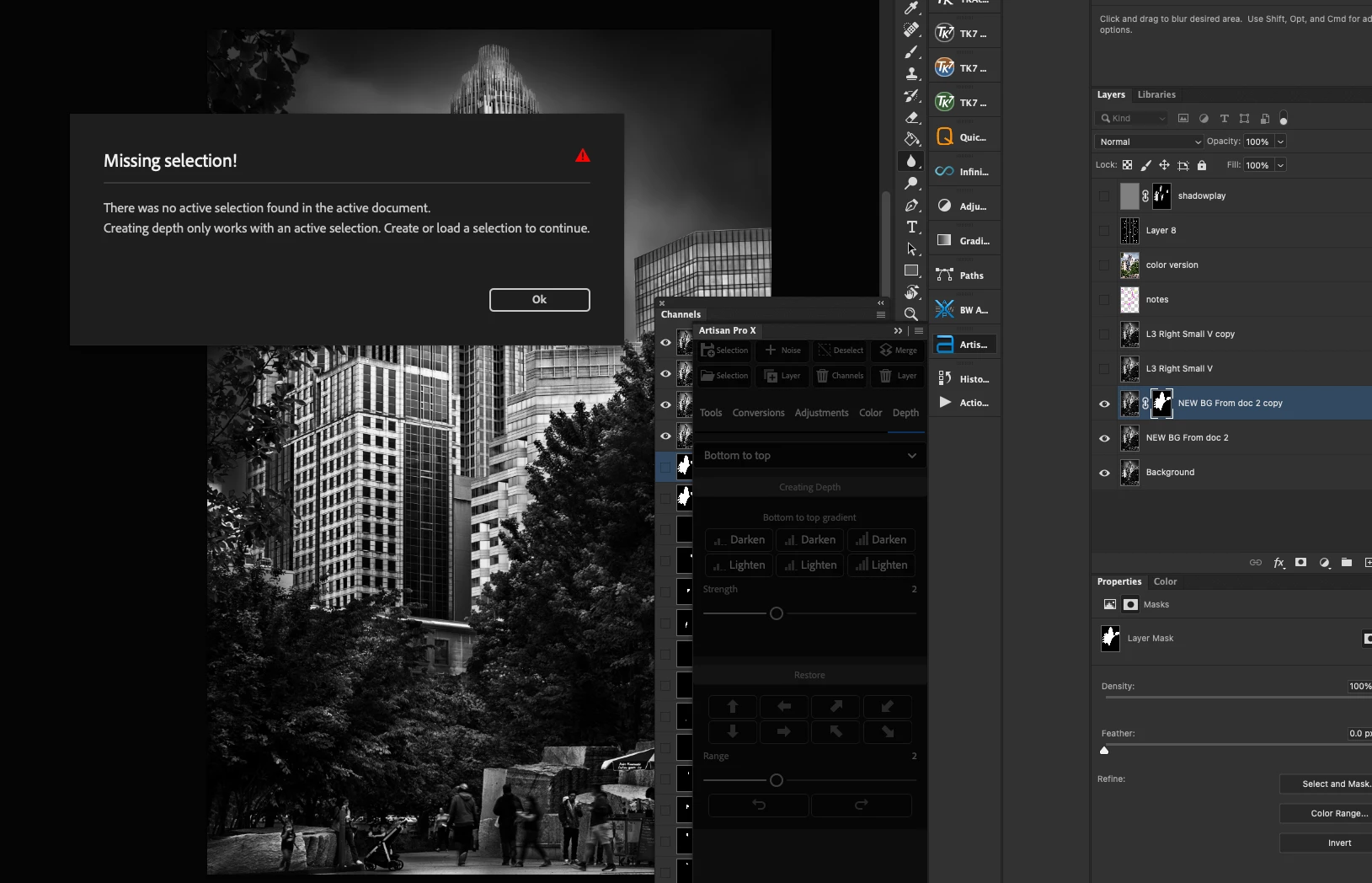
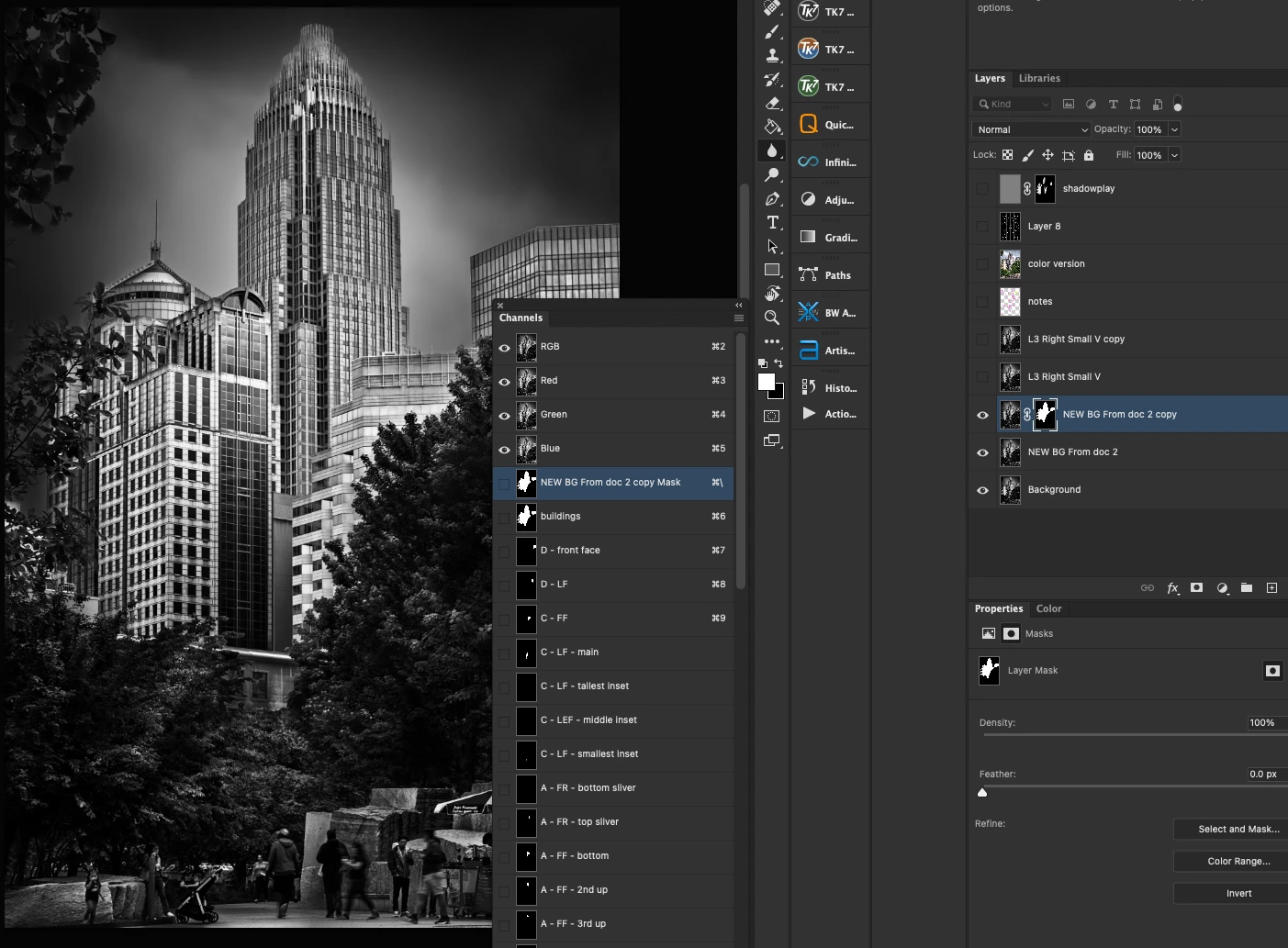
I'm including some screenshots with this. I was working with a document with a lot of channels I'd created for specific luminosity masks. The first day of editing, everything worked fine. I had the layer selected I planned to work on. I'd selected the channel I wanted with corresponding mask. I'd used the Load circle/button at the bottom of the Channels panel. I'd then selected the Add Layer Mask button in the Layers panel. Applied the desired effect, smooth sailing. Saved my document, went to bed. Started working the next day and the same sequence of moves does not work. I'm showing the error message received from Joel Tjintjelaar's BW Artisan Pro panel just to illustrate the general error I'm getting. This isn't specific to his plug-in as I am getting the same lack of results with any tool I use.
Have I unintentionally hit a hidden keyboard shortcut that inactivates proper loading of channel masks? Any help would be so very much appreciated.
I have tried this on PS 24.4.1 and then reverted to 23 to see if it was a bug in the new PS, but that doesn't resolve anything.
As far as I'm aware, I have done nothing different. I usually expect this to be user error of some kind, and I'm hopeful it is; I just cannot figure out what I might have done.
Thank you in advance.
Mike
 AdChoices