Participant
October 29, 2019
Answered

Character Style drop down arrow icon

  • October 29, 2019
  • 1 reply
  • 414 views

Hi, 

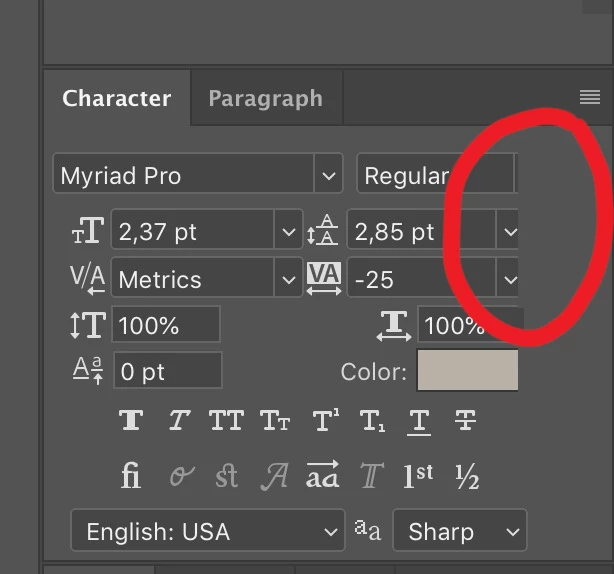
The problem is in screenshot attached below..


Character style drop down arrow icon and other two (leading and tracking) below it are not seen fully..

Just updated to 20.0.7 but still it is there.. any idea? 


I am using iMac 27" 2017 with Mojave version 10.14.4..
 

    This topic has been closed for replies.
    Correct answer Jeff Arola

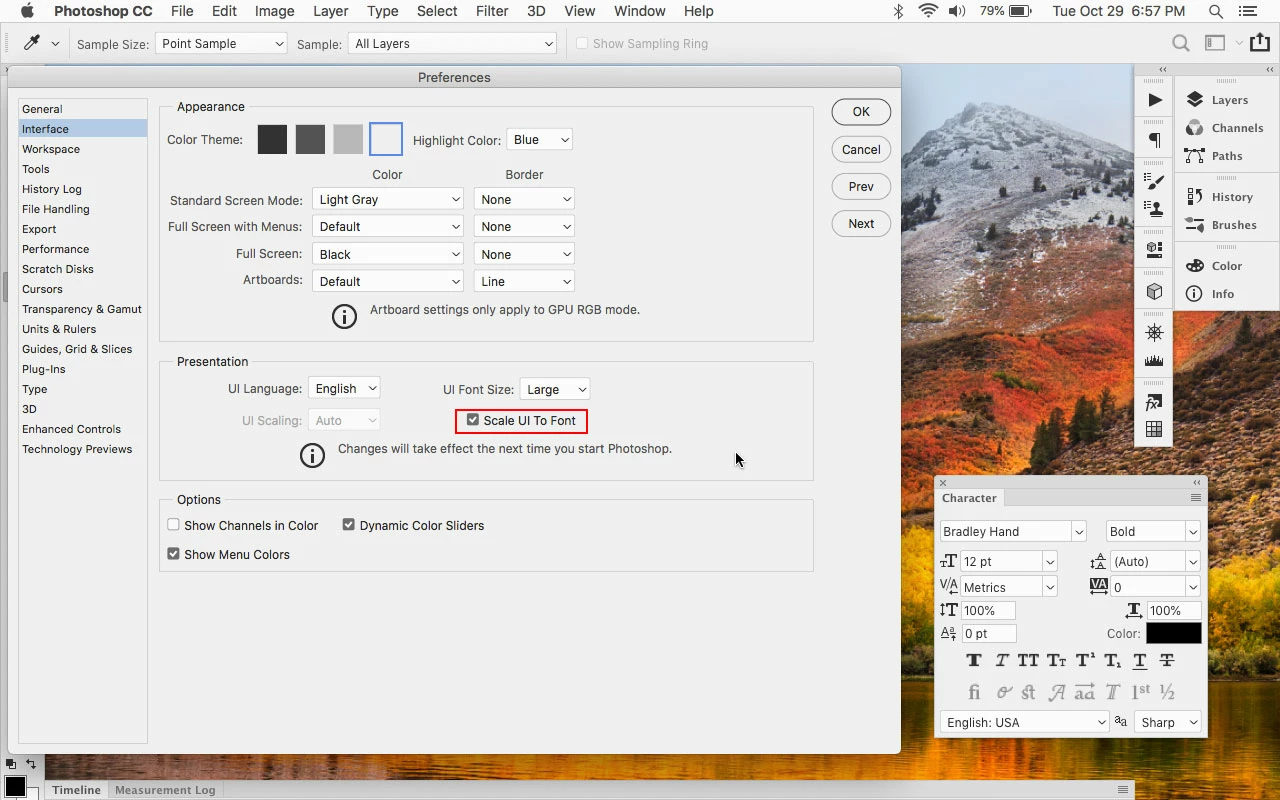
    Go to Photoshop CC>Preferences>Interface, check Scale UI to Font and restart photoshop.


    1 reply

    Jeff Arola
    Community Expert
    Jeff ArolaCommunity ExpertCorrect answer
    Community Expert
    October 29, 2019

    Go to Photoshop CC>Preferences>Interface, check Scale UI to Font and restart photoshop.