Participant
March 9, 2018
Question

Chroma Spillage

  • March 9, 2018
  • 2 replies
  • 467 views

Good morning! PLEASE HELP!

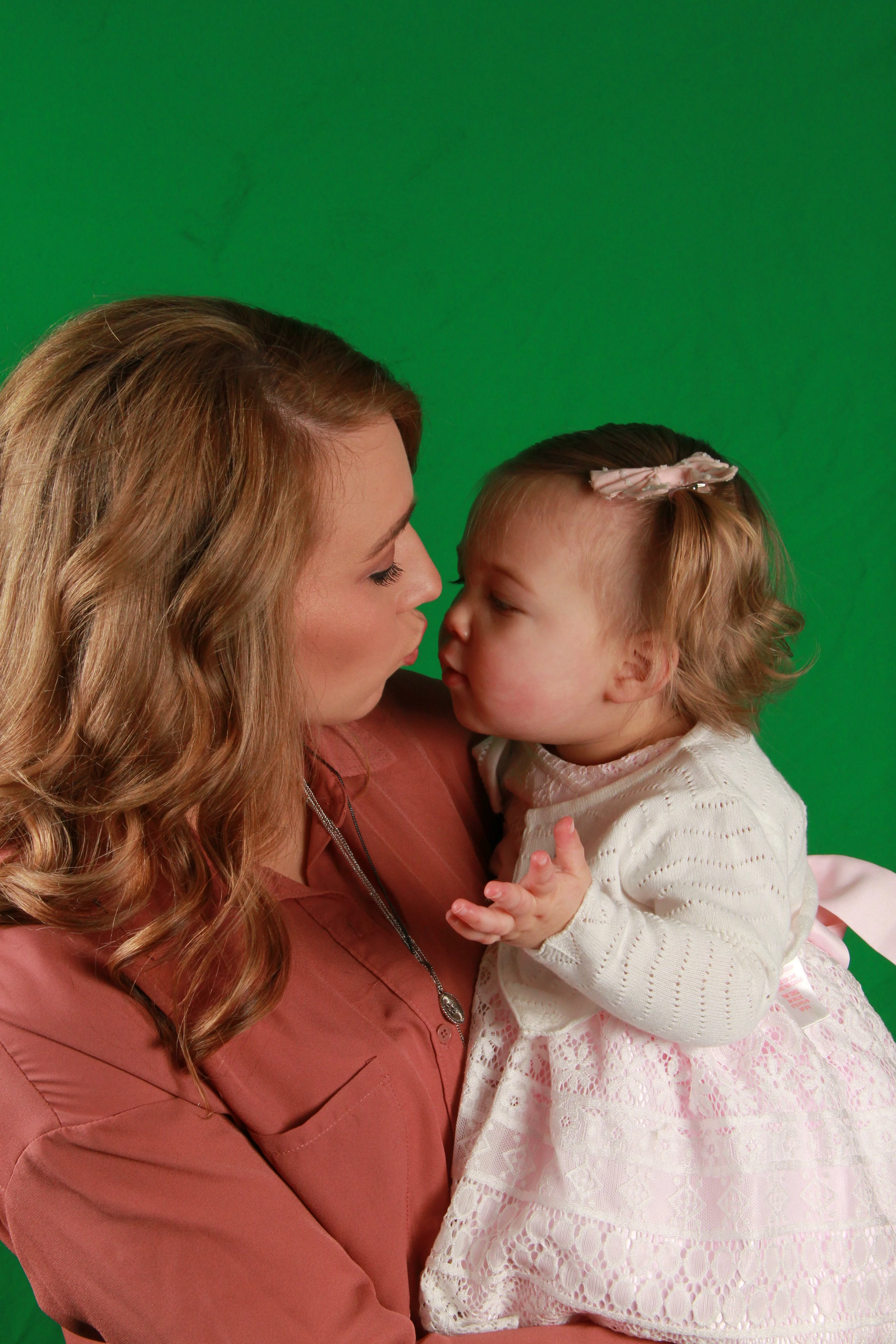
I'm in drastic need for assistance in extracting green spillage unto the hair and face, after having to resort to a green screen photoshoot (Long story).

My images have a significant amount of green tint in the fine hair of the 2-year old little girl and her mother.

Could you please provide a step-by-step workflow for Photoshop, to resolve the issues in this photo?

Thx! Anthony
    This topic has been closed for replies.

    2 replies

    Participant
    March 11, 2018

    Thank you very much!

    It is working again! As well, I changed the brush mode to normal.

    You're a life saver! It only took me 7-days! 8(

    davescm
    Community Expert
    Community Expert
    March 11, 2018

    You're welcome.

    Dave

    davescm
    Community Expert
    Community Expert
    March 9, 2018

    To decontaminate color after masking :

    1. Add a new layer above the masked layer

    2. Clip the new layer to the masked layer (Alt click on border in layers panel)

    3. Set blending mode of the new layer to color

    4. Take a soft brush, Alt click to pick up colour near the edge and brush onto the edges of the new layer. The clipping mask prevents spill onto the background.

    I hope that helps you

    Dave

    Participant
    March 11, 2018

    Dave,

    Much appreciation! I got it to work once...Ugh!

    Now, as I do as you instruct, while selecting the "Color Blending Mode" layer, the brush tool will not select the desired colors...It only selects the original background color.

    I have switched the foreground and background...no avail. The only way I can paint over, is if I go into the masked "colored" layer, and select and paint.

    Any suggestions?

    davescm
    Community Expert
    Community Expert
    March 11, 2018

    Hi

    Can you check your eyedropper is set to sample 'current and below'. That sets the behaviour when you alt click with the brush to pick up colour.

    Dave