
Participant
April 8, 2024
Question

Ciao, my brush dimesion doesn't match the cursor diameter

  • April 8, 2024
  • 3 replies
  • 124 views

ciao, don't know what happened but starting today my brush dimension doesnt fill the cursor round anymore (see picture). It's a big problem for me beacuse i can't use it for photo postproduction anymore...
Can someone please help me? Thank you in advance
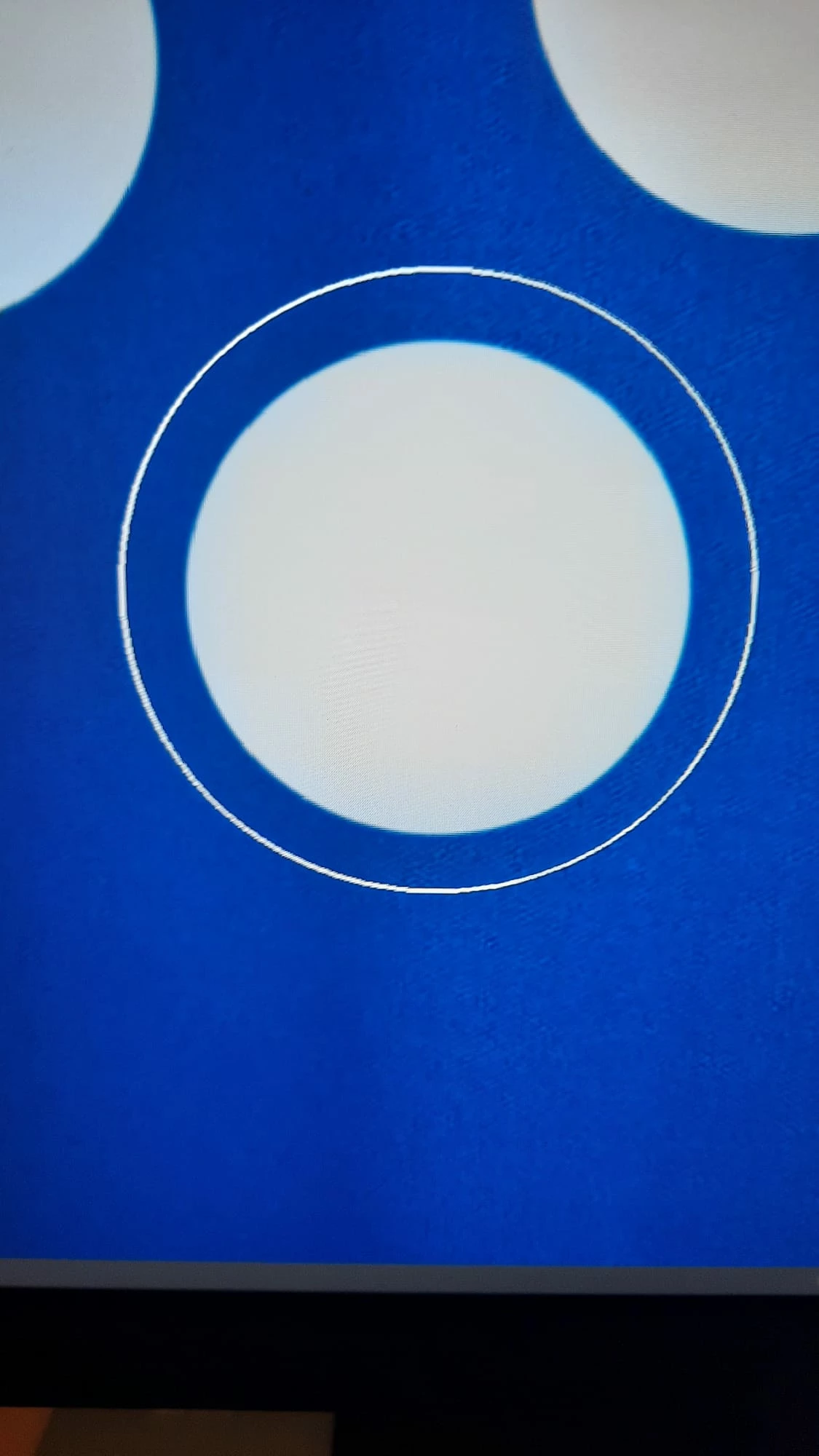
This topic has been closed for replies.

3 replies

Jeff Arola
Community Expert
Community Expert
April 8, 2024

What version of macOS are you using?


Most likely you have the System Pointer size (Cursor size) set to something other than Normal.


Apple>System Settings>Accessibility>Display>Pointer>Pointer size


older macOS


Peru Bob
Community Expert
Community Expert
April 8, 2024

Try resetting the tools and/or preferences.
To restore preferences quickly using a keyboard shortcut:

Press and hold Alt+Control+Shift (Windows) or Option+Command+Shift (Mac OS) as you start Photoshop. You are prompted to delete the current settings. The new preferences files are created the next time you start Photoshop.
Note: Using the keyboard shortcut, preference files for custom shortcuts, workspaces, and color settings will also be reset to default.

from here:

https://helpx.adobe.com/photoshop/using/preferences.html#restore_preferences


Ares Hovhannesyan
Community Expert
Community Expert
April 8, 2024

Try to change Brush size option in Preferebces_>Cursor.  If this not help - Reset Preferences.