gtsolid
Known Participant
December 18, 2017
Answered

Circular crop

  • December 18, 2017
  • 2 replies
  • 1518 views

Hi

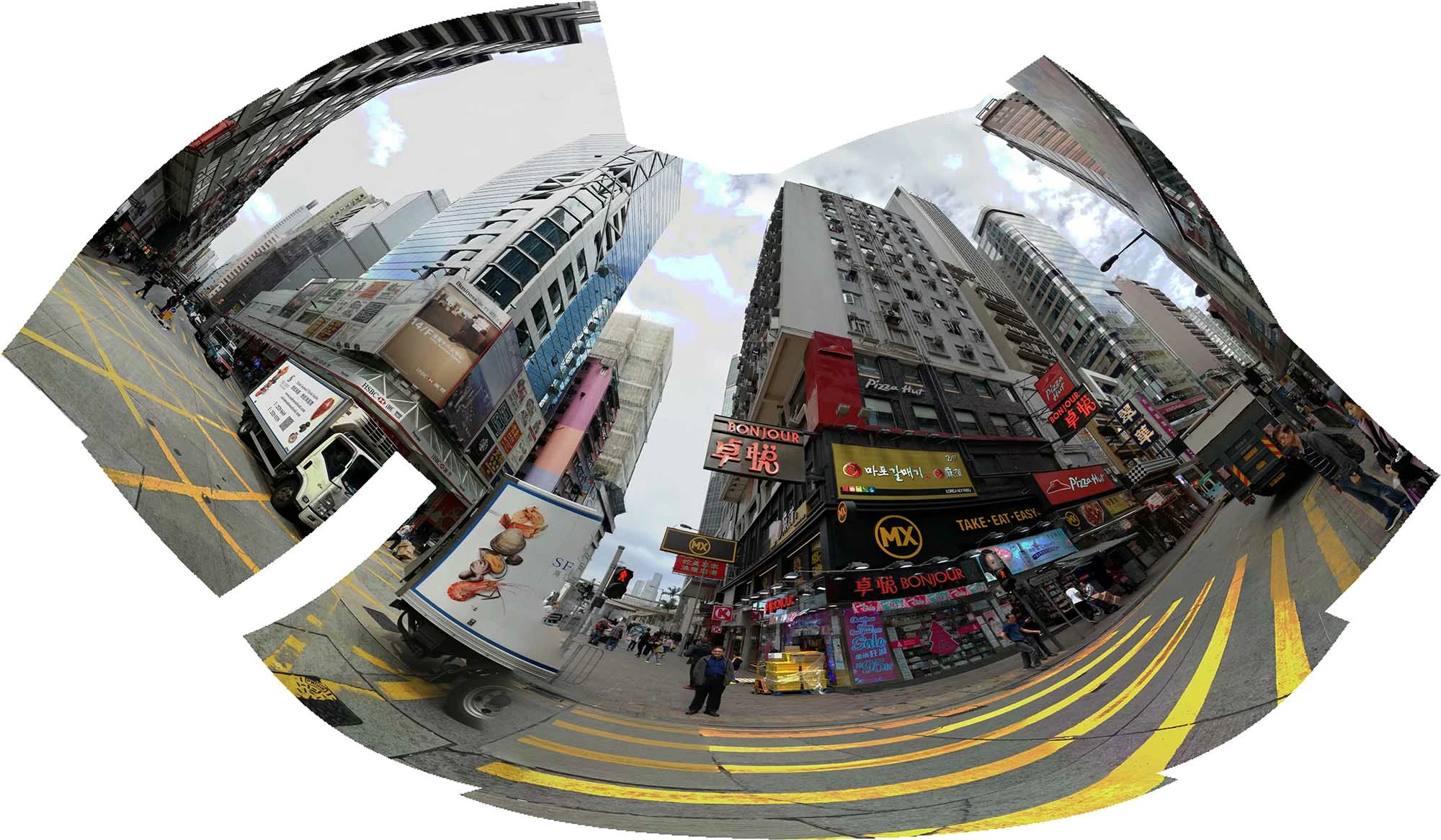
i wish to make a circular crop in order to cut with 2 circles the upper and lower part. in this way i obtain a more regullar shaped image

    This topic has been closed for replies.
    Correct answer Francesco Della Peruta

    a) draw the vector path with the pen tool

    b) menu: Window -> paths

    c) in the window panel select the working path

    d) from the panel menu select Make selection

    e) menu: Select -> inverse

    f) press backspace on the keyboard

    2 replies

    angie_taylor
    Legend
    December 18, 2017

    Use the Elliptical Marquee tool to draw the biggest (bottom) circle. Then, hold down the Alt key as you draw the smaller, top  circle. This will remove it from the selected area. Invert this selection and then use Select and Mask to create a Layer Mask from the selection.

    Terri Stevens
    Legend
    December 18, 2017

    I had much the same idea as Angie, this is what it would look like. An enormous amount can be achieved with intersecting selections.

    c.pfaffenbichler
    Community Expert
    Community Expert
    December 18, 2017

    Could you please explain what you mean, maybe with the help of a sketch?

    Have you considered using 3D > Spherical Panorama and then »filling in« the missing parts with blank/white space.

    gtsolid
    gtsolidAuthor
    Known Participant
    December 18, 2017

    Hi,

    i wish to cut all parts above and under the 2 circles:

    in CS6 i can't find the option you are suggesting to me about 3D. it would be precious    

    Community Expert
    December 18, 2017

    You can use the pen tool to draw the desired path, then transform the path in a selection, invert the selection, and cut the unwanted parts.