Answered
Cleaning product using smudge tool
I'm cleaning the product using the smudge tool and the selection tool.
If i do this then the texture goes away.
How can i bring back the texture?


I'm cleaning the product using the smudge tool and the selection tool.
If i do this then the texture goes away.
How can i bring back the texture?
I like Dave's instructions for using frequency separation. Even if you don't take that route, you might like to bookmark this page for future reference. But the bottom line here is that the smudge tool is not a good choice because it smears the pixels. Liquify is a much better fit.
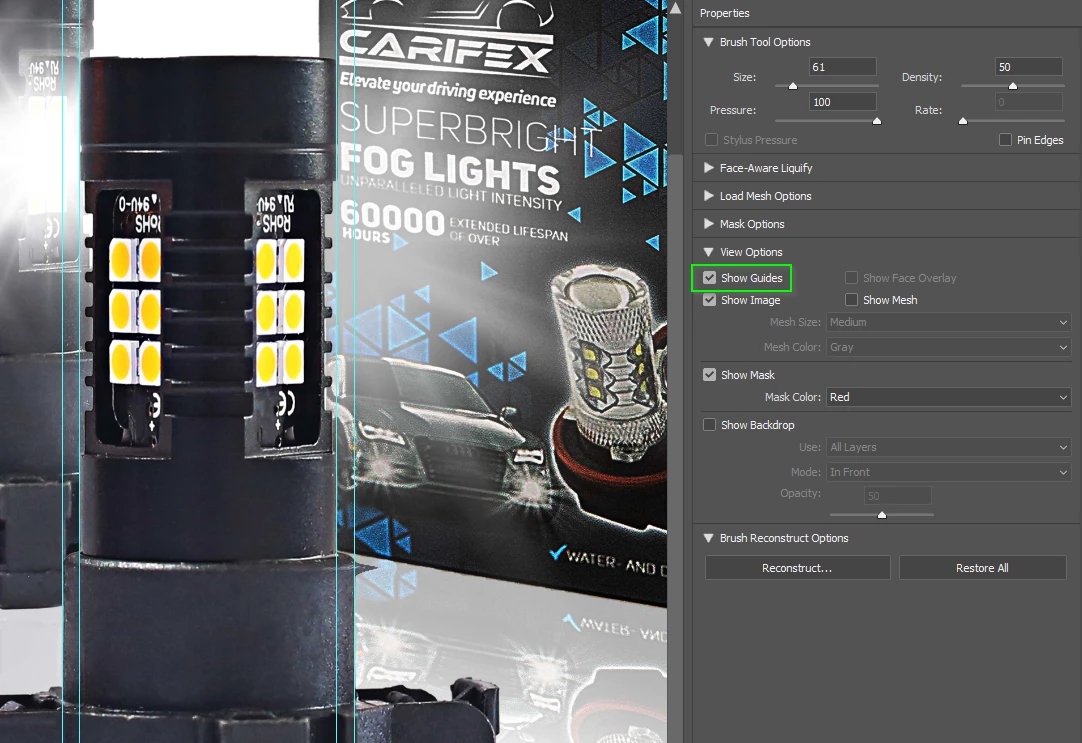
You can make Guides visible in the Liquify UI which is useful
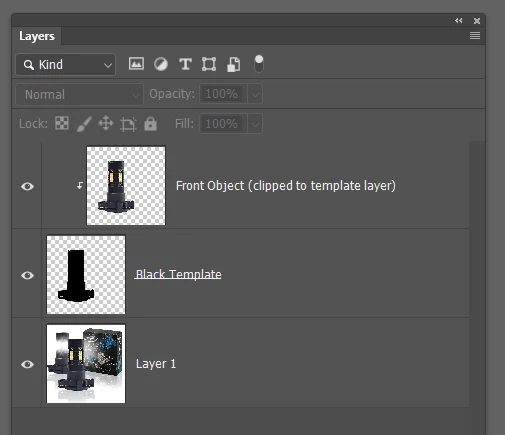
What I like to do in thios sort of situation, and assuming the objects are on separate layers, is to select the outline of the object you are reshaping, and fill it with black in a new layer below the object layer. I then clip that to the template layer so it retains the correct outline after dragging things around with Liquify. You can do the same thing with an unlinked layer mask.
Already have an account? Login
Enter your E-mail address. We'll send you an e-mail with instructions to reset your password.
 AdChoices