
Inspiring
February 24, 2019
Answered

Clipping adjustment layer to more than one layer beneath it?

  • February 24, 2019
  • 1 reply
  • 547 views

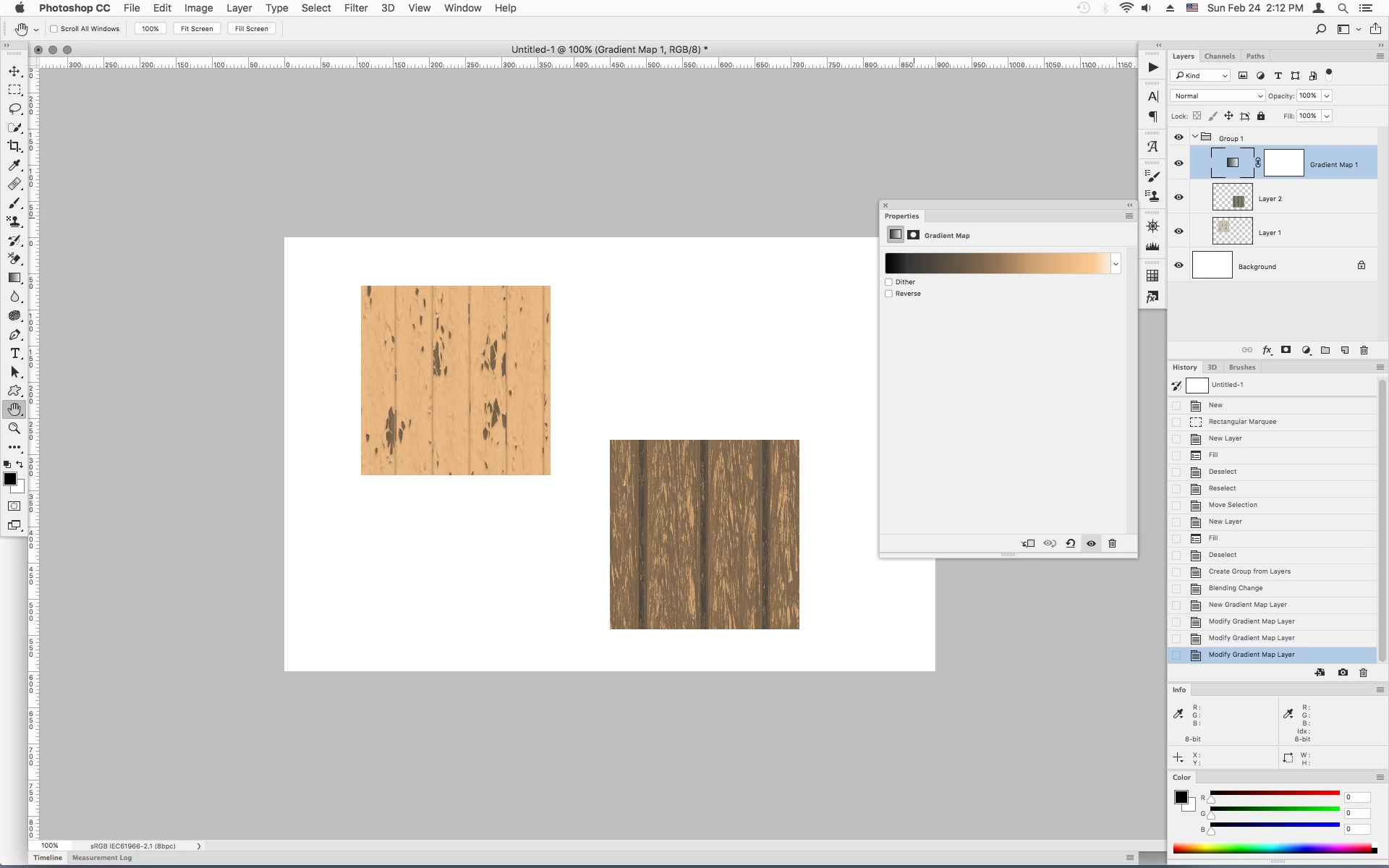
I have three layers; a background layer and two texture layers above it. I want to create an adjustment layer above both texture layers and clip it to both texture layers. I only see an option in the adjustment layer properties to clip it to the layer beneath it. How can I do this?

Thanks.
    This topic has been closed for replies.
    Correct answer Jeff Arola

    There are several ways. here's but one:

    Put both texture layers in a Group (folder), change the Group Blending Mode to Normal, then put your adjustment layer over the two texture layers. That should only affect the two texture layers and not the background.

    1 reply

    Jeff Arola
    Community Expert
    Jeff ArolaCommunity ExpertCorrect answer
    Community Expert
    February 24, 2019

    There are several ways. here's but one:

    Put both texture layers in a Group (folder), change the Group Blending Mode to Normal, then put your adjustment layer over the two texture layers. That should only affect the two texture layers and not the background.