tomer-n
Participating Frequently
November 15, 2017
Answered

clipping mask out of blending mode picture

  • November 15, 2017
  • 2 replies
  • 933 views

hello

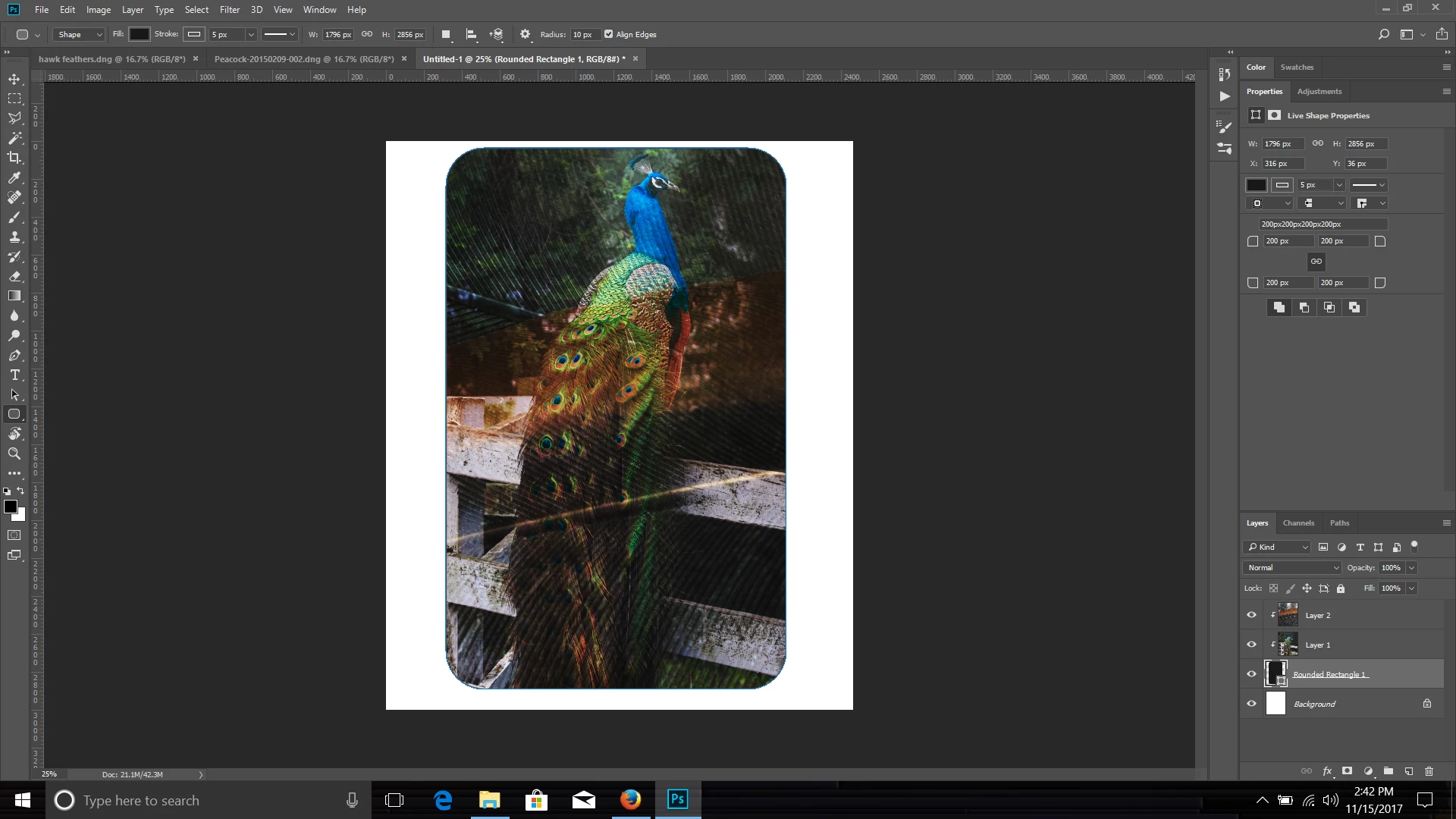
how can i create a clipping mask of a picture inside a circle that the picture is blended with another image that is above it?

If i start with two images that i bland together and then i add a circle for clipping mask, only the first image clips to it.
This topic has been closed for replies.
Correct answer Chuck Uebele

You need to clip the first layer to the shape, then the second layer to the first layer.

2 replies

Chuck Uebele
Community Expert
Chuck UebeleCommunity ExpertCorrect answer
Community Expert
November 15, 2017

You need to clip the first layer to the shape, then the second layer to the first layer.

tomer-n
tomer-nAuthor
Participating Frequently
November 18, 2017

thanks chuck. it worked!

Chuck Uebele
Community Expert
Community Expert
November 15, 2017

Can you post a screen shot? Have you tried putting the layers in a group, then clipping the circle to the group?

tomer-n
tomer-nAuthor
Participating Frequently
November 15, 2017