
bartonlew
Legend
January 27, 2024
Question

Clone Stamp and Spot Healing Brush tools not working

  • January 27, 2024
  • 1 reply
  • 419 views

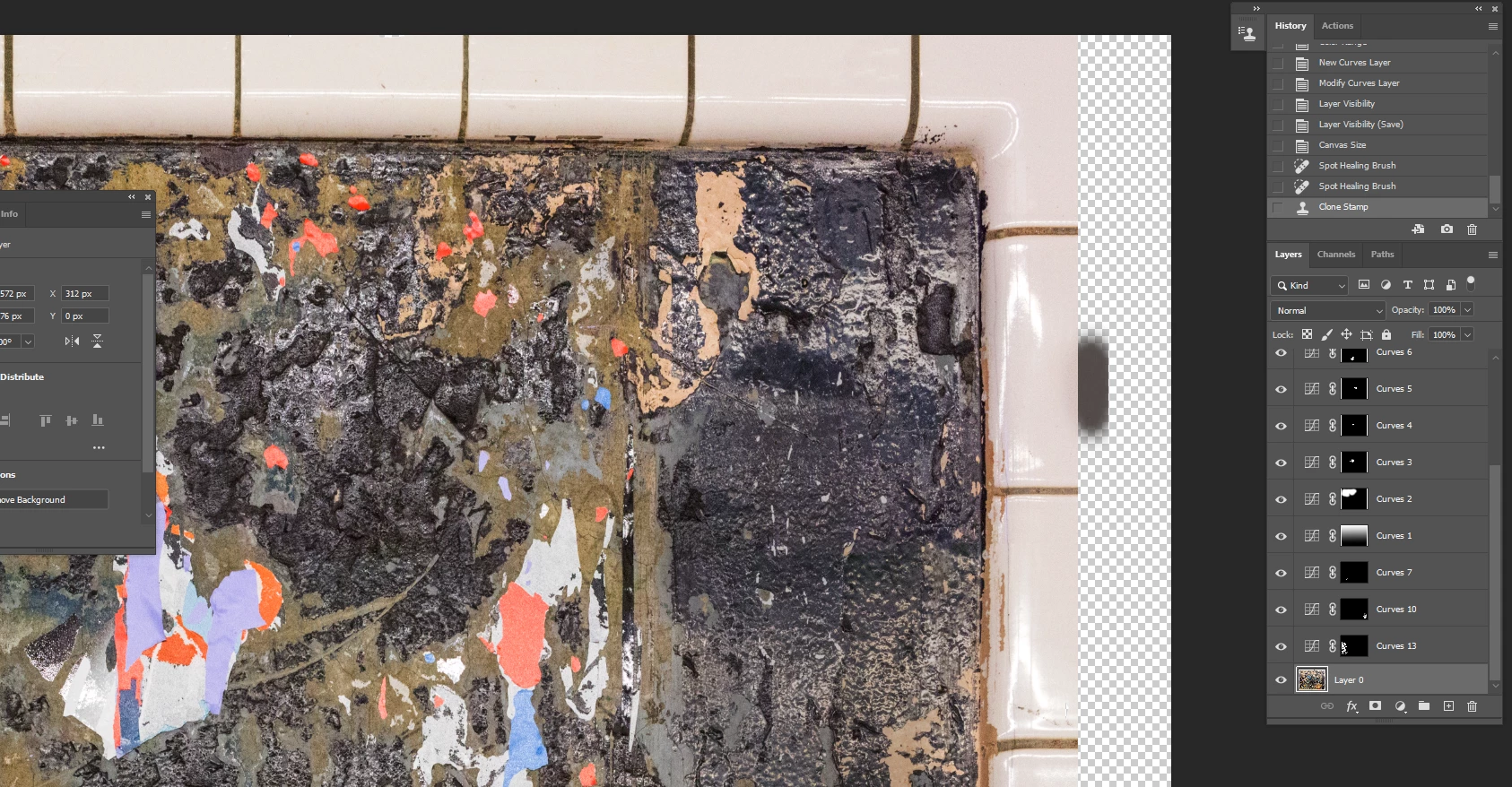
I need to build out the tile border in the image below.  I increased the Canvas using the Image>Canvas Size.  I then tried using both the Spot Healing Brush and the Clone Stamp tools to build out the tile.  The Spot Healing Brush produced no pixels and the Clone Stamp produced trhe dark pixels shown on the right vertical edge.  Does anyone know what is going on here?  Thanks.  


This topic has been closed for replies.

1 reply

Bojan Živković11378569
Community Expert
Community Expert
January 27, 2024

Please upload a picture of the whole window, including the Options bar (which is right under the menus).

Can you explain what you did? Where did you select the area to clone? Have you tried using Generative Fill or Content Aware Fill?

bartonlew
bartonlewAuthor
Legend
January 27, 2024

Thanks.  This is a better screen shot.  The 2 dark gray smudges on the right side of the image in the canvas next to the tile border is where I tried to apply Clone Stamp.  I clone stamped from the tile right to the left of where the smudges are.  The 3rd (bottom) drak gray smudge is where I tried to apply the Spot Healing Brush Tool.  I did not try the 2 you mentioneed - I've not used those tools before.  I'd like to know what's going on with these 2 I am familiar using.  Thanks.  


c.pfaffenbichler
Community Expert
Community Expert
January 29, 2024

Could you please post screenshots with the pertinent Panels (Toolbar, Layers, Options Bar, …) visible and all Adjustment Layers hidden? 

You apparently haven’t amended the Layer Masks of the Adjustments Layers.