
Answered
Clone stamp behaving weird
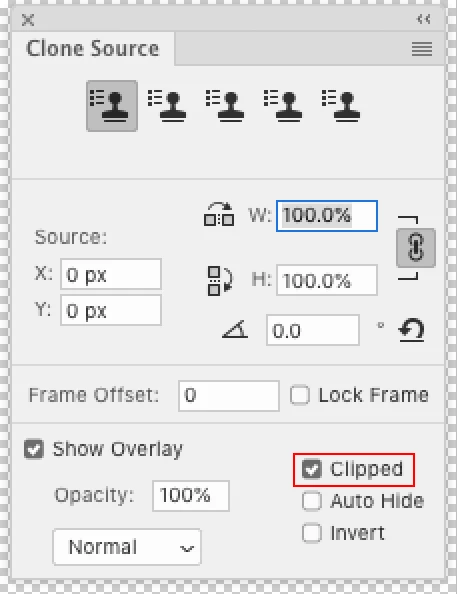
I was in the middle of editing using clone stamp when all of a sudden my whole image changed to a weird duplicate layer which I could partly move with my cursor to reveal the real image. However, I can't get rid of that duplicate and can no longer use the clone stamp. I have to click on another tool for it to disappear but as soon as I select either heal or clone stamp it reappears. As I use clone stamp a lot this makes the whole photoshop experience unbearable. Any solutions? Did I click something by mistake?
Thanks.
 AdChoices