Clone stamp tool not working in PS v 23.0.0
RE : Clone stamp tool not working in PS v 23.0.0
Using an Intel iMac (2017) running Monterey v. 12.0.1
I didn't read any significant bug reports on the latest version of PS so I installed it and now I cannot get the clone stamp tool to work. I have used this tool in older versions of PS without issue hundreds if not thousands of times,
When I sample an area and then try to clone it, there is no relevance to the selection. As an experiment I pulled up a woodland scene and tried to clone one part of the brown path onto another and it was a very red and yellow pattern that didn't look natural at all. I repeated with a grey sky in a seascape with similar results.
See attached file - white oval was the selected area to be cloned. red area was the cloned area????
Any suggestions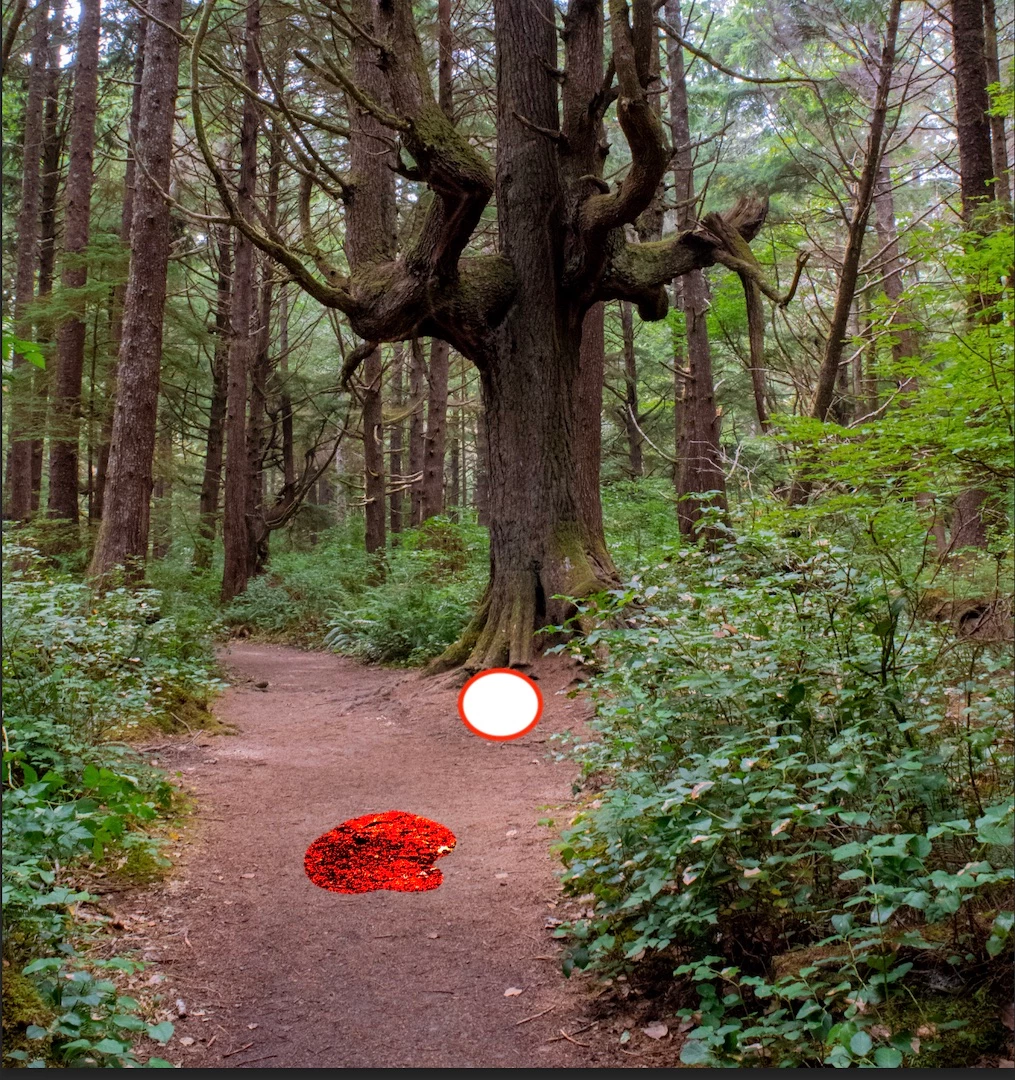

 AdChoices