
vincent solomito
Inspiring
July 12, 2018
Answered

clone tool duplicates image layer

  • July 12, 2018
  • 2 replies
  • 1788 views

I am not NEW to PS. However, today when I open an image from Lightroom into PS 19.1.5 and select clone tool  A weird thing happens.

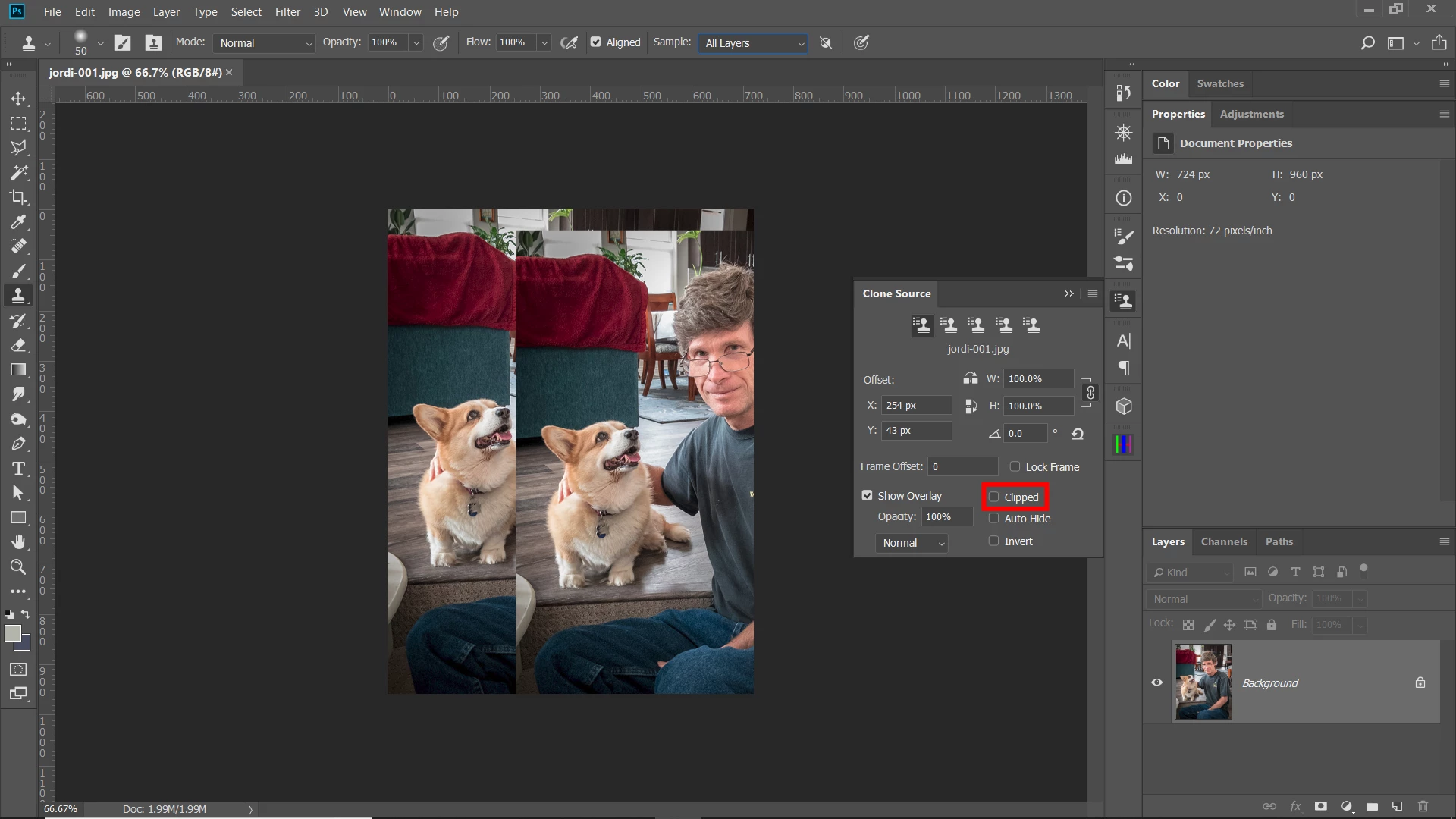
No matter which layer, even the background layer, the clone tool cursor sticks to the an image and when I move the clone tool a duplicate of the image moves with it,

Weird , I  know. 

I am certain its operator error but what. I've done everything from restarting computer, etc.

Help.  Thanks

vince
This topic has been closed for replies.
Correct answer Chuck Uebele

Make sure you have "Clipped" checked in the Clone Source panel.

2 replies

Chuck Uebele
Community Expert
Chuck UebeleCommunity ExpertCorrect answer
Community Expert
July 12, 2018

Make sure you have "Clipped" checked in the Clone Source panel.

Barb Binder
Community Expert
Community Expert
July 12, 2018

Hi Chuck!

Nice seeing you! It's been a while.

~Barb

~Barb at Rocky Mountain Training
Chuck Uebele
Community Expert
Community Expert
July 12, 2018

Barb, yea, seems I'm busier being retired. Not at a computer as much. Lots of folks answering questions before I see them.

Barb Binder
Community Expert
Community Expert
July 12, 2018

Hi Vince:

Have you tried resetting the Clone tool? Select it, then right+click the tool icon on the Options Bar and choose Reset Tool.

If that doesn't work, try resetting preferences:

~Barb

~Barb at Rocky Mountain Training
vincent solomito
Inspiring
July 12, 2018

Barbinder,

Thanks very much for your reply. I am certain it would have worked, as well.

vince

Barb Binder
Community Expert
Community Expert
July 12, 2018

The second option would have gotten you there, but Chuck's was a much more efficient solution.

~Barb

~Barb at Rocky Mountain Training