Participating Frequently
November 13, 2019
Question

Cloud issue & sync

  • November 13, 2019
  • 1 reply
  • 862 views

Hi I am having a major issue with photoshop 2020 and iPad photoshop syncing files - 


ok so I did some work on my Mac did the save as to cloud now it saved the image - or said it had in the cloud- its still on the Mac so no work lost

but here's the thing 

I did it but nothing came up in photoshop iPad or the creative cloud menus 

I am running Catalina - 

the file was multi layered 

'about 2 g 

I checked storage all good


i did the reverse from iPad to Mac and same issue 

so a bit lost 

checked that it was all linked to the same account and even checked download on same WiFi network 

cannot think of what else to do 

help would be greatly appreciated 

Also some layered images on certain images show conflict at the end 
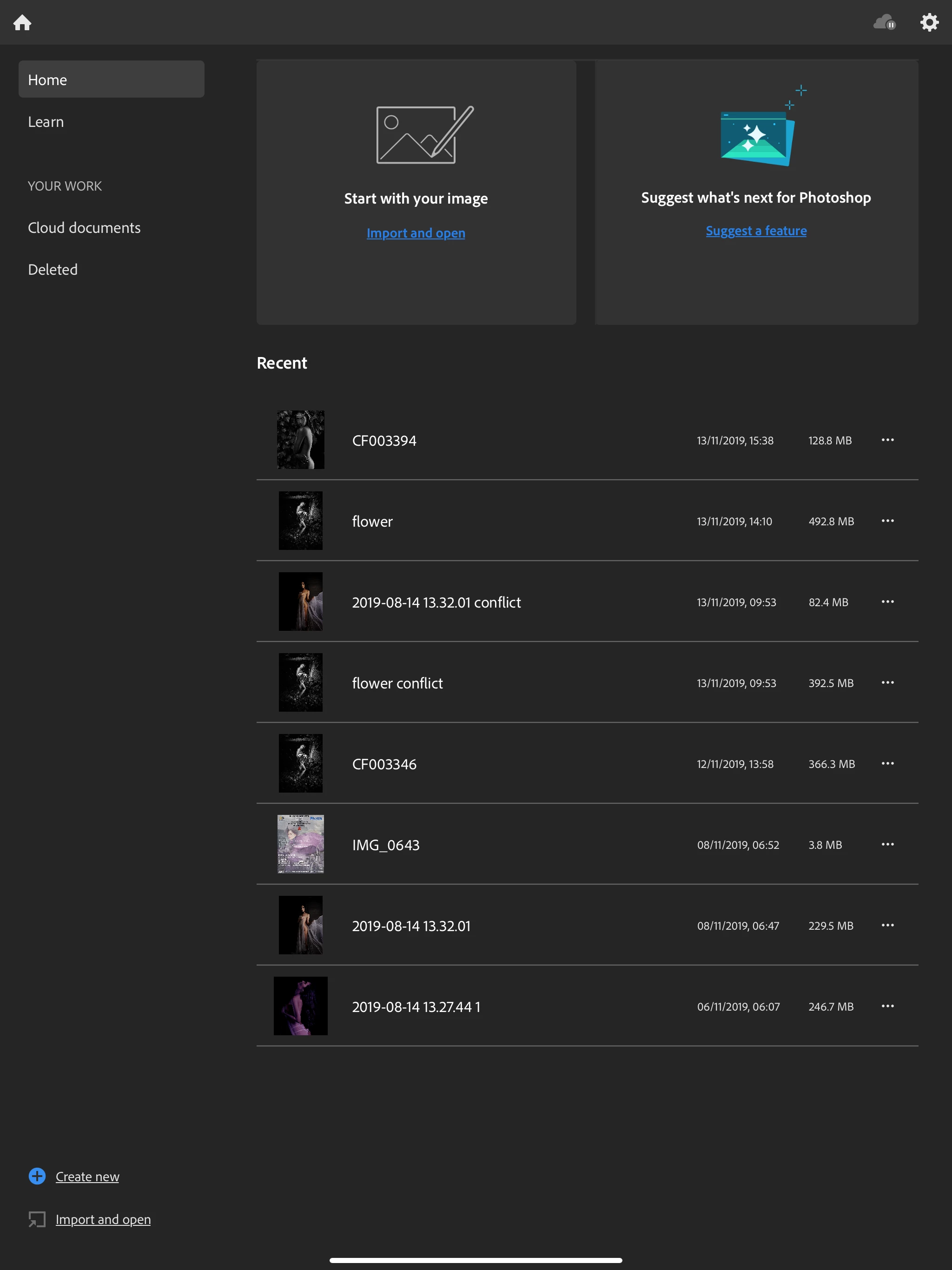
thank you 

This topic has been closed for replies.

1 reply

Andrew Sender
Community Manager
Community Manager
November 13, 2019

Hi William,

Your screenshot is showing recent files.  Have you checked the "Cloud Documents" tab in the left pane of your iPad?  If it's still not there, you can refresh the listing by scrolling past the top, like refreshing your email.

Also, can you check your work on your desktop by going to Photoshop -> Cloud documents ?


Sincerely,

Andrew

Participating Frequently
November 14, 2019

Hi 

thank you for your time - it seems to be the iMac photoshop that seems to be showing the image and a cloud saying online only- when clicked it says downloading document but it doesn't do it