
Participant
November 17, 2019
Question

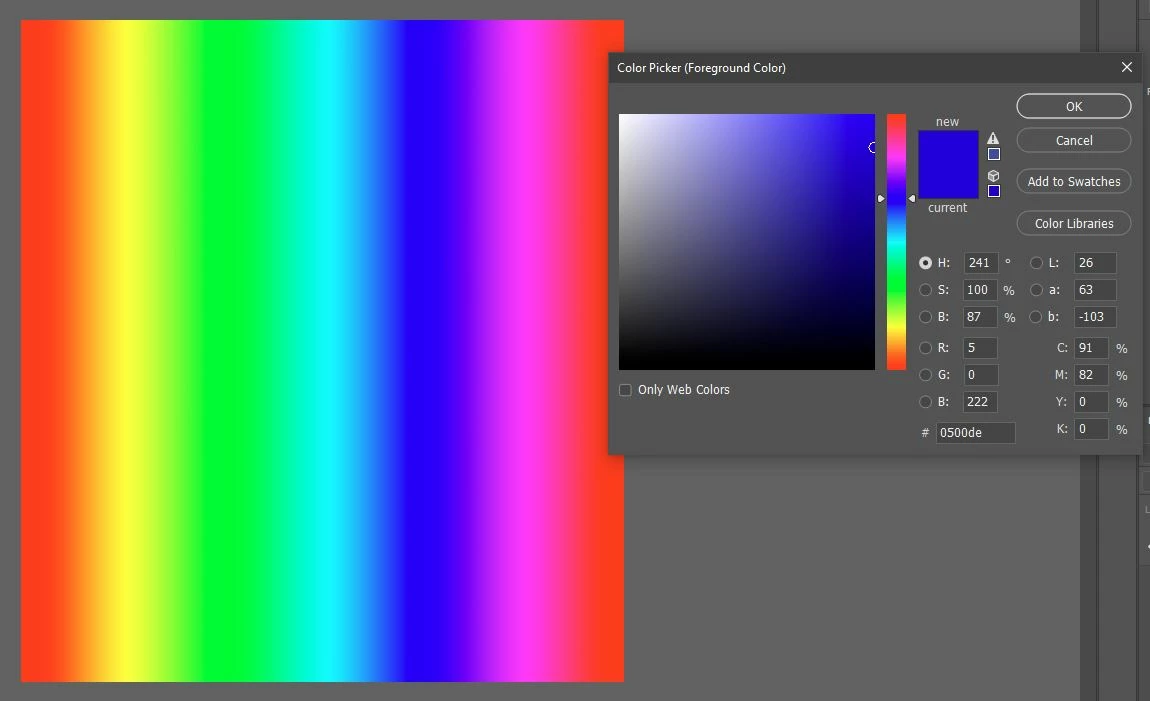
Color banding issue in files and color picker.
  • November 17, 2019
  • 2 replies
  • 667 views

Hi everyone, I meet color banding issue after updated, mainly around blue color.  It appears in color picker, too. I updated my GPU driver and tested in 8bit and 16bit with many color spaces, turned GPU acceleration on and off, nothing changed.

Do you have the same issue?

This topic has been closed for replies.

2 replies

D Fosse
Community Expert
Community Expert
November 18, 2019

Banding like this happens in 8 bit color depth, so first, are you working with 8 bit files or 16 bit files?


Normally this is in your display system, which always runs at 8 bits unless you have a 10 bit capable monitor and video card. It is exaggerated by a defective monitor profile, calibration tables in the video card, or a low quality display panel.


If you notice a definitive change, first check if something else may have changed at the same time. Did you get a Windows Update, with a bundled monitor profile from the manufacturer, or a new video driver? Those would be the prime suspects.


Community Expert
November 17, 2019

Hi, have you tried to open the same images with another program? Are you sure is it not a driver/monitor/system related problem?

Participant
November 18, 2019

It looks normal in other programs just like FastStone, CorelDRAW, Windows Paint.