
Known Participant
July 26, 2019
Question

Color Changes When Uploading CMYK JPEG

  • July 26, 2019
  • 4 replies
  • 4952 views

Hi!

I made this graphic in photoshop that will be distributed electronically. I made it in CMYK since it will mainly be seen as a digital graphic and I wanted to take advantage of a trendy color (I plan to brighten it a bit). It originally looked like this:

Then, when my friend put it in mailchimp to send it electronically, it looks really bright like this:
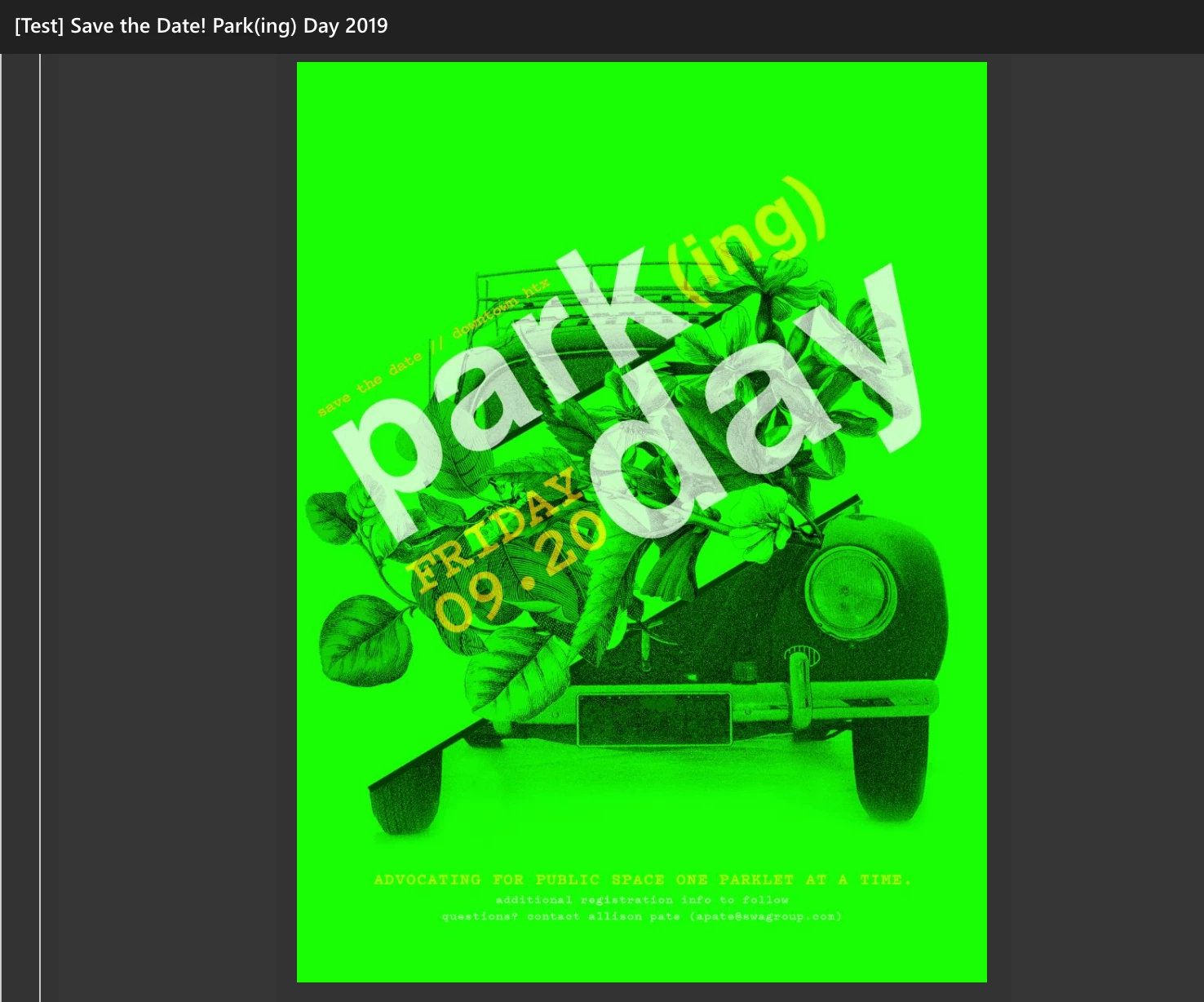
What's going on here? I have had this happen before when I have opened a CMYK image on an Iphone, but this only happens when you upload it as an email embedded attachment or upload it into this emailing service. Whenever I open the JPEG  or preview the image, it is fine. Am I working in a weird colorspace?

Thanks!

This topic has been closed for replies.

4 replies

Bob_Hallam
Legend
July 26, 2019

The problem is that CMYK colors are not as bright as the intended "Bright Green" in your example.  So change your design back to sRGB and adjust the colors to your liking and you will be much more happy with the way it looks on other devices.  Make sure you embed the sRGB profile when saving. 

Only use CMYK for commercial printing.  Offset, Gravure, Flexo, Screen etc.  That's where CMYK colors must be used.  Everywhere else it's best to use a flavour of RGB. 

ICC programmer and developer, Photographer, artist and color management expert, Print standards and process expert.
Inspiring
July 26, 2019

Please, can somebody explain the question? Both images in #0 are not in CMYK

but in two somewhat different RGB spaces.

A dull CMYK version of an RGB image, if backwards converted to RGB, won't become

as brilliant as the original RGB source. Without editing it would look like this, here for

ISOCoated-v2-eci, then backwards converted to sRGB:

Best regards --Gernot Hoffmann

melissapiccone
Community Expert
Community Expert
July 26, 2019

Why are you using CMYK? When distributing electronically you want to use sRGB. Even when printing today you want to use RGB and the printer will covert to CMYK in the RIP. Mailchimp obviously can't read a color profile and your phone can't read CMYK.

Melissa Piccone | Adobe Trainer | Online Courses Author | Fine Artist
Sahil.Chawla
Adobe Employee
Adobe Employee
July 26, 2019

Hi Ash,

As the image color changes, it probably has something to be with the color space. Have you tried viewing the same image on your computer in a web browser and see if the color changes?

You may try changing the screen color profile to sRGB IEC61966-2.1 and let us know if it helps.

Change Color Profile for both Windows & macOS: https://www.lightroomqueen.com/how-do-i-change-my-monitor-profile-to-check-whether-its-corrupted/

Regards,
Sahil

Known Participant
July 26, 2019

I went to my color settings and it appears the RGB is already set there. Do you see anything else that might be off? What happens if I change the setting that says "North America..." to Monitor Colors? Will that mess things up if people try to print it?

Thanks.

D Fosse
Community Expert
Community Expert
July 26, 2019

Not much to add to Melissa's spot on reply, just this:

What happens if I change the setting that says "North America..." to Monitor Colors? Will that mess things up

No, you do not want to do that! Yes it will, not for anyone else, but for you and your future work.

Most color problems that people get into, come from experimenting with Color Settings. Don't do it, leave everything at defaults. You can't "fix" any problems there anyway.

Just stick to sRGB and you'll be fine.