
dadeocreative
Participant
January 22, 2017
Answered

Color Lookup ... 3DLUT File

  • January 22, 2017
  • 1 reply
  • 4542 views

Greetings,

I have a question on the Color Lookup ... 3DLUT function.  I am currently using Photoshop CS6 and seem to be missing the preinstalled files. 
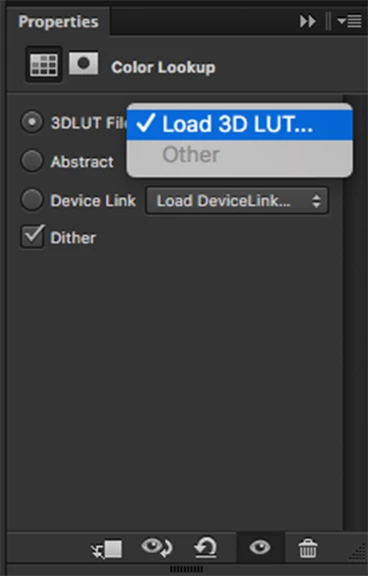
How can I retrieve the preset 3DLUT files and how do I install them on my Mac?

Thanks

Chris

This topic has been closed for replies.
Correct answer SteveWeinrebe

The 3D LUT presets are located in your Photoshop application folder > Presets > 3DLUTs. They are part of the standard installation. If they are not there you might want to uninstall and reinstall Photoshop.

Steve

1 reply

SteveWeinrebeCorrect answer
Inspiring
January 23, 2017

The 3D LUT presets are located in your Photoshop application folder > Presets > 3DLUTs. They are part of the standard installation. If they are not there you might want to uninstall and reinstall Photoshop.

Steve