
Inspiring
October 13, 2018
Question

Color Matching with Curves

  • October 13, 2018
  • 4 replies
  • 699 views

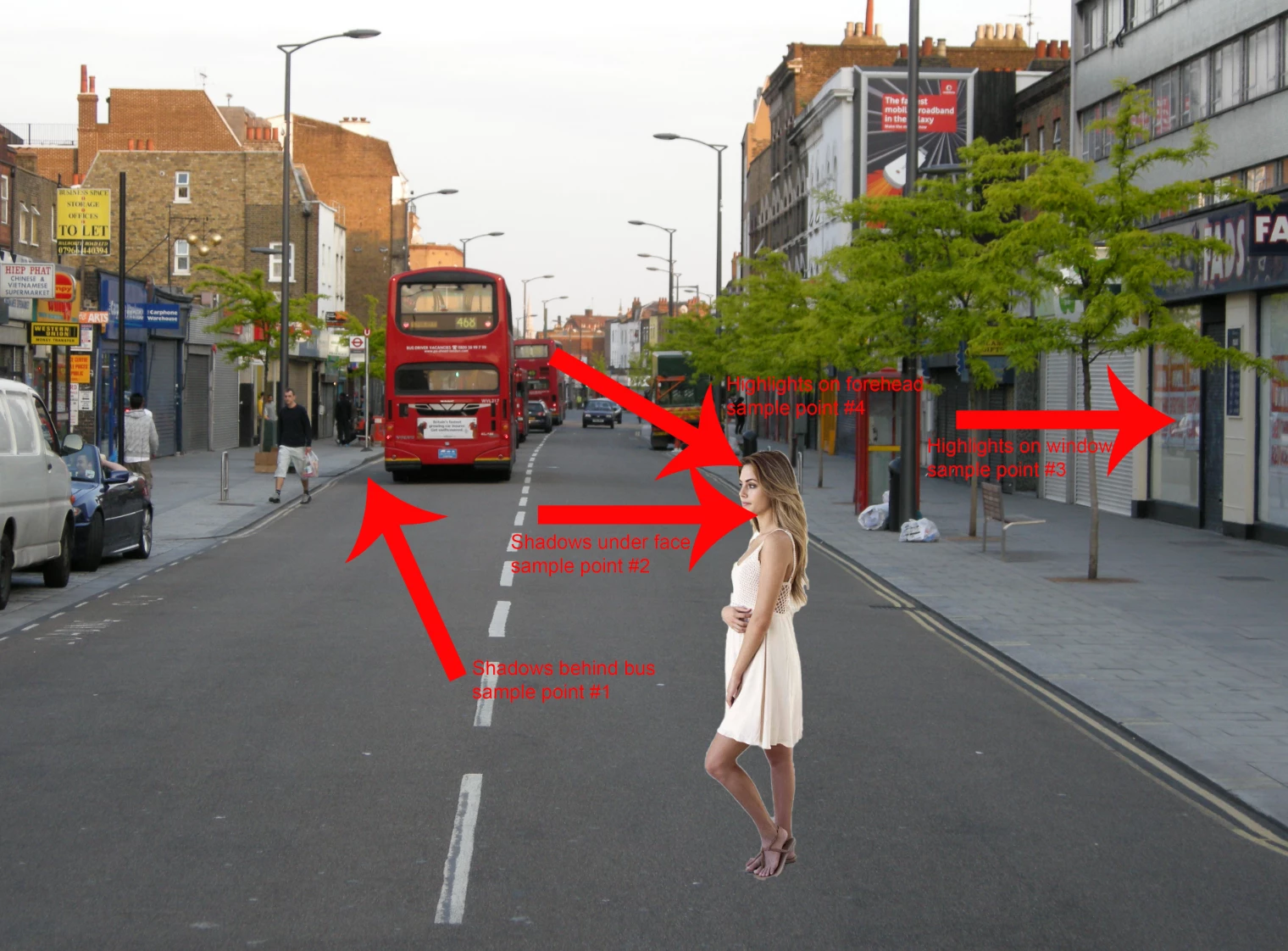
I have two images; a lady that I masked out from its background and a background image. I now want to use sample points and Curves to match the colors of the lady to the background layer. I add sample points to the shadows and highlights of the background image and sample points to the shadows and highlights of the lady, and then I use curves to match the values in the info panel by adjusting the R,G,B channels for a shadows curve layer and a highlights curve layer. My results are very off. To begin with, did I make close enough sample points for the shadows and highlights?

Thanks.
    This topic has been closed for replies.

    4 replies

    Norman Sanders
    Legend
    October 14, 2018

    These seem to be the four values from which you want to recolor the street image.

    If they are incorrect, it would be helpful if you posted your four proper swatches, for starters.

    Then restate your objective as it relates to color and/or lightness.

    Inspiring
    October 14, 2018

    Two of the things I am trying to figure out:

    1. I was using RGB for my sample points in the Info panel, though I saw in videos that they used CMYK, though it was not explained why. Is it more accurate to match colors when you have CMYK sample points vs. RGB?

    2. Using Curves to match the values to the CMYK sample points in the Info panel, how do you get the K value of black? What do you do with the RGB drop-down in the Curves panel to match the K value?

    Thanks.

    Muqqarib Hassan
    Inspiring
    October 14, 2018

    Hi,

    Check this Video guide it will help you how to do it with curves.

    Thanks.

    Muqqarib Hassan
    Inspiring
    October 14, 2018

    Or Check this fastest method video guide.

    Thanks.

    lambiloon
    Community Expert
    Community Expert
    October 14, 2018

    Hi check given video hope that helps you in better way....Thanks.

    Ali Sajjad / Graphic Design Trainer / Freelancer / Adobe Certified Professional