Participating Frequently
December 2, 2019
Question

color not matching if i create in top and bottom

  • December 2, 2019
  • 8 replies
  • 1858 views

Hi Sir


i want to ask why color in photoshop cs6 like this :

see my screenshoot if the circle i place it top and bottom like screenshot, the colors in the two circles are different. 

the color in the circle above the red color
and the color in the circle below is dark red
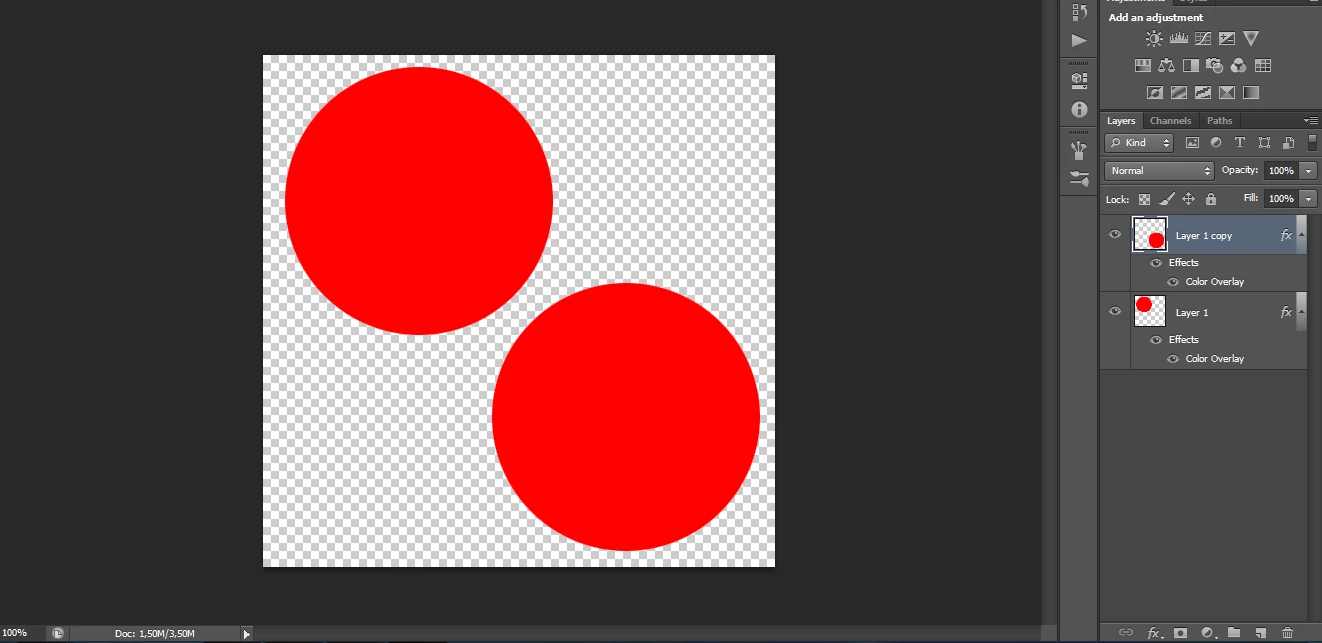
see the result if i save to png :



i don't know what wrong, but show error message like this :
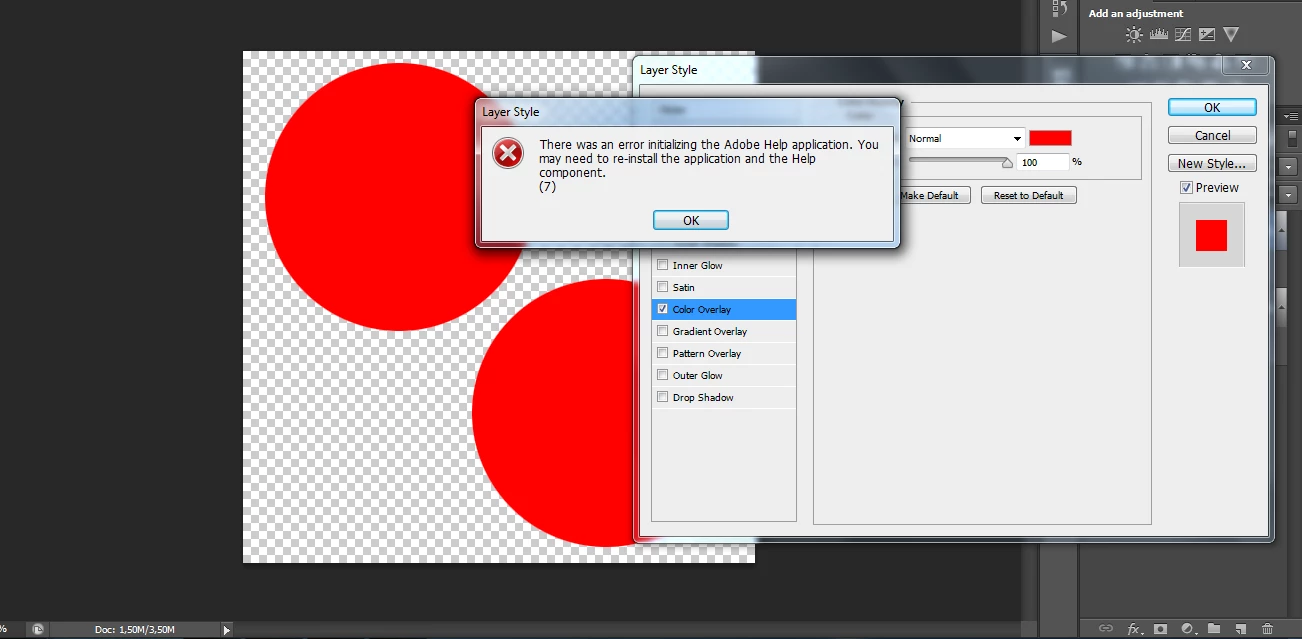


please help me sir, how to restore the same color


thanks before

This topic has been closed for replies.

8 replies

Legend
December 2, 2019

Also be alert for optical illusions, they can cause people to lose a lot of time looking for a problem that does not exist. In this image the reds are certainly identical, but few people will see them that way.


davescm
Community Expert
Community Expert
December 2, 2019

That reminds me of this one - the centre squares on each face are the same colour

Dave

jane-e
Community Expert
Community Expert
December 2, 2019

Is it the lighting?


davescm
Community Expert
Community Expert
December 2, 2019

It definitely sounds like an issue with your monitor. Try this test page - the words should be all but invisible when viewed straight on :

http://www.lagom.nl/lcd-test/viewing_angle.php


Dave

melissapiccone
Community Expert
Community Expert
December 2, 2019

The colors are all exactly the same... it must be your monitor, lighting in your workspace, something other than PS... try looking at this on something else - open this page on your phone or someone else's computer - they are the same.

Melissa Piccone | Adobe Trainer | Online Courses Author | Fine Artist
D Fosse
Community Expert
Community Expert
December 2, 2019

Yes, the example pairs are all identical.


It's most likely a TN panel display. TN panels are used in laptops, gaming and office monitors. The viewing angles are so restricted that brightness seems to vary between top and bottom of the screen.


For photography and graphics an IPS-type panel is preferred because it has much wider viewing angles.


If that's not it, it's a seriously defective display and it needs replacement.


Participating Frequently
December 2, 2019

I believe your display probably has warm and cool spots. That is the most common reason you'd see the difference.  As long as your color #s match, you are ok though. 

Legend
December 2, 2019

We believe your monitor is faulty. To check this, rotate the image by 180 degrees. The "light" image at top left will now be bottom right. Is it still light, or is it now the dark part.

creat015Author
Participating Frequently
December 2, 2019

i try its same sir, if i rotate same color, i mean


top in view dark color

bottom in view light color


What should I do to fix this problem, sir?


thanks

creat015Author
Participating Frequently
December 2, 2019

I try to use a ready-made color image


and i try like this :

see the color its same, so my monitor not broken or faulty, right?

so the problem if i choose color manual from photohop, right?

how to fix it sir

thanks before


December 2, 2019

Hi

I don't see any difference in colour between the two squares or circles

creat015Author
Participating Frequently
December 2, 2019

hi sir


yes the code color is same, example red color (#ff0000) its same i create, but in view not same sir


as i sent the screenshot above, in top red color in bottom dark red color


this sir other example :

at top the color is dark grey in view

at bottom the color is liht grey in view


the result in png file :


thanks

silk-m
Community Expert
Community Expert
December 2, 2019

Hi,

The uniformity of your monitor is wrong.
Check the color values in Photoshop.


--Susumu Iwasaki
Trevor.Dennis
Community Expert
Community Expert
December 2, 2019

I'm _really_ sorry because I am not going to help you, because we can't see enough detail in your screen shots.  It's totally not your fault.   The forum software was changed a wee while back, and it messed up putting images on forum posts.


When resetting Preferences you need to see a small dialog box that asks you to confirm that you want to go ahead with the reset.  If you don't see the dialog box then you are not resetting.

creat015Author
Participating Frequently
December 2, 2019

i try to uninstall sir, but not work, the color still not same top and bottom

Mohammad.Harb
Community Expert
Community Expert
December 2, 2019

It is a good idea to reset photoshop preferences first,

If you are on windows hold down ctrl + Alt + shift while the application is opening or cmd + opt + shift if you are on mac.


if that does not work, reinstall a fresh version of the application 

creat015Author
Participating Frequently
December 2, 2019

thanks sir for reply my thread


i try to reset photoshop with ctrl + alt + shift not work (nothing appeared)


What should I do? thanks before

creat015Author
Participating Frequently
December 2, 2019

i try to uninstall but not work, the color still same if at top or at bottom difference color


see :


please help me sir


thanks before