Participating Frequently
January 27, 2024
Answered

Color of ruler guides doesn't adjust to setting

  • January 27, 2024
  • 4 replies
  • 359 views

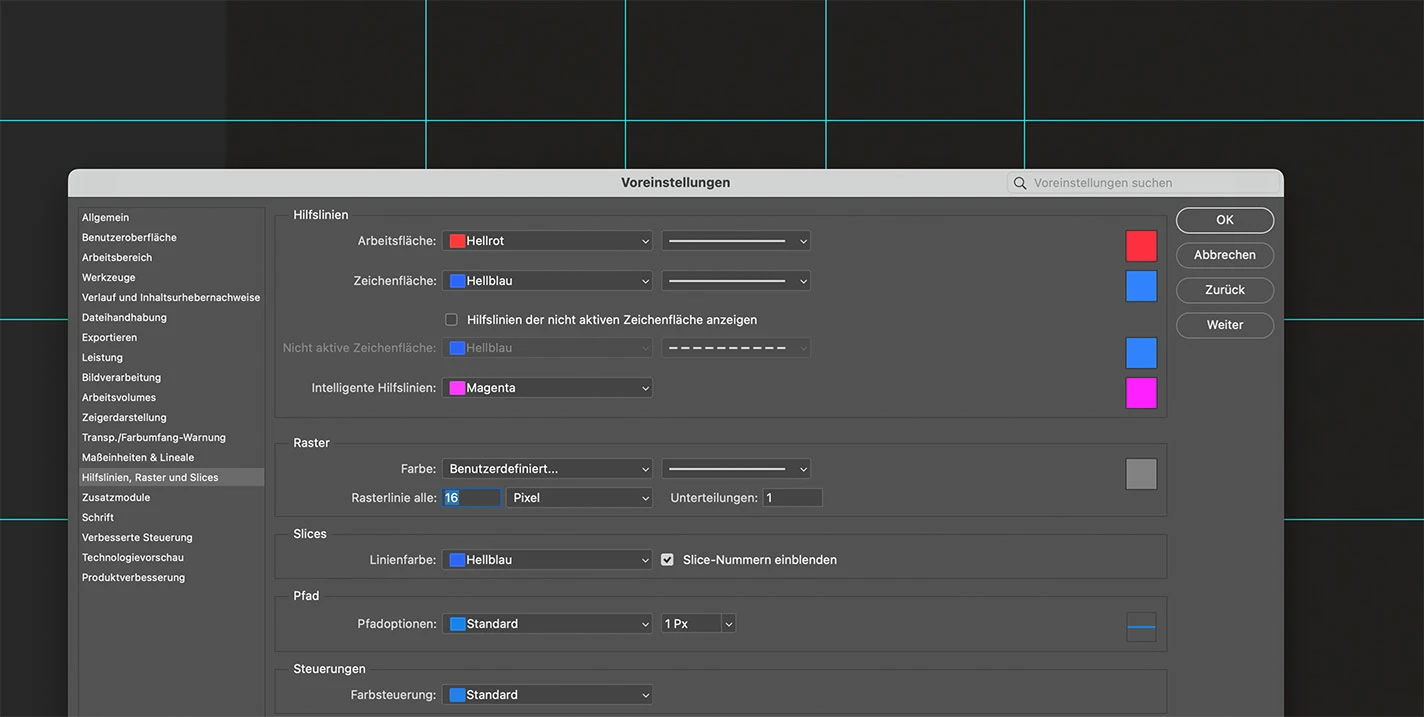
The color of ruler guids keep displaying in cyan when changing it in the settings to a different color.

Restarting Photoshop with a different color set in the preferences doesn't have any effect.


See screenshot with some guides in the background.

(on macOS Ventura 13.6.1)
 

This topic has been closed for replies.
Correct answer Jeff Arola

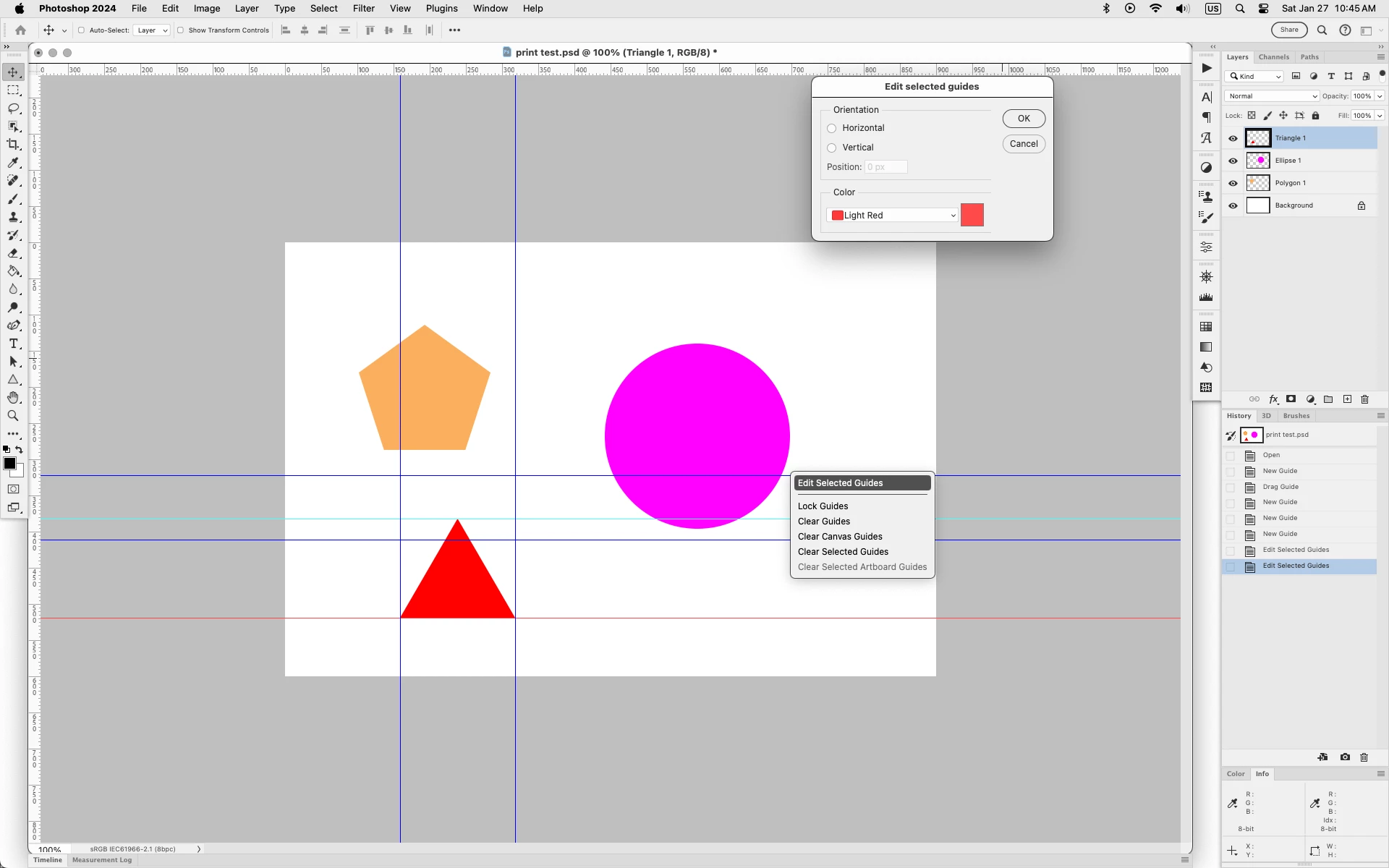
Changing the Guide color only applies to new guides.

The existing guides remain the color they were drawn out as.


You can change the color of any existing guides by selecting the first guide using the Move Tool, then select additional guides by Shift+Option clicking on the other guides. Then right click on one of the selected guides and click Edit Selected Guides.

https://helpx.adobe.com/photoshop/using/grid-guides.html


4 replies

Participating Frequently
January 27, 2024

Thank you very much for your quick and helpful reply.

Jeff Arola
Community Expert
Jeff ArolaCommunity ExpertCorrect answer
Community Expert
January 27, 2024

Changing the Guide color only applies to new guides.

The existing guides remain the color they were drawn out as.


You can change the color of any existing guides by selecting the first guide using the Move Tool, then select additional guides by Shift+Option clicking on the other guides. Then right click on one of the selected guides and click Edit Selected Guides.

https://helpx.adobe.com/photoshop/using/grid-guides.html


Participating Frequently
January 27, 2024

It is "Adobe Photoshop Version: 25.4.0 20240118.r.319 67d7f0b x64"

Jeff Arola
Community Expert
Community Expert
January 27, 2024

What version of Photoshop do you have?


You can see the exact version from within Photoshop by going to Help>System Info and reading the top

line Adobe Photoshop Version.