
Question
Color Pallete on PS v21
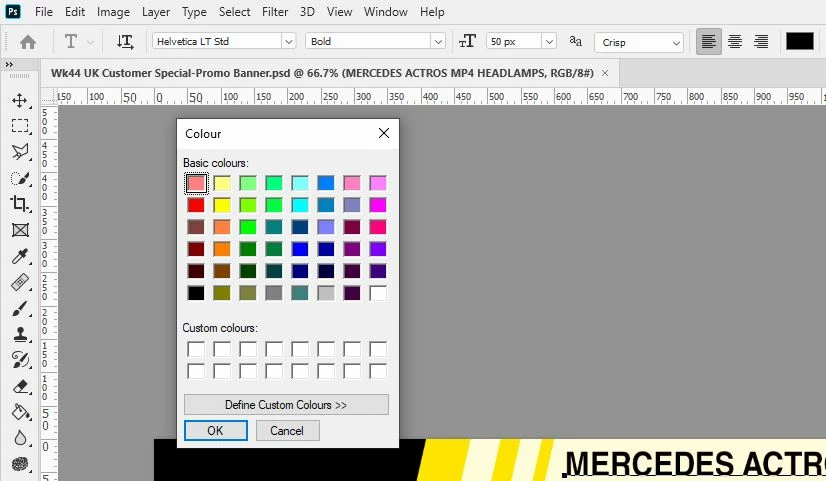
Hi all. i've tried to use the new PS, but found out that when i go to change the color on text, the pallete looks like from Windows 98! see the screenshot below.
I wonder is there a settings on PS that i should've changed or is this a genuine PS bug on the new version. just to confirm, color pallette on v20 works a looks as normal (with rgb cmyk and hex inputs). I'm using Windows 10 latest update.
 AdChoices