Known Participant
February 15, 2021
Answered

Color problem in photoshop
  • February 15, 2021
  • 6 replies
  • 6265 views

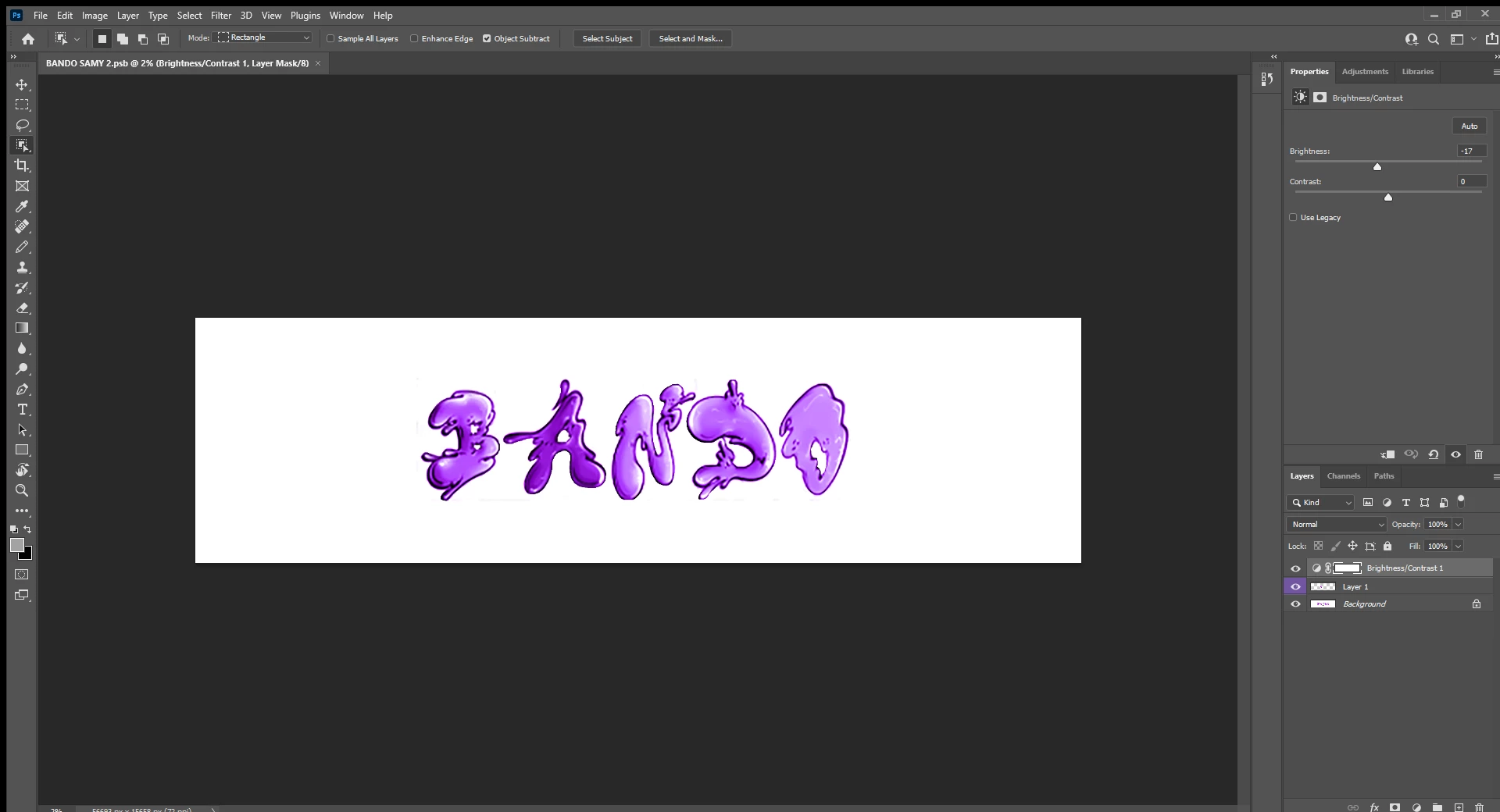
As you can see the A is a different color than the others and I've tried to talk with the specialist on adobe's website and I have also tried most of the youtube videos regarding colors, shading, etc. Therefore I'm now askinhg you guys for help.


Thanks in advance!
This topic has been closed for replies.
Correct answer Norman Sanders

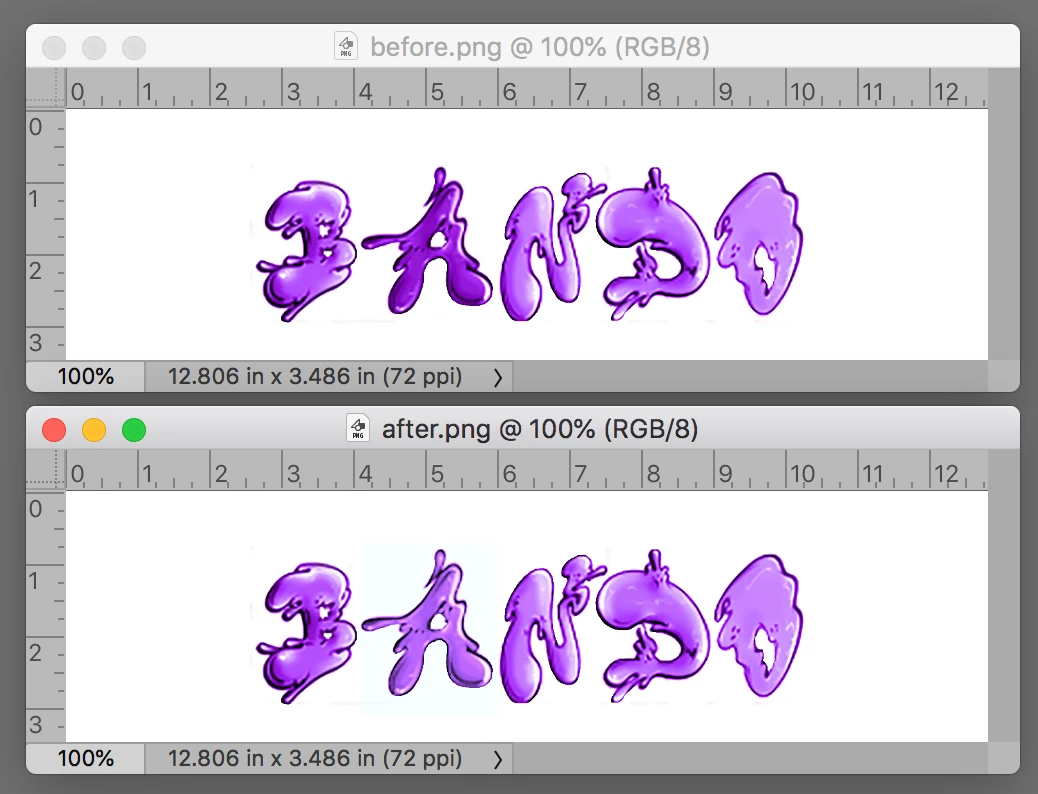
One of the limitations of working in RGB mode is caused by the fact that each channel adjustment affects both color and tone level. On the other hand, working in Lab Color,  lightness (the L channel) is distinct from the color channels (the  a  and  b).


The sample above is the result of a Lab Curve correction in the Lightness channel (you may like it even a bit lighter) and small straight line adjustment in the  a  channel (to reduce the Magenta component a tad).  The b channel did not require any change at all.  

6 replies

Known Participant
February 21, 2021

Hello I want to make the "BANDO GUMMI"  file look like the "bando logga riktiga". If you say that I should press "convert to shape" it unfortunately doesn't work for me because the button does not show up when I right click the layer. If you are capable of helping me please put instructions or a picture with it down below. Any help will be appreciated and thanks in advance!


JJMack
Community Expert
Community Expert
February 21, 2021

Your Layer 1 is a Pixels Layer that has had a lot of white pixels deleted. There is still more white pixels the need to be deleted.  You can not make a shape Logo from that layer you have no  vector Paths for the five characters  "B", "A", "N",  "D', and "O".  You need to create the five closed paths to define a custom. Then you would beet to use a Layer style to give it some texture.  Shape Layers are fill Layers. Fill can be empty, solid Color, Gradient or  Patter,  A shape will not have shading and highlights like your pixel layer. Shape Path can be stroked and Layer styles can also add strokes.  You will not find an action or script or be able to create and action or script to automate a Photoshop process with what you have. 

JJMack
Known Participant
February 21, 2021

The problem is that the font that we used to make the logo you have taken a picture of isn't free and that is why we want to make another one that looks like that one but with a free font. Is there anyway that you could help us accomplish this?


I am extremely thankful for your help!

Norman Sanders
Legend
February 17, 2021

The very same problem with a different title and OP appeared Feb 15 and marked Correct.

https://community.adobe.com/t5/photoshop/colour-problem/td-p/11833850

What's up?

Bob_Hallam
Legend
February 16, 2021

Please post just the layers palet with large thumbnails so we can see what is in each layer.  I see you have added a brightness contrast adjustment layer.  When you turn off the adjustment layer do all of the letters match?

ICC programmer and developer, Photographer, artist and color management expert, Print standards and process expert.
Norman Sanders
Norman SandersCorrect answer
Legend
February 16, 2021

One of the limitations of working in RGB mode is caused by the fact that each channel adjustment affects both color and tone level. On the other hand, working in Lab Color,  lightness (the L channel) is distinct from the color channels (the  a  and  b).


The sample above is the result of a Lab Curve correction in the Lightness channel (you may like it even a bit lighter) and small straight line adjustment in the  a  channel (to reduce the Magenta component a tad).  The b channel did not require any change at all.  

JJMack
Community Expert
Community Expert
February 16, 2021

It look like layer 1 may be shading the A in the background layer to a darker purple shade. From the speak I see in layer 1 thumbnail in the layers palette.

JJMack
Participant
February 15, 2021

I have made a Logo with 5 letters named RAMBO. The problem is that every letter is the same colour(Purple with like a graffiti type font on it) exept the A. I dont know why i cant match the A with my other letters coluour, it only turns out darker. Help?

Michael Bullo
Community Expert
Community Expert
February 15, 2021

Could you please post a screen shot that includes your Layers panel.

Participant
February 16, 2021

Yes sir