Participant
April 4, 2023
Answered

Color settings and profiles are missing in Photoshop

  • April 4, 2023
  • 1 reply
  • 2259 views

Hi there!

I'm having a problem with Photoshop, I can't find the color profile that I want to change the document to. The publishing company is asking for CMYK Coated Fogra 39, but there are very few options in the profile menu and none of them are that one. In previous versions, I didn't have any problems changing it from the Color Settings, but now it's not showing up.
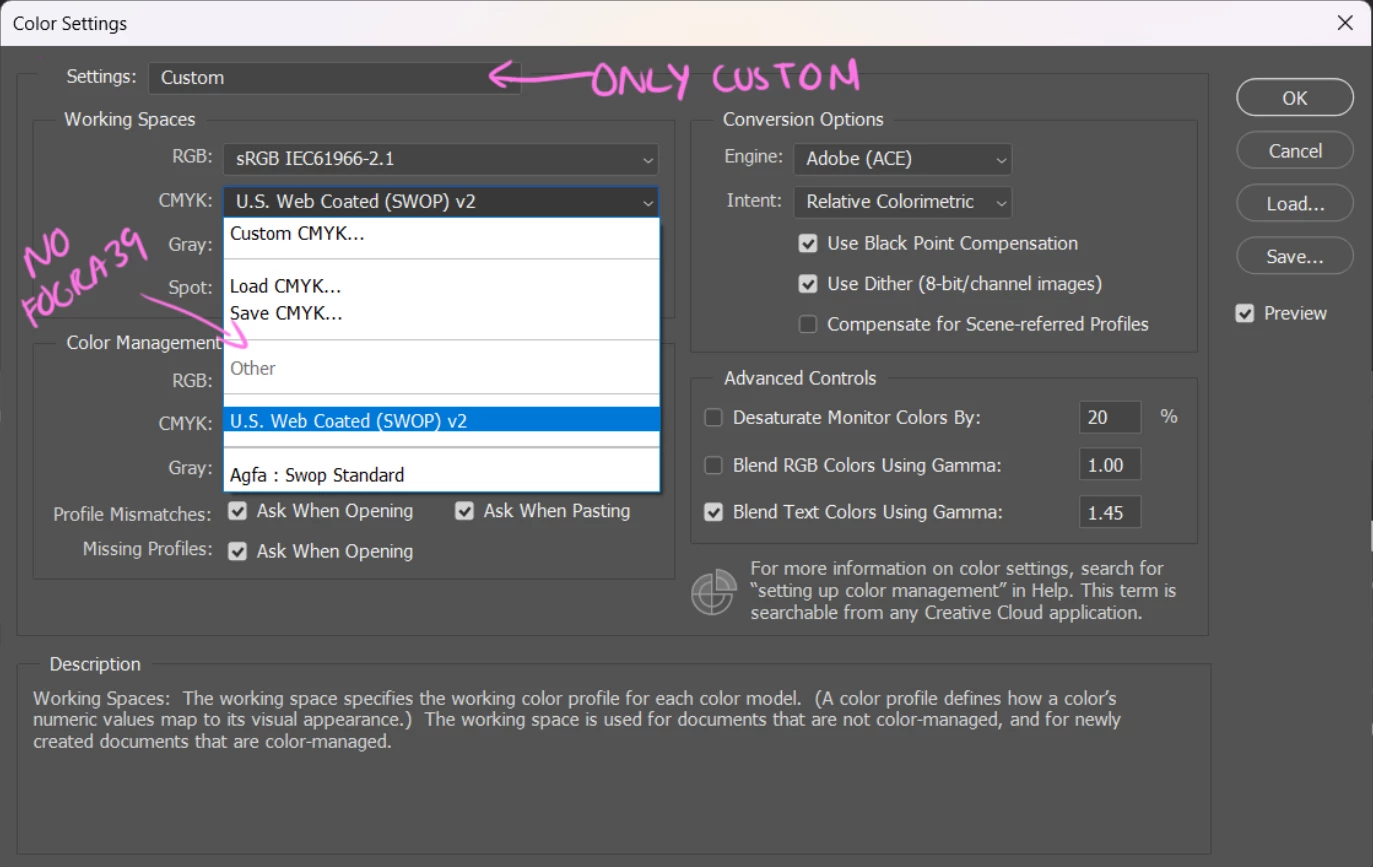

Antoher thing is that in Color settings>Settings, I only have the Custom option

Do you have any idea what could be going on? Thanks in advance!

This topic has been closed for replies.
Correct answer D Fosse

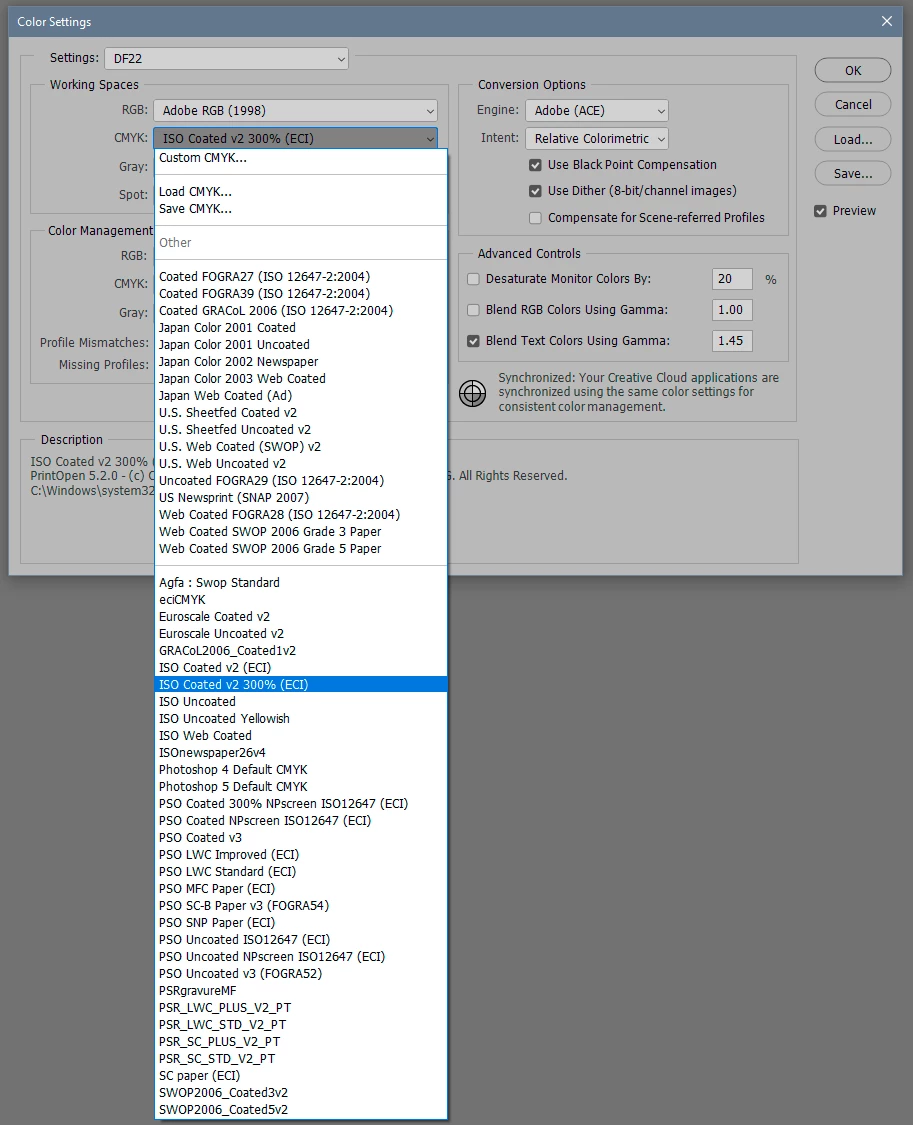
OK, that's not normal. This looks a bit like a damaged/corrupt installation. I'd try to uninstall/reinstall.


All the profiles installed on your system should be here, so first check what you have here:


Some profiles are also copied over here:

This is apparently just about how the list is populated, above or below the separator line.


This is what it should look like (some of these I installed myself, so you won't have all of them):

1 reply

D Fosse
Community Expert
D FosseCommunity ExpertCorrect answer
Community Expert
April 4, 2023

OK, that's not normal. This looks a bit like a damaged/corrupt installation. I'd try to uninstall/reinstall.


All the profiles installed on your system should be here, so first check what you have here:


Some profiles are also copied over here:

This is apparently just about how the list is populated, above or below the separator line.


This is what it should look like (some of these I installed myself, so you won't have all of them):

CarowaroAuthor
Participant
April 4, 2023

Thank you very much!

It must be something like that. I'm trying to uninstall Photoshop and it won't let me. Creative Cloud acts like it's uninstalling it, but it's still there. When I manage to uninstall and reinstall it, I'll let you know if it works.