Participating Frequently
March 21, 2017
Answered

Colorizing black

  • March 21, 2017
  • 1 reply
  • 784 views

I tried unsuccessfully to colorize a black image. The file type was PSD. The color mode was RGB. I used an Saturation/Hue adjustment layer. I chose the colorize option. The black remained unchanged regardless how I manipulated the hue/saturation/lightness sliders. I tested the same approach with a color object. It worked as expected. Am I correct in assuming that black is not considered a hue in this context, and therefore isn’t affected by the tool?

    This topic has been closed for replies.
    Correct answer davescm

    No that would not be correct

    See below

    Start (no adjustment):

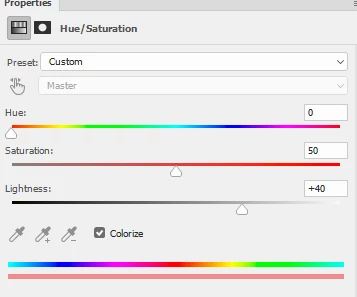
    Lightness increased :

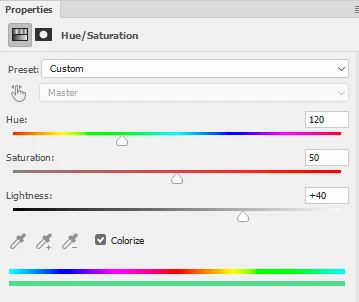
    Hue changed with lightness still turned up:

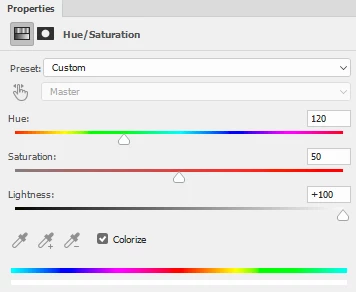
    Lightness up to max :

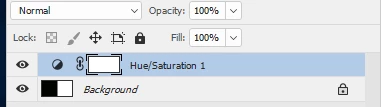
    Is the blending mode of your Hue/Sat layer set to normal?

    Dave

    1 reply

    davescm
    Community Expert
    davescmCommunity ExpertCorrect answer
    Community Expert
    March 21, 2017

    No that would not be correct

    See below

    Start (no adjustment):

    Lightness increased :

    Hue changed with lightness still turned up:

    Lightness up to max :

    Is the blending mode of your Hue/Sat layer set to normal?

    Dave

    T CoxAuthor
    Participating Frequently
    March 21, 2017

    Aha. I see my error. I left ‘lightness’ on zero. Increasing the lightness revealed the applied color.

    davescm
    Community Expert
    Community Expert
    March 21, 2017

    No problem. Glad we got it sorted

    Dave