
Colors appear oversaturated when I copy paste an image from internet into photoshop
This has been an ongoing problem for about a year now and i've tried everything i know to fix it.
I draw peoples characters for them for freelance, often they will give me a reference and i use that for color picking for my image. However ever since the updates ealrier this year, if I right click > copy the image then open a new document in photoshop and CTNRL+V the reference is way more saturaed than that was shown in email or on their website.
I have also recently have it go the other way where after exproting an image and uploading it to a website (twitter, discord, and a few other sites) the image suddenly looks desturated compaired to what i was seeing in PS
EXAMPLES:
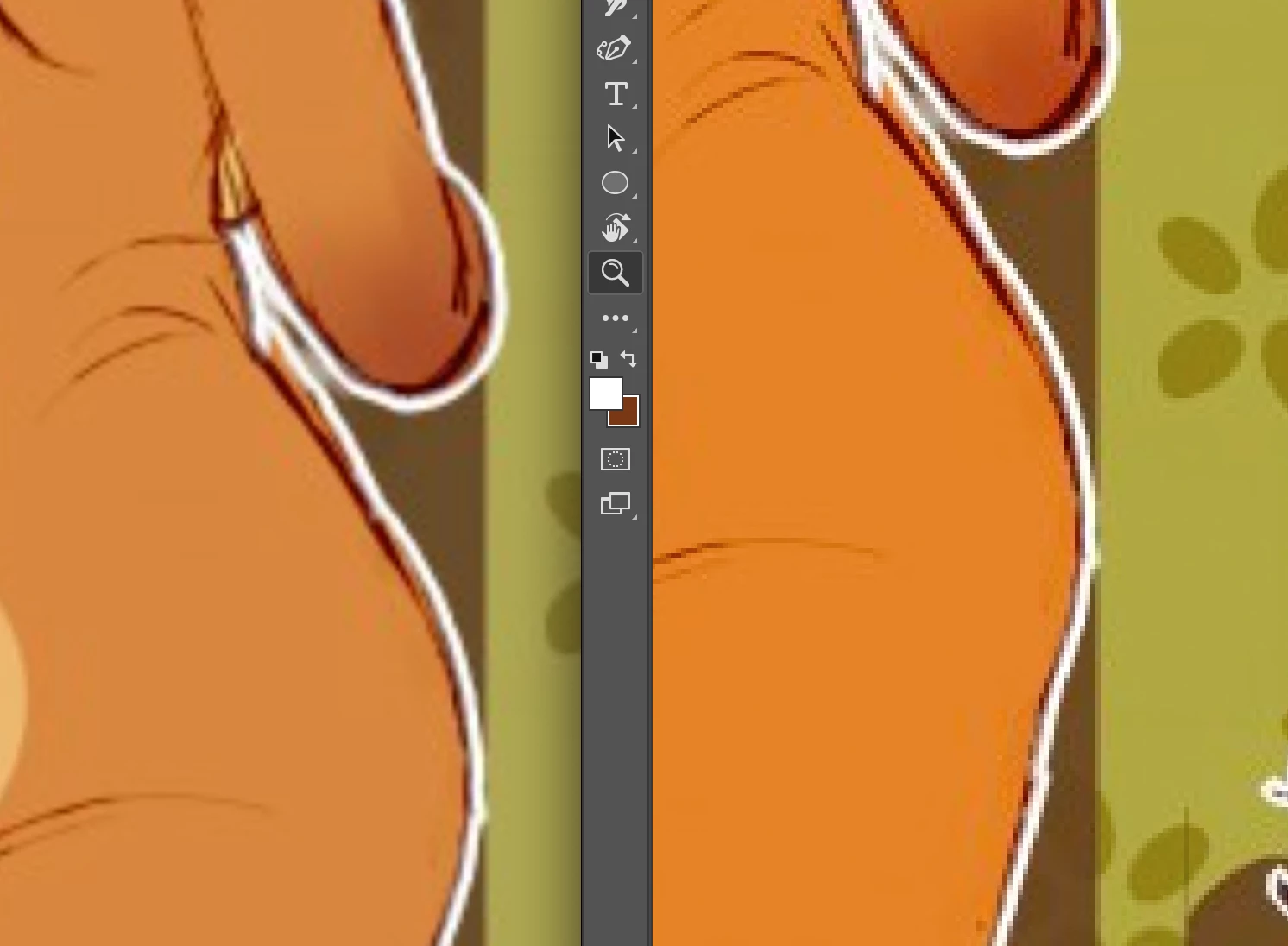
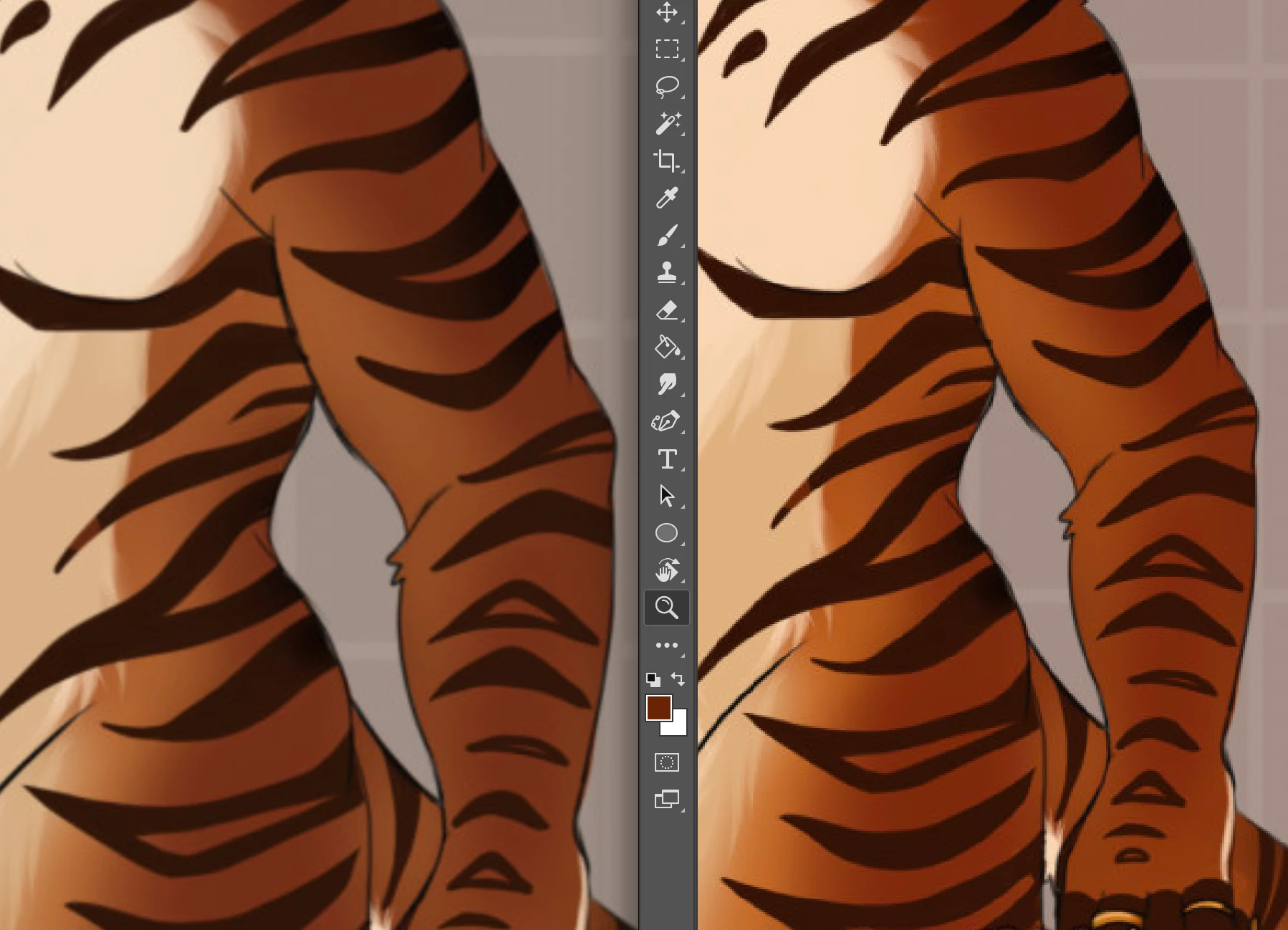
on the left is the image on the website and on the right is when i copy pasted that image into PS new document. The second image is actually the opposide of the original PS drawing on the right and the weirdly desaturated exported one on the left. This happens to ALL images I paste in regardless of profile, or what website I get them from. However this does not happen as bad (still is slightly more saturated) if i save the image then open it in PS that way.
Im operating on a Macbook 13 2019 OS Big Sur (11.0.1)
and Photoshop 2021 v 22.0 (i think? it is the most up to date)
ive also checked my displays calibration and that didnt help it
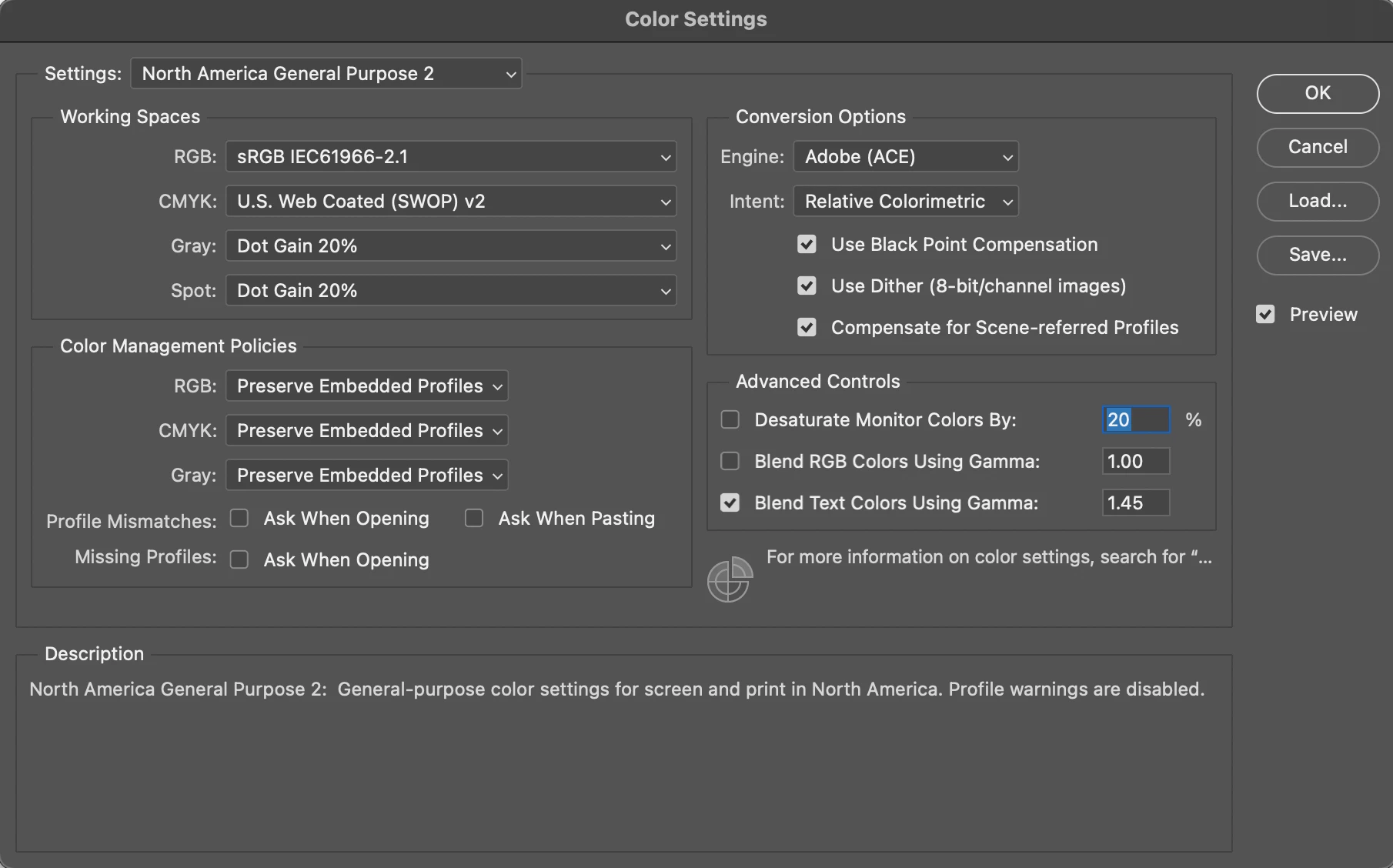
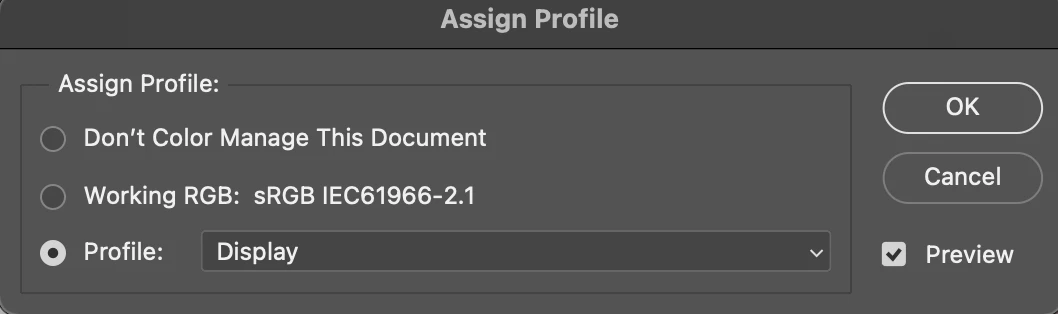
here is my Color Settings and Assign Preference settings menu. Even scrolling through possible profile options none of them match the colors from the source file
any help would be greatly appreciated!
 AdChoices