
Question
Colors on the canvas don't match the picked colors
I updated Photoshop (v 23.0.1) and wanted to work on an older file. I started using version 22. The problem now is that the colors look strange and don't match the picked color anymore. I am working with an RGB color profile.
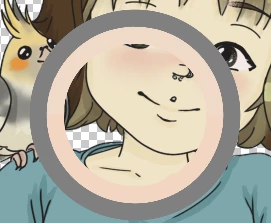

See, these colors should look like the colors in the color picker's ring, but they obviously don't.
I don't know what to do. I checked the color profiles and everything...
*I started working on the file with version 22. Sorry for the typo.
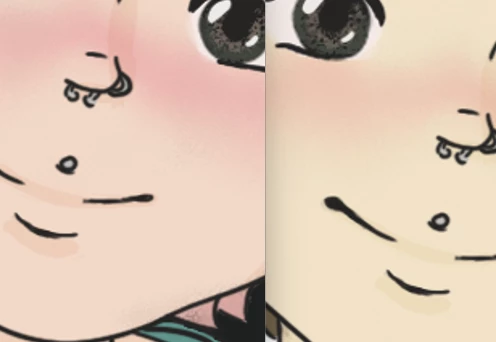
I found an old work in progress png of the file, where you can see what the colors used to look like or rather are supposed to look like.
Here they are side by side (left: what it used to look like, right: what it looks like now):
 AdChoices