

broomeGirl
Inspiring
November 22, 2017
Question

Colors wrong in photoshop cc

  • November 22, 2017
  • 4 replies
  • 6573 views

Hi I have just started using cc but have been using adobe programs for years.  I have opened a new document in photoshop and wish to change the background colour.  I have dialled in #D60000 but this is not the right colour.
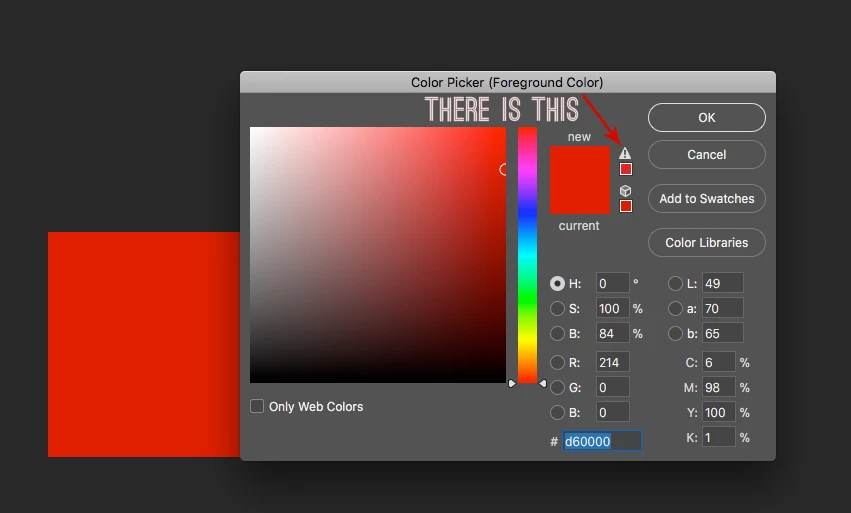
The red in this logo is the right colour.

Am I missing a step?

    This topic has been closed for replies.

    4 replies

    broomeGirl
    Inspiring
    November 23, 2017

    Hi Thanks so much for your responses.   I have just been using the default settings on cs6 and have only recently swapped to the creative cloud.

    These are the settings .. I set these up years ago.  Using a mac if thats relevant

    and the document profile is

    D Fosse
    Community Expert
    Community Expert
    November 22, 2017

    Numbers are relative to color space. The same numbers yield different actual colors in different color spaces.

    You probably think hex numbers are "absolute", lots of people mistakenly assume that, but they mean nothing until they refer to a specific color space (sRGB, Adobe RGB etc). Hex is just a different notation for RGB values.

    For screenshots, you can't use the color picker directly. You must first assign the monitor profile, then convert to the same color space the original is in. Then the numbers will match.

    c.pfaffenbichler
    Community Expert
    Community Expert
    November 22, 2017

    What is the file’s Colour Space?

    Please set the Status Bar to »Document Profile« and post a more meaningful screenshot.

    What are the Edit > Color Settings?

    AxelMatt
    Community Expert
    Community Expert
    November 22, 2017
    My System: Intel i7-8700K - 64GB RAM - NVidia Geforce RTX 3060 - Windows 11 Pro 25H2 -- LR-Classic 15 - Photoshop 27 - Nik Collection 8 - PureRAW 6 - Topaz Photo AI