Participant
January 15, 2021
Question

colour change after posting on social media

  • January 15, 2021
  • 4 replies
  • 1108 views

Hello


I wanted to post one of my pictures on social media, but the colours were different from the saved picture on my computer. 

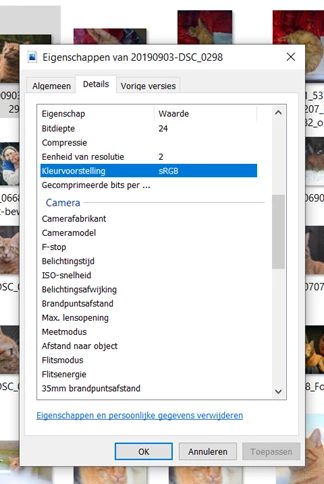
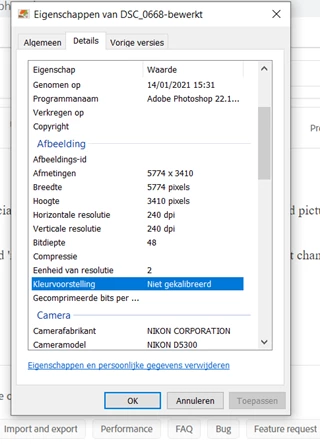
In the details of my photo I saw that it said 'not calibrated', while it normally is sRGB, but I didn't change any settings in Photoshop.


This topic has been closed for replies.

4 replies

NB, colourmanagement
Community Expert
Community Expert
September 13, 2022

As D Fosse wrote "In Photoshop, convert to sRGB and embed the profile"

That’s the best you can do if sending images out into a world of applications without colour management, mobiles and uncalibrated display screens. 

It's getting a bit more complex now many users have high gamut (e.g. 98% AdobeRGB) screens - but sRG is best for most cases.


I hope this helps
neil barstow, colourmanagement net :: adobe forum volunteer:: co-author: 'getting colour right'
google me "neil barstow colourmanagement" for lots of free articles on colour management

D Fosse
Community Expert
Community Expert
January 15, 2021

In Photoshop, convert to sRGB and embed the profile. Done, that's all you can do. This has the highest chance of being correctly represented in the highest number of scenarios.


To actually solve the problem, you need to use color managed applications on a platform that supports full color management.


Color management has three components, all of which need to be present:

  • an embedded document profile
  • an accurate monitor profile (or other destination device such as printer)
  • a color managed application that reads both profiles and remaps from one to the other
C.5E9CAuthor
Participant
January 15, 2021

C.5E9CAuthor
Participant
January 15, 2021

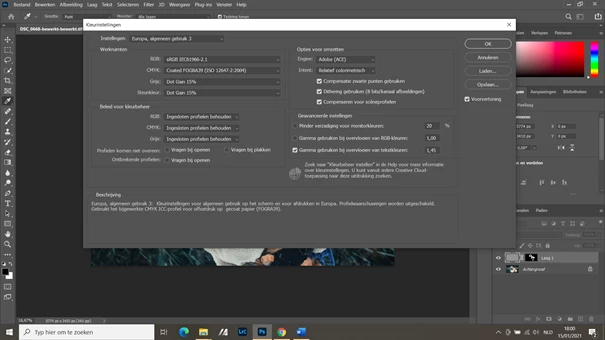
I discovered that it has something to do with the colour profile. It seems to open my pictures in AdobeRGB, so when i convert the profile to sRGB, it saves my image correctly, but is there a way to let photoshop do this automatically? I didn't use to have issues with this in photoshop?