Answered
Colour palette problem in CC17
I'm using Photoshop CC17 on Mac, and whenever I double click on the colour palette, it brings up this generic color picker window instead. How can I get the original box back up?
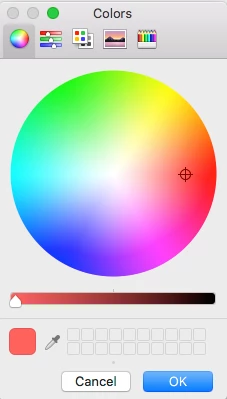
I'm using Photoshop CC17 on Mac, and whenever I double click on the colour palette, it brings up this generic color picker window instead. How can I get the original box back up?
Try this
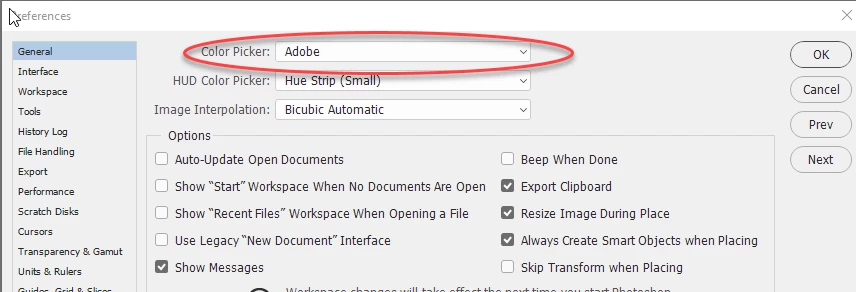
Go to Preferences - General and set Color Picker to Adobe
Dave
Already have an account? Login
Enter your E-mail address. We'll send you an e-mail with instructions to reset your password.
 AdChoices