Participating Frequently
October 5, 2018
Question

combine two images

  • October 5, 2018
  • 3 replies
  • 733 views

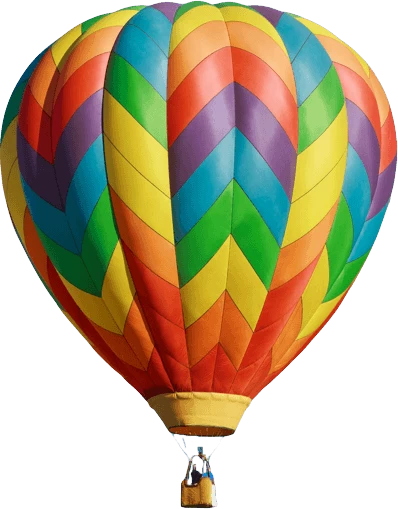
hello everyone can u please help me to combine this imagesi tried do it  myself, but it doesn't look like realistic enough

    This topic has been closed for replies.

    3 replies

    Norman Sanders
    Legend
    October 5, 2018

    After making a b&w duiplicate image, increasing contrast & adding gaussian Blur and saving as a psd Displacement map (middle image),

    add the white bird object layer and apply a placement map with a gentle (5H/5V) setting. Then make a duplicate of the color layer, convert to Black & White, and apply the radical curve shown (top right with curve shown below). Last, apply the bird layer as a mask to the top layer.


    Note: Regarding the type: Rasterize it and combine it with the bird as a single layer..

    Participating Frequently
    October 6, 2018

    got u thx a lot

    Mike_Gondek10189183
    Community Expert
    Community Expert
    October 5, 2018

    Try the warp called inflate. Set opacity of white logo layer to something less Than 100%.

    You can then use liquify the squeeze on the riffle edges, and inflate and the riffle centers. I would need more resolution to do a better job.

    If you are familiar with using filter >> distort >> displace, that would do a better job than liquify, but you would need to Illustrate your own bump map.

    Muqqarib Hassan
    Inspiring
    October 5, 2018

    Hi, I have tried to use the distort method then displace an image and a text on it by using different channels but it produce kinda junky result. like that.

    Mike_Gondek10189183
    Community Expert
    Community Expert
    October 5, 2018

    Making the image grayscale will not work as a bump map for this one. The ballon has patches of color rather than the ballon being all one color.

    You need to first fill a layer with 50% gray, which means will not move. Then lighten the areas to offset for shrink, and darken the area for inflate.  I made one shape by using pent tool, then floating a copy of gray and assign a inner glow. At the ned you cam use a curve to darken the insides.

    If I got backwards whether to  lighter than 50%  and darker than . 50%, you can invert the entire bump map when done.

    Muqqarib Hassan
    Inspiring
    October 5, 2018

    Hi, Do you have something like that ?

    Participating Frequently
    October 5, 2018

    u mean source file?

    Muqqarib Hassan
    Inspiring
    October 5, 2018

    No I mean do you want the 2nd image like that combine in the rainbow ?