
futuremotion6798557
Inspiring
April 19, 2023
Answered

Community Question: What are your absolute favorite scripts or actions that you can't live without?

  • April 19, 2023
  • 3 replies
  • 3409 views

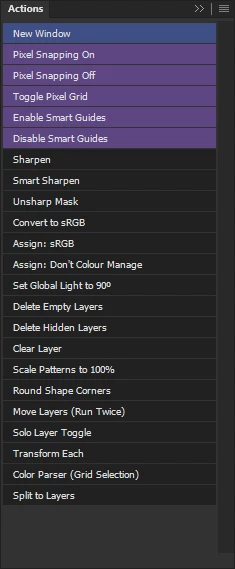
I've been actively upgrading my Photoshop workflow with vairous scripts and actions. Here's my actions panel now:


Here are my most used addons:
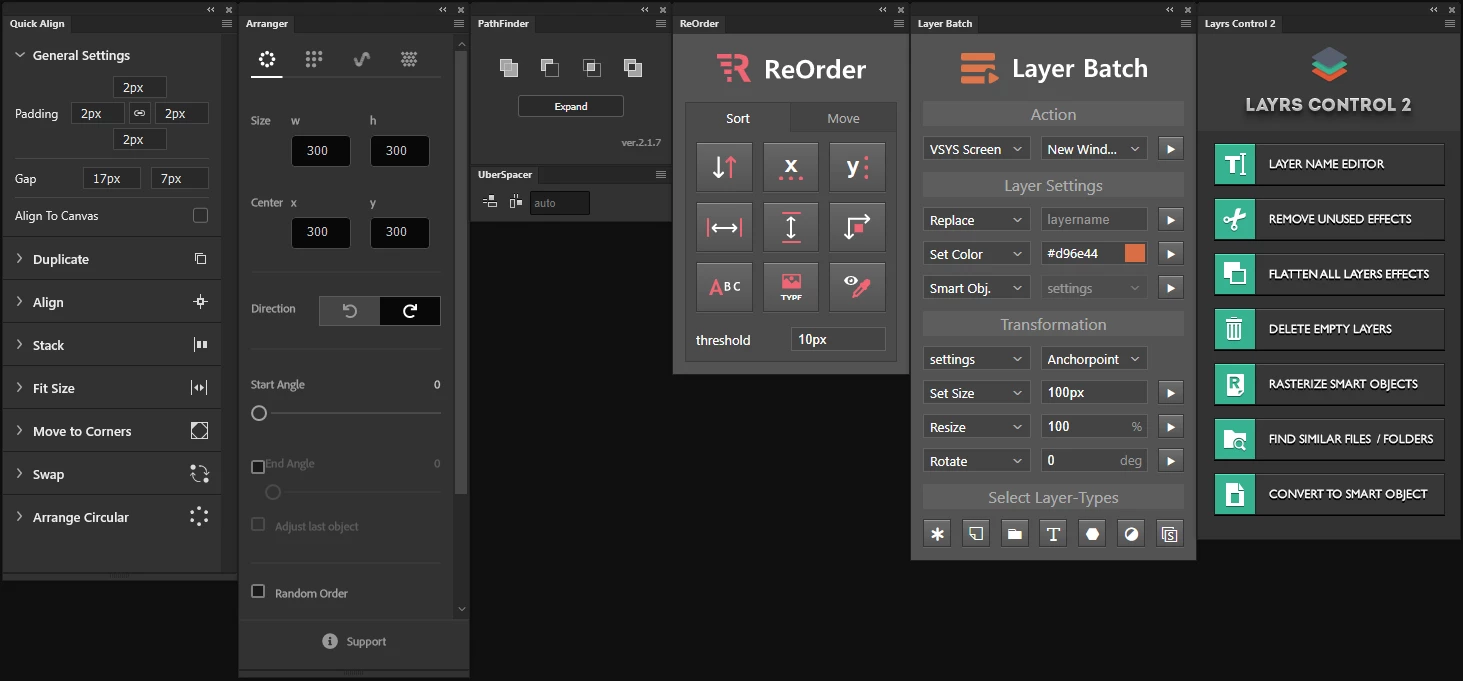


1. [Unsolicited link to paid for product removed - this breaks forum guidelines]
2. Arranger 
3. Pathfinder for Photoshop 
4. Uberspacer 
5. ReOrder 
6.[Unsolicited link to paid for product removed - this breaks forum guidelines]

7. Layrs Control 2 

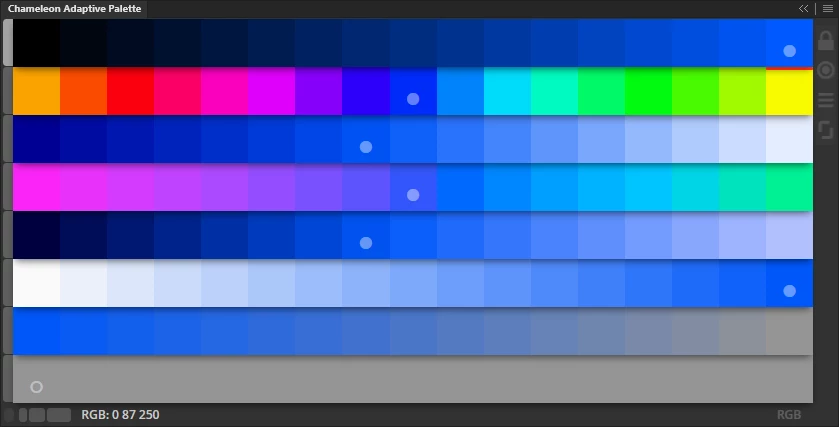
As well as Chameleon Adaptive Palette:

I mainly use Photoshop for screen work and Icon Design. I'm really curious about what workflow enhancements all of you are using on a daily basis. One missing element to my workflow is a good layer renamer. I came across  Renamy and it looks great.

So:

1. What are your most used scripts?
2. What are your most useful actions?
3. Any good add-ons you can reccommend?

Would love to get some feedback!

This topic has been closed for replies.
Correct answer davescm

This thread is becoming a thread to advertise plug ins which is against the guidelines for the community.

Thread locked


Dave

3 replies

davescm
Community Expert
davescmCommunity ExpertCorrect answer
Community Expert
April 27, 2023

This thread is becoming a thread to advertise plug ins which is against the guidelines for the community.

Thread locked


Dave

Greg von Neulich
Known Participant
April 20, 2023

Check out our new plugin available on the CC MarketPlace

https://adobe.com/go/cc_plugins_discover_plugin?pluginId=c36e02fb&workflow=share

It greatly speeds up the process of selecting and renaming layers. And can also perform other batch process that have always been a big pain when working with a large number of layers.

Greg von Neulich
Known Participant
April 20, 2023

futuremotion6798557
Inspiring
April 26, 2023

Bought it! It's great. Thank you for developing and sharing the link!

c.pfaffenbichler
Community Expert
Community Expert
April 19, 2023

I guess the Script I use most often is probably the one that raises the old, modal dialog for Adjustment Layers (I find editing them in the Properties Panel disruptive). 


I don’t use custom UXP Panels so far (despite having bought Davide Barranca’s book on the issue) so one of the other Scripts I use pretty often is just a dialog with buttons for the about twenty Filters I expect to use »often« – assigning all of them keyboard shortcuts would be a bit much for me. 


Another Script (though the process should also be possible as an Action) I use fairly frequently duplicates the image, converts it to Lab, duplicates the a- and b-Channels to the original image and closes the duplicate.

But this is primarily useful for editing photographic images if one needs to mask certain color areas. 


An Action I use fairly often converts a Layer to a Smart Objects, opens, flattens, saves and closes it.

Again primarily useful for editing photographic images when Smart Objects don’t need transparency; the reason for this is that flat Smart Objects can help save space compared to Smart Objects that consist of a regular Layer. 

futuremotion6798557
Inspiring
April 19, 2023

Awesome! I really like the first thing you mentioned about the old modal dialog. How are you doing that? Can you share the script?

Thanks so much.

c.pfaffenbichler
Community Expert
Community Expert
April 19, 2023
//opens the modal dialog for editing selected adjustment layers of some types, not all though; based on john nack’s panel;
// use it at your own risk;
#target photoshop;
if (app.documents.length > 0) {
var myDocument = app.activeDocument;
var checksOut = true;
switch (myDocument.activeLayer.kind) {
	case LayerKind.CURVES:
	theVars365 = 1131574899;
	break;
	case LayerKind.HUESATURATION:
	theVars365 = 1213428850;
	break;
	case LayerKind.SELECTIVECOLOR:
	theVars365 = 1399612227;	
	break;
	case LayerKind.LEVELS:
	theVars365 = 1282829427;
	break; 
	case LayerKind.BLACKANDWHITE:
	theVars365 = 1113681495;
	break;
	case LayerKind.POSTERIZE:
	theVars365 = 1349743730;
	break;
	case LayerKind.GRADIENTMAP:
	theVars365 = 1197755760;
	break;
	case LayerKind.CHANNELMIXER:
	theVars365 = 1130917453;
	break;
	case LayerKind.THRESHOLD:
	theVars365 = 1416131187;
	break;
	case LayerKind.COLORBALANCE:
	theVars365 = 1131180610;
	break;
	case LayerKind.VIBRANCE:
	theVars365 = stringIDToTypeID( "vibrance" );
	break;
	case LayerKind.EXPOSURE:
	theVars365 = 1165521011;
	break;
	default:
	checksOut = false;
	};
// adjustment layers;
if (checksOut == true){
	var id365 = theVars365;
	theModalDialogue (theVars365);
	}
else {
// else check for solid fill layer;
	if (myDocument.activeLayer.kind == "LayerKind.SOLIDFILL" || myDocument.activeLayer.kind == "LayerKind.PATTERNFILL" || myDocument.activeLayer.kind == "LayerKind.GRADIENTFILL") {
		try {
			layerContentOptions()
			}
		catch (e) {}
		}
	else {
		alert("selected layer is neither curves–, hue/saturation-, selective color-, levels-, black and white-, posterize-, gradient map- or threshold-adjustment layer nor a solidfill-, gradient- or pattern-layer")
		}
	}
};
////// modal editing //////
function theModalDialogue (theVars365) {
ErrStrs = {}; 
ErrStrs.USER_CANCELLED=localize("$$$/ScriptingSupport/Error/UserCancelled=User cancelled the operation"); 
try {
	var id359 = charIDToTypeID( "setd" ); 
	var desc77 = new ActionDescriptor(); 
	var id360 = charIDToTypeID( "null" ); 
	var ref48 = new ActionReference(); 
	var id361 = stringIDToTypeID( "contentLayer" ); 
	var id362 = charIDToTypeID( "Ordn" ); 
	var id363 = charIDToTypeID( "Trgt" ); 
	ref48.putEnumerated( id361, id362, id363 ); 
	desc77.putReference( id360, ref48 ); 
	var id364 = charIDToTypeID( "T   " ); 
	
	desc77.putClass( id364, id365 ); 
	executeAction( id359, desc77, DialogModes.ALL );
	} 
catch(e){
	if (e.toString().indexOf(ErrStrs.USER_CANCELLED)!=-1) {;
		} 
	else{
		alert("$$$/ScriptingSupport/Error/CommandNotAvailable=The command is currently not available");
		}
	}
};
////// edit solid fill //////
function layerContentOptions () {
var id450 = charIDToTypeID( "slct" );
var desc90 = new ActionDescriptor();
var id451 = charIDToTypeID( "null" );
var ref61 = new ActionReference();
var id452 = charIDToTypeID( "Mn  " );
var id453 = charIDToTypeID( "MnIt" );
var id454 = charIDToTypeID( "AdjO" );
ref61.putEnumerated( id452, id453, id454 );
desc90.putReference( id451, ref61 );
executeAction( id450, desc90, DialogModes.ALL )
};