

Danny51
Inspiring
November 14, 2023
Question

Compatibility with files opened from external storage

  • November 14, 2023
  • 2 replies
  • 470 views

My Mac is running out of internal storage and I've moved some of my stuff onto an external samsung ssd.


Problem is: Video filetypes (mov, mp4) cannot be opened directly from the external drive in Photoshop.


I use them quite often so moving individual files to internal temporarily is not really the solution i'm looking for...Is there maybe another kind of external storage that works better?
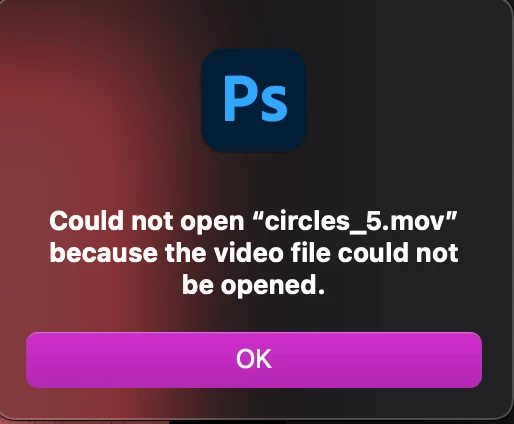


This topic has been closed for replies.

2 replies

Kevin Stohlmeyer
Community Expert
Community Expert
November 14, 2023

@Danny51 make sure your external storage is formatted properly to Mac format, not Ex-Fat (windows).

Danny51
Danny51Author
Inspiring
November 14, 2023

It is. Always the first thing i do when getting new storage.

Kevin Stohlmeyer
Community Expert
Community Expert
November 14, 2023

How is the drive connected to your Mac usb-c, thunderbolt, etc.

D Fosse
Community Expert
Community Expert
November 14, 2023

Working directly to and from external drives is always risky. Worn and loose cables and connectors can easily corrupt files! Never touch the drive while data tranfer is in progress.


If you really can't open a file it sounds like corruption.


OTOH this might be a simple permissions issue, so check that first.

Danny51
Danny51Author
Inspiring
November 14, 2023

Well I'm not sure what permission this would be since it works fine with regular psd files, gif, jpegs etc. It's just the video formats that can't beopened in Photoshop. And this has been an ongoing issue, ever since I got the drive, spanning over several updates to both photoshop and macOS.

So to be clear this isn't some kind of sudden error message, this has never worked before with any external drive I had.