
Known Participant
January 1, 2021
Question

Completely flat, hard, uniform brush possible?

  • January 1, 2021
  • 1 reply
  • 1282 views

Hi folks,


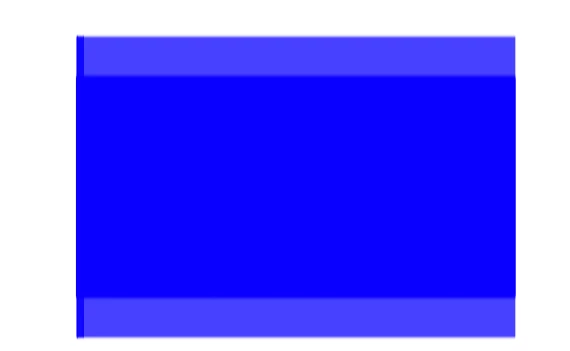
Please cast your eyes over the image below.


I'm trying to create a big, completely flat brush for quickly drawing in rectangles.


But i can't get rid of that soft border at the top and bottom.


Is it in possible in PS to do this?


I'm aware there's a dedicated rectangle tool, but (for creating art) it's a different vibe and feeling to draw in stuff "live" as opposed to click and drag out a shape.


Thanks!
 

This topic has been closed for replies.

1 reply

Semaphoric
Community Expert
Community Expert
January 1, 2021

Use the Pencil tool, rather than the Brubsh.

Daz VAuthor
Known Participant
January 2, 2021

Thanks, that works!


I also need to do it with the mixer brush, but i worked out you can just make your own brush with a rectangle.


One thing that's strange with that is that if i make my own brush, then scale it down a lot (using [ & ]), the color it draws becomes lighter. I guess that's because the brush scales in thickness as well as length.


Would anyone happen to know how to prevent this? Either by forcing a brush to paint only one solid color, regardless of brush scale, or to restrict brush scaling to only one dimension?

c.pfaffenbichler
Community Expert
Community Expert
January 2, 2021

»One thing that's strange with that is that if i make my own brush, then scale it down a lot (using [ & ]), the color it draws becomes lighter.«

When scaling a Sampled Brush tip you have to expect softened edges (if any) due to the resampling, but that should not make a Stroke »lighter«, so could you please post a screenshots taken at View > 100% with the pertinent Panels (Toolbar, Layers, Brush Settings, Options Bar, …) visible?