
limakid2015
Inspiring
January 26, 2019
Answered

Compressed but size increased!

  • January 26, 2019
  • 3 replies
  • 552 views

Hi,

I have an original file worked in photoshop, to be printed on an A4 paper, as shown on the first picture.
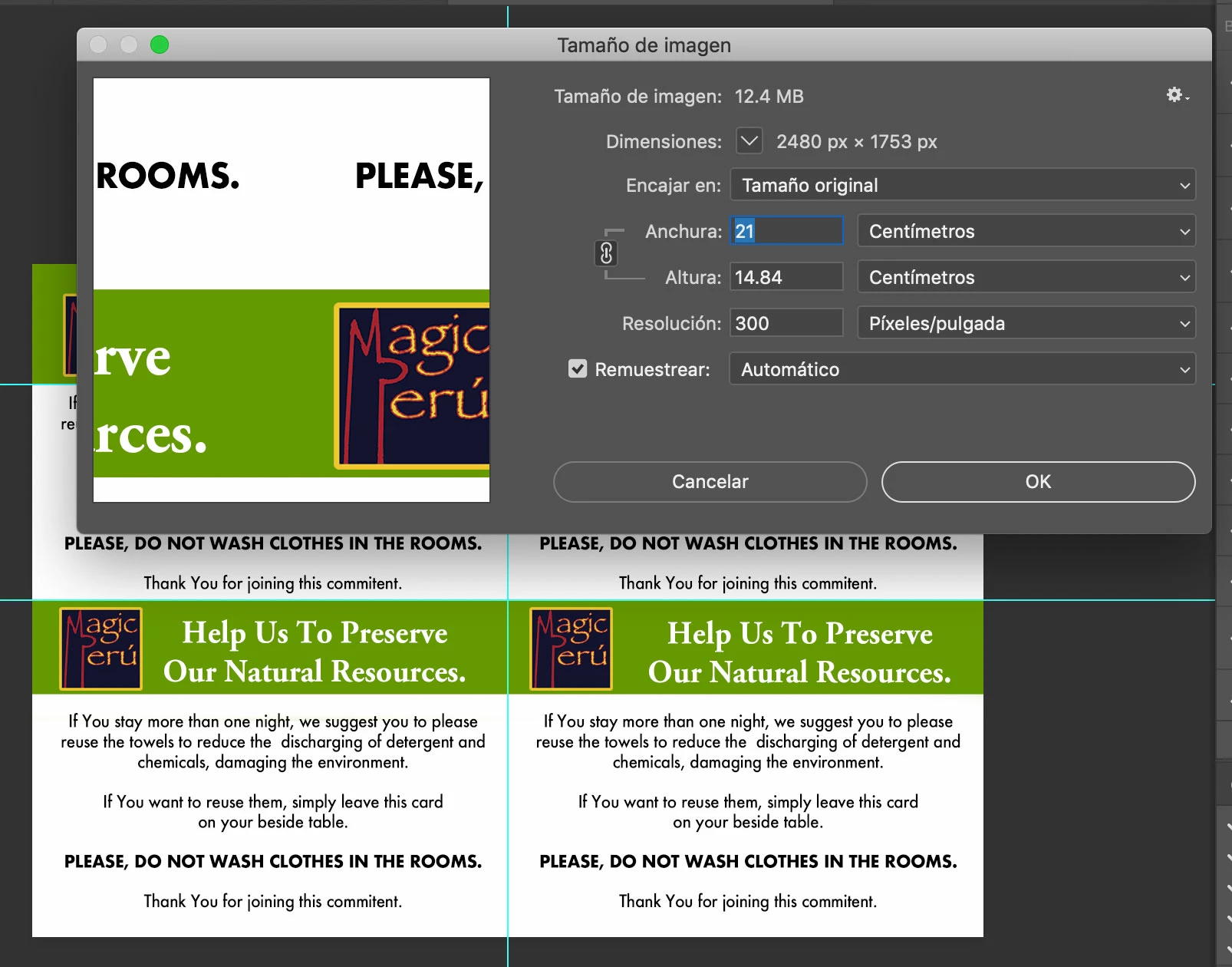
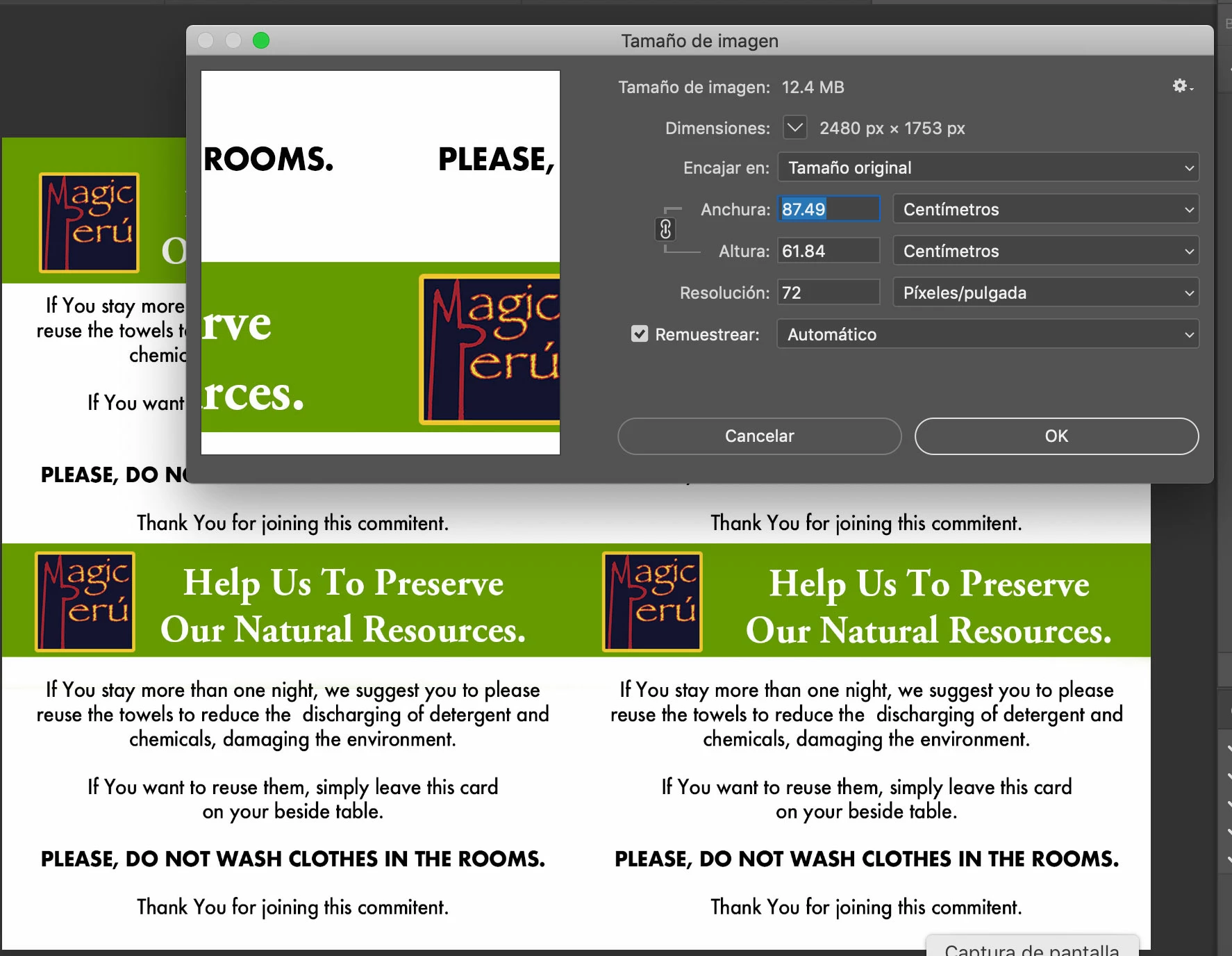
That size fits on A4, but when saved on JPG, keeping the same settings, the picture size increases as shown on the next photo: Check the size in centimeters. How could I see again 21 cms. and a height of 14.84 like in the first photo?

I need do this because the person who is going to print does not have a lot of knowledge about HOW TO SET A PRINTER... so I just want to make it easier for her. Should I change some settings? resample? Could you help me, please? Thx a lot!
This topic has been closed for replies.
Correct answer gener7

Uncheck "Remustrear" and set your size in cm. It changes the Print size without changing (resampling) the file size. The term used is called "print scaling".

You can also input 300 ppi to get your A4 size back.

Save for Web removes this information and defaults the resolution to 72 ppi, making the large print size that you see. Use "File > Save As Jpeg instead to keep your print information metadata.

Gene

3 replies

Stephen Marsh
Community Expert
Community Expert
January 26, 2019

I need do this because the person who is going to print does not have a lot of knowledge about HOW TO SET A PRINTER... so I just want to make it easier for her.

Once you have the image back at 21cm @ 300 ppi – I’d recommend saving as Photoshop PDF and printing from Acrobat, to hopefully further reduce output variables with unknown file formats and software that may not retain or honour print size resolution metadata, colour modes, ICC profiles etc. Acrobat prints can be “fit to page” or printed at 100%. Although not bullet proof – I believe that PDF helps more than not.

D Fosse
Community Expert
Community Expert
January 26, 2019

The pixel dimensions are the same, so the file is not changed.

The print size is determined by the pixels per inch (ppi) value. 72 produces a bigger print than 300 from the same pixels.

Always keep "resample image" unchecked unless you're absolutely certain that's what you need.

gener7
Community Expert
gener7Community ExpertCorrect answer
Community Expert
January 26, 2019

Uncheck "Remustrear" and set your size in cm. It changes the Print size without changing (resampling) the file size. The term used is called "print scaling".

You can also input 300 ppi to get your A4 size back.

Save for Web removes this information and defaults the resolution to 72 ppi, making the large print size that you see. Use "File > Save As Jpeg instead to keep your print information metadata.

Gene

limakid2015
Inspiring
January 26, 2019

Save FOR web and Save as... there is the key, it looks..., ok... I'll try... thanks.