Luis JG
Participant
November 19, 2019
Answered

Configure workspace PS

  • November 19, 2019
  • 1 reply
  • 380 views

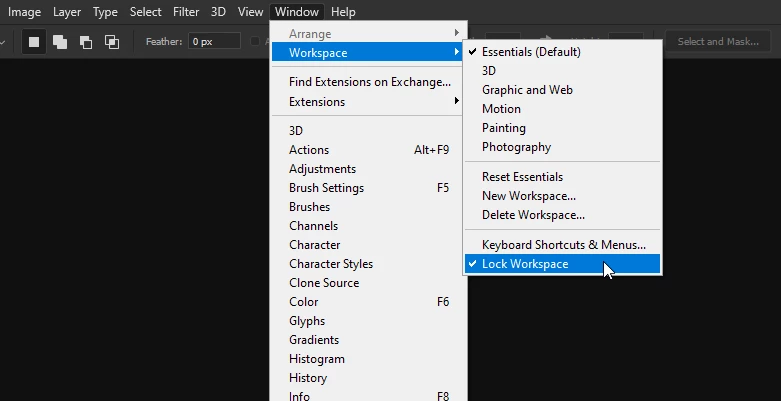
I can´t for example, move the toolbar from the left side to the right side. I can´t drag the panels and I don´t see the blue lines since those blue lines don´t come out. I do the procedure and leave the mouse in its place but I can´t configure my workspace. I don´t understand what is the reason why I can´t configure my workspace. Could anyone give me a solution? Thanks.
This topic has been closed for replies.
Correct answer

Hi

You haven't mentioned what version of Photoshop you have, but in Photoshop CC2019/2020 there's an option to lock the workspace, check to see if it's enabled

1 reply

Correct answer
November 19, 2019

Hi

You haven't mentioned what version of Photoshop you have, but in Photoshop CC2019/2020 there's an option to lock the workspace, check to see if it's enabled

Luis JG
Luis JGAuthor
Participant
November 19, 2019

Oh my God¡ I hadn´t noticed¡

I had marked Lock Worspace, so I could not configure my workspace in PS 2020. Thanks for letting me see¡

Thanks Ged Traynor¡

November 19, 2019

You're welcome 🙂