
Participant
June 7, 2024
Question

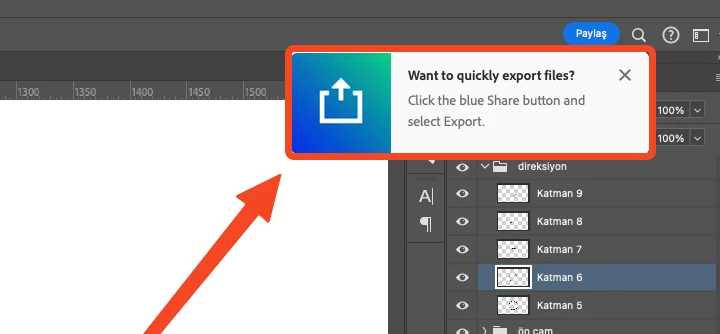
Constant "Want to quickly export?" Pop-up issue
  • June 7, 2024
  • 3 replies
  • 204 views


This Pop-up always coming back even if I close it.

I tried exporting, saving and re-opening project, closing this pop-up. None of these solve the issue.


I use latest version of Adobe Photoshop 2024

MacOS Sonoma 14.5

This topic has been closed for replies.

3 replies

Participant
June 13, 2024

This happens whenever I add an adjustment layer. It also flashes sometimes in different places for a second. I'm getting lots of weird popups besides this one. I have disabled Tool Tips in the settings menu.


Using latest Windows and PS build.

c.pfaffenbichler
Community Expert
Community Expert
June 10, 2024

Recently someone posted a screenshot of a similar pup-up (though about Generative Fill) that reappears incessantly … quite curious. 

1.jpg

https://community.adobe.com/t5/photoshop-ecosystem-discussions/turn-off-ai-gen-fill-tutorial/m-p/14670360#M814627

Rick Spaulding -
Legend
June 10, 2024

Hi, have you tried turning off tool tips?

Go to Settings>Tools>Show tooltips

Uncheck