
Participant
August 23, 2022
Answered

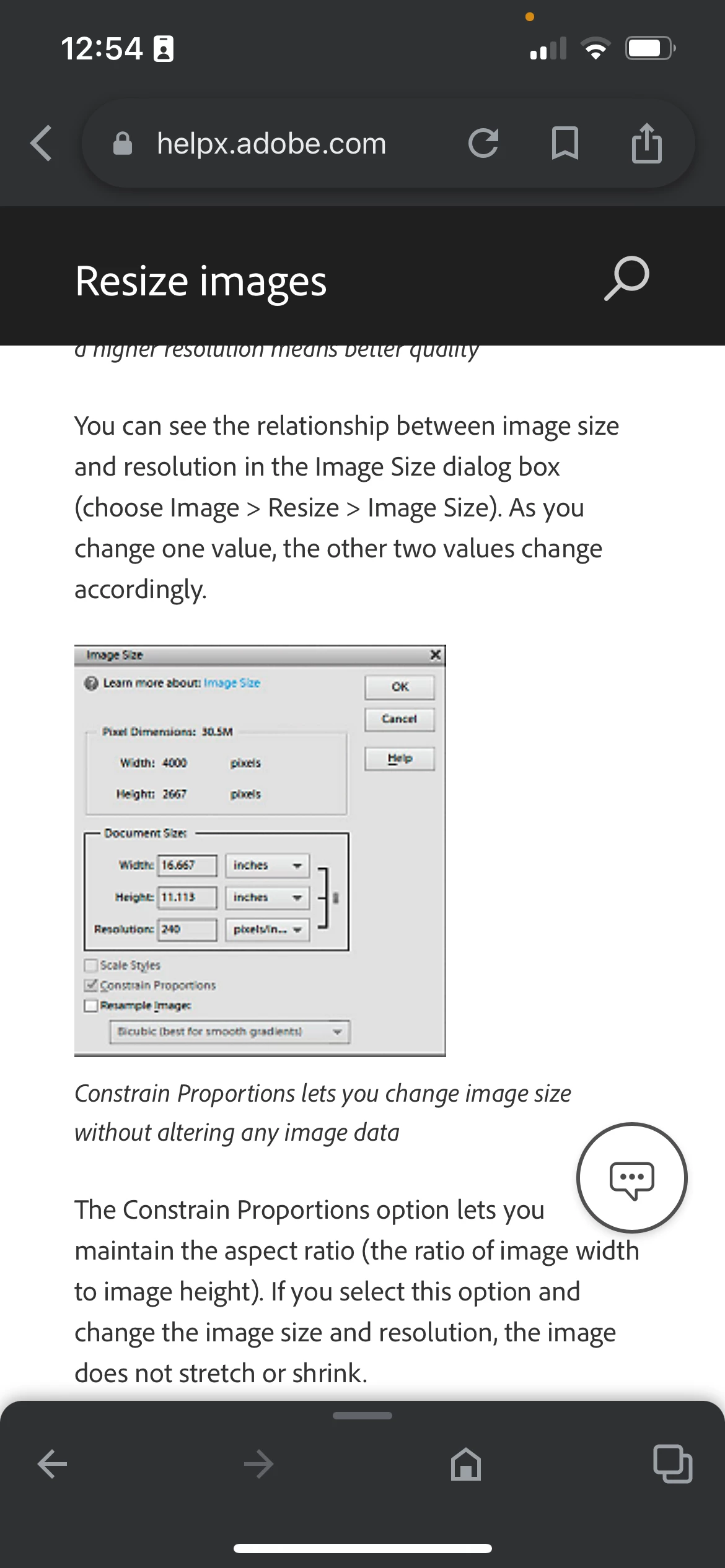
Constraint button > where is it in Image Size??

  • August 23, 2022
  • 1 reply
  • 552 views

I am trying to resize a photograph while maintaining original file proportions.
but when I look at all of the forums it says to go to image size> check constrain proportions. I am currently running the most recent version of Photoshop on my desktop and my page does not contain this box?? So as you can well imagine I am not able to resize my image while maintaining proportions and it is driving me literally insane. Can someone please answer this for me if there is another way to do it? Please help!
 

This topic has been closed for replies.
Correct answer jazz-y

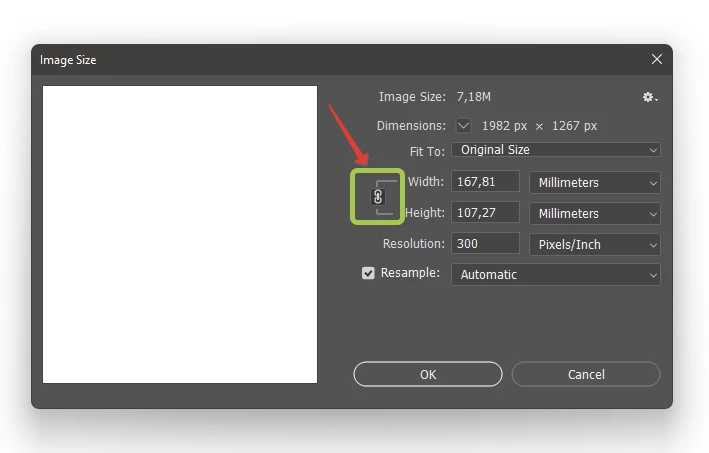
Now it's just a chain symbol.

1 reply

jazz-yCorrect answer
Legend
August 23, 2022

Now it's just a chain symbol.

Participant
August 23, 2022

Thank you for your answer!!

So I have a 3000 X 4500 image that I want to keep the same proportion but change to 3000 x 3900

Should the chain be locked? 
is this the correct way to do it?

Image size> lock checked > resample image checked? 

jane-e
Community Expert
Community Expert
August 23, 2022
quote

So I have a 3000 X 4500 image that I want to keep the same proportion but change to 3000 x 3900. Should the chain be locked? 


No, the aspect ratios (W/H) are different. So, to keep one side at 3000, there'll be some cropping to reduce the other side from 4500 to 3900.


3000/4500 = 0.666666......

3000/3900 = 0.769230......


The chain should be unlocked.


@JOanNOvakFoto 


...and when the chain is unlocked, the image will distort. 


"Proportional" means that when one measurement is changed manually, the other changes automatically to keep the same proportions.


Jane