
Inspiring
February 23, 2020
Answered

Content aware and Delete Cropped Pixels not showing on Tool Bar

  • February 23, 2020
  • 1 reply
  • 755 views

I have the latest version of Photoshop CC 2020.

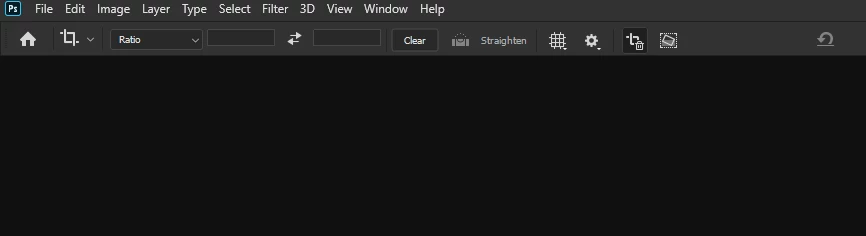
When I go to the cropping tool, I don't see the boxes for (Content Aware Fill and Delete Cropped Pixels) on the top tool bar. What seems to be the problem?
 

This topic has been closed for replies.
Correct answer Solo444

I have solved the problem by going to workspace and turning the narrow list off.

Thank you


1 reply

Solo444AuthorCorrect answer
Inspiring
February 23, 2020

I have solved the problem by going to workspace and turning the narrow list off.

Thank you


davescm
Community Expert
Community Expert
February 23, 2020

Yes - "Enable narrow options bar" replaces words with icons in the options bar and was designed for those with smaller screens


Dave