Answered
Content aware fill brush and lasso not working. Sampling area not visible.
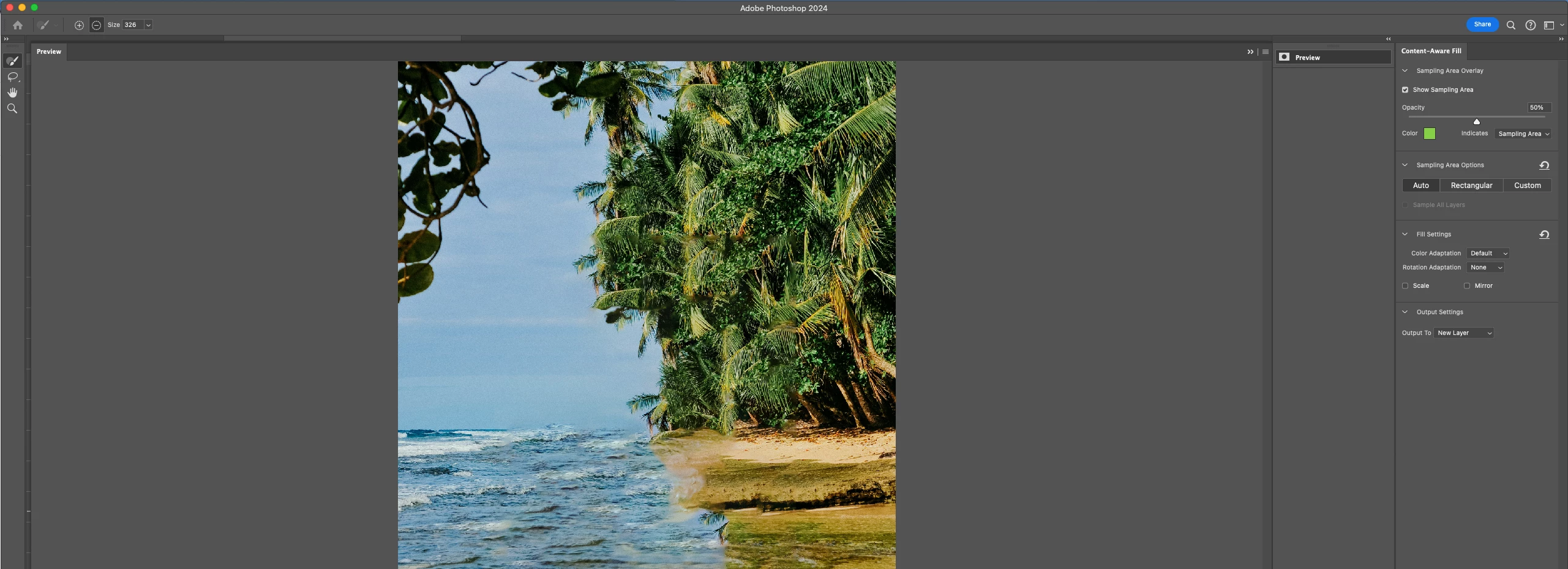
Inside the content aware fill window, I can't see the sampling area, even though the checkbox for "Show Sampling Area is marked". Also, I can't use the brush or lasso tools, I only get the hand tool. Doesn't matter if I'm on Auto, Rectangular or Custom. (Screenshot #1)
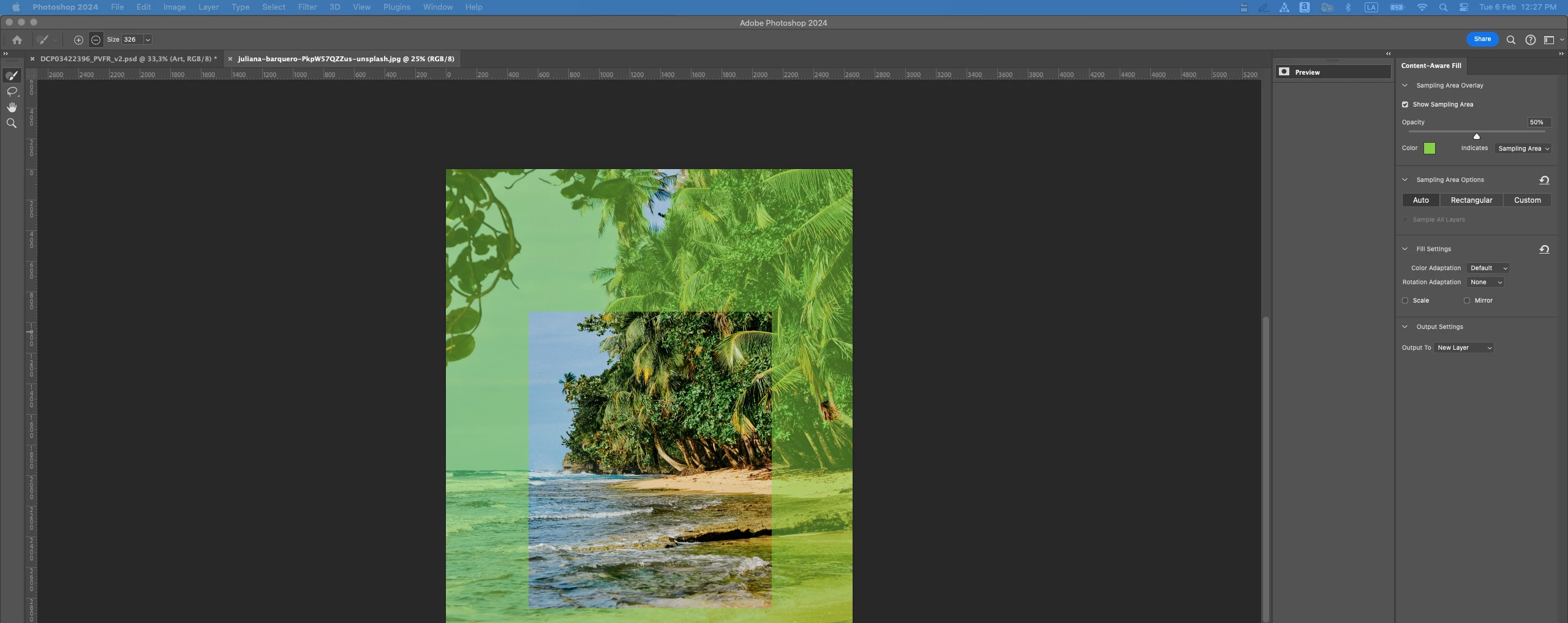
Here's the weird part, while I'm on another window/software, the sampling area can be seen (Screenshot #2), but once I go back to Ps, it dissapears! It's so frustrating.
I tried closing Ps and opening it again, updating it, and resetting all settings on the content aware window. Any other ideas? Help!
Running Ps 2024 25.4.0 on Ventura 13.6.4 (Can't update to Sonoma until employeer's IT dpt says so 🙃)
MacBook Pro 2021.
 AdChoices