
Inspiring
April 5, 2023
Answered

Content Aware Fill brush won't paint next to selection

  • April 5, 2023
  • 2 replies
  • 762 views

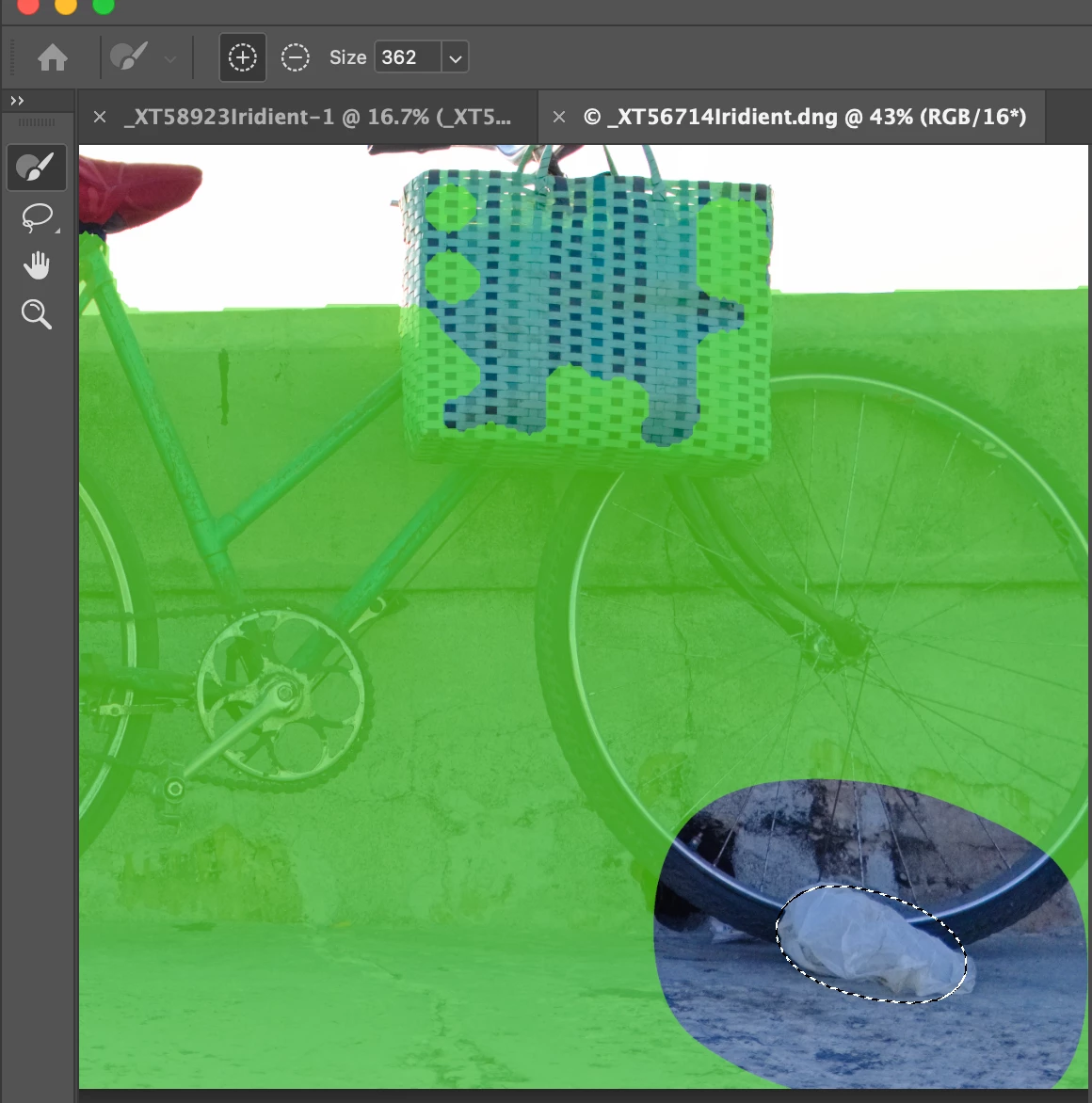
In Content Aware Fill, the brush will not paint next to the selection. It leaves a gap around the selection. In the image below, I have tried to paint next to the selected area and the green area is as close as it will let me paint. It's as if the area next to the selection is protected. This has been going on over several versions of PS and happens with all photos from various different cameras. 

MBP M1 Max Ventura

PS 24.3.0

Is this a bug or something that I can fix by changing a setting somewhere?

Thanks.
 

This topic has been closed for replies.
Correct answer Hoka Hey

Figured it out. I had feather set to 100 px on the lasso tool when making the selection.

Hopes this helps someone else.

2 replies

Hoka HeyAuthorCorrect answer
Inspiring
April 7, 2023

Figured it out. I had feather set to 100 px on the lasso tool when making the selection.

Hopes this helps someone else.

barbara_a7746676
Community Expert
Community Expert
April 7, 2023

Yes, I was going to say it was probably a feathered selection. Good for you for figuring it out!

Myra Ferguson
Community Expert
Community Expert
April 6, 2023

Do you get the desired result if you to Edit > Fill... and in the Fill dialog, set Contents to Content-Aware? This process bypasses the Content Aware Fill workspace and fills the selection.

Hoka HeyAuthor
Inspiring
April 7, 2023

Thanks for the suggestion. However, I don't have enough control using that method.

Any thoughts on why the brush isn't able to paint next to the selection in the CAF workspace?