
Question
Content-aware fill shows no Sampling area
I'm running PS 2021 and 2022 at the moment (long, boring story).
Today I opened an image in 2021, selected a piece, and went to Edit>Content-aware fill to remove the selection. There's no Sampling area.
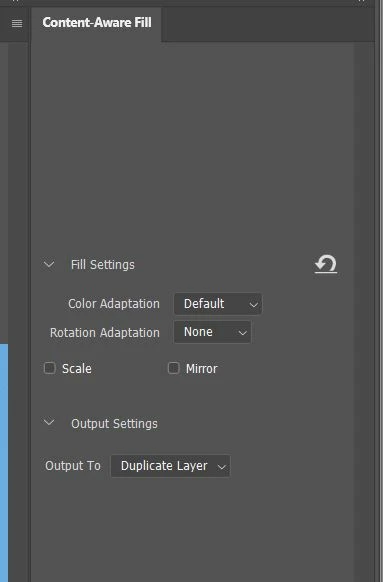
Shut down 2021 and sent the image to 2022 and it looks and content-aware fill works fine.
HOW do I turn the Sampling area back on for PS 2021? I can find topics where people have CA Fill problems, but so far nothing where the whole section is gone - AND NO, hitting the undo button either in the bottom left OR the area near the sampling area brings it back...
I've got it uninstalled and re-installing, but (presuming it works when it comes back) WHAT did I do to make it NOT display?
 AdChoices