
Inspiring
January 11, 2022
Question

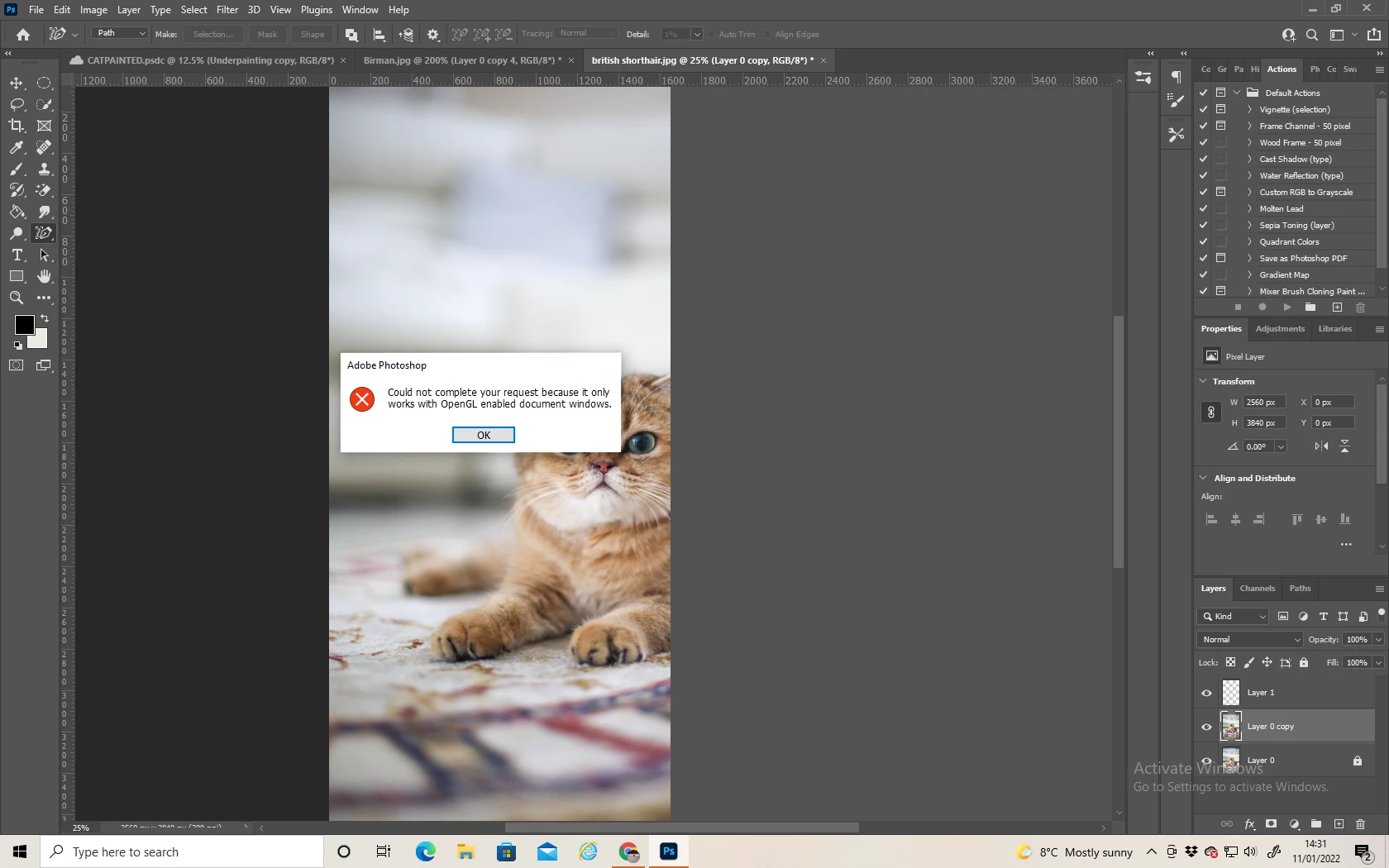
Content Aware Tracing Tool - "OpenGL enabled...." error message?

  • January 11, 2022
  • 2 replies
  • 1259 views

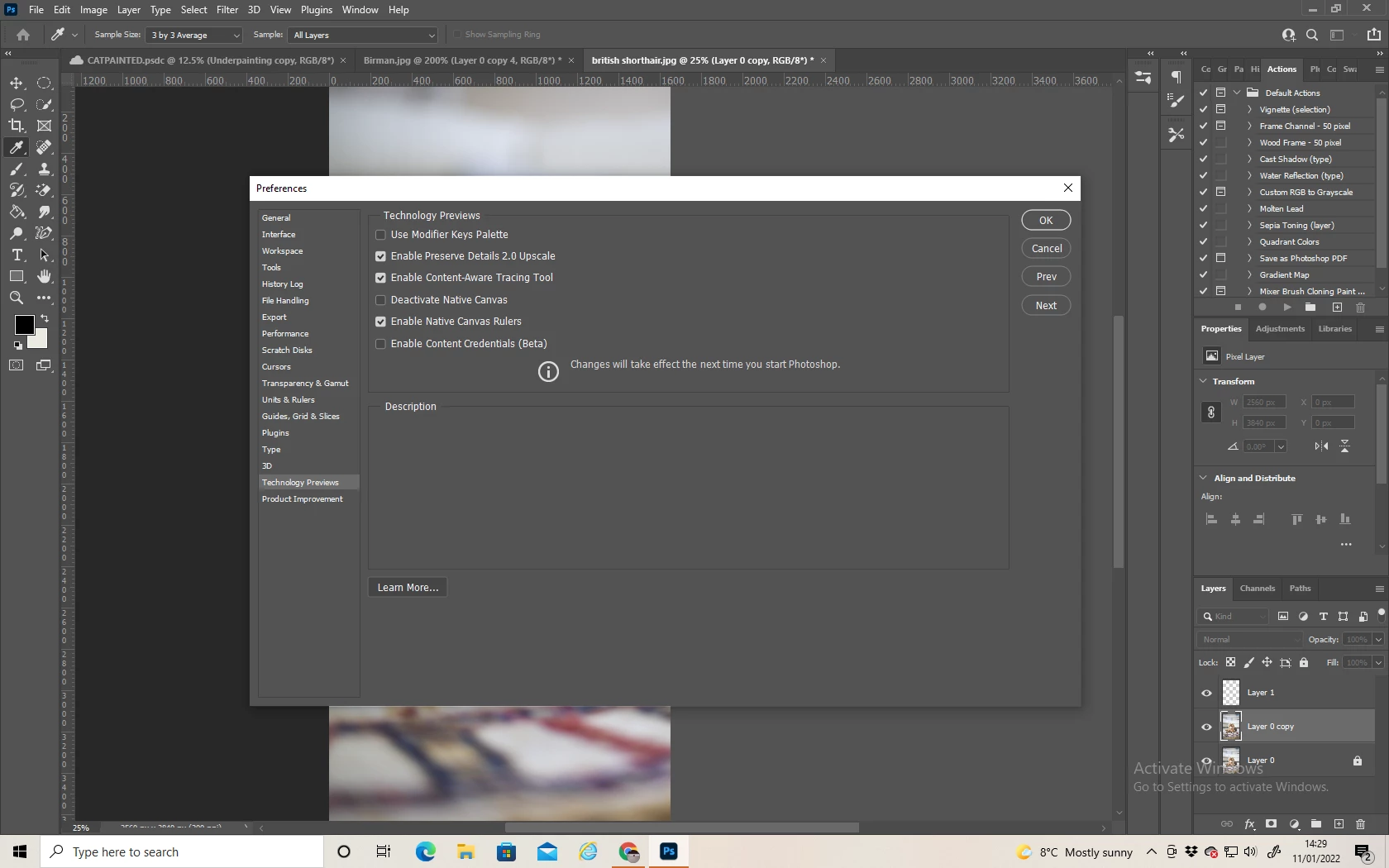
I've tried going to Preferences - Technology Previews - Enable Content-Aware Tracing Tool.  It was already ticked. 
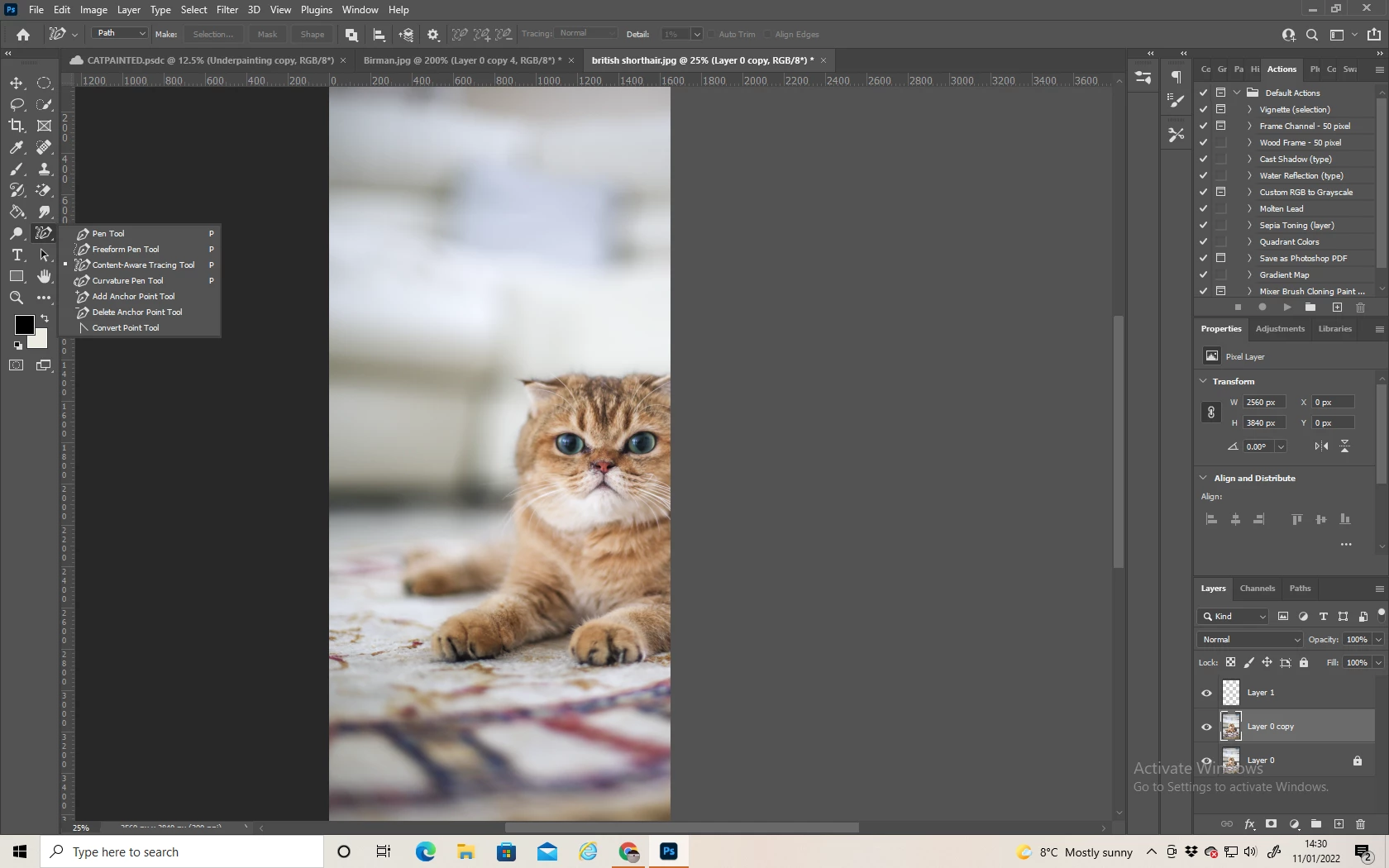
...It's visible in the Pen section....
...But I get this error message when I click the button...
 

Anyone know how to fix this??


This topic has been closed for replies.

2 replies

Ged_Traynor
Community Expert
Community Expert
January 11, 2022

Hi

From the Help menu check to make sure your GPU is compatible, also check in the performance settings

lesa5EA2Author
Inspiring
January 11, 2022

ah, I think I see my problem, my computer is a piece of poop! Graphic Processor is not compatable.  Oh well, another reason to upgrade my potato for a computer. Thank you. 


Bob_Hallam
Legend
January 11, 2022
ICC programmer and developer, Photographer, artist and color management expert, Print standards and process expert.